RethinkDB is an open source NoSQL database that stores documents in JSON format and makes real-time insertion, updating and searching easy (more info on the rethinkDB site and on wikipedia).
The idea is to build a Docker image through a Dockerfile, using Debian Jessie as the base. Although you can directly use the RethinkDB image found on the docker hub.
The previous articles about Docker are:
-
Starting Django with docker using docker-compose with postgresql as a microservice.
-
Creating a Continuous Integration and Deployment environment with Docker for node.js.
-
Setting up a Platform as a Service (PaaS) with Dokku (docker).
-
Provisioning a cluster with docker swarm and docker-machine.
-
Installing Jenkins through Docker and creating a Jenkins Docker image
-
Creating a Docker container as a development environment for Sails.js.
The Dockerfile takes part of the official file from the RethinkDB site; the idea is to create the image from Debian Jessie (you can see the dockerfile at the following link).
The Dockerfile file is the following:
#Base de Debian Jessie
FROM debian
#Mantenedor
MAINTAINER Ernesto Crespo <ecrespo@gmail.com>


# instalar RethinkDB
RUN apt-get update
RUN apt-get install -y software-properties-common
RUN apt-get install -y wget
RUN sh -c 'echo "deb http://download.rethinkdb.com/apt `lsb_release -cs` main" | tee /etc/apt/sources.list.d/rethinkdb.list'
RUN sh -c 'wget -qO- https://download.rethinkdb.com/apt/pubkey.gpg | apt-key add -'
RUN apt-get update
RUN apt-get install -y rethinkdb

#Se define el volumen donde se almacena los datos
VOLUME ["/data"]

#Se define el directorio de trabajo
WORKDIR /data

#Se ejecuta rethinkdb asociando todas las interfaces existentes en el contenedor
CMD ["rethinkdb", "--bind", "all"]

#   proceso, cluster webui
EXPOSE 28015 29015 8080
To build the image, run:
docker build -t debian-rethinkdb . And to run the container (the /data volume is bound to the directory where the container is run):
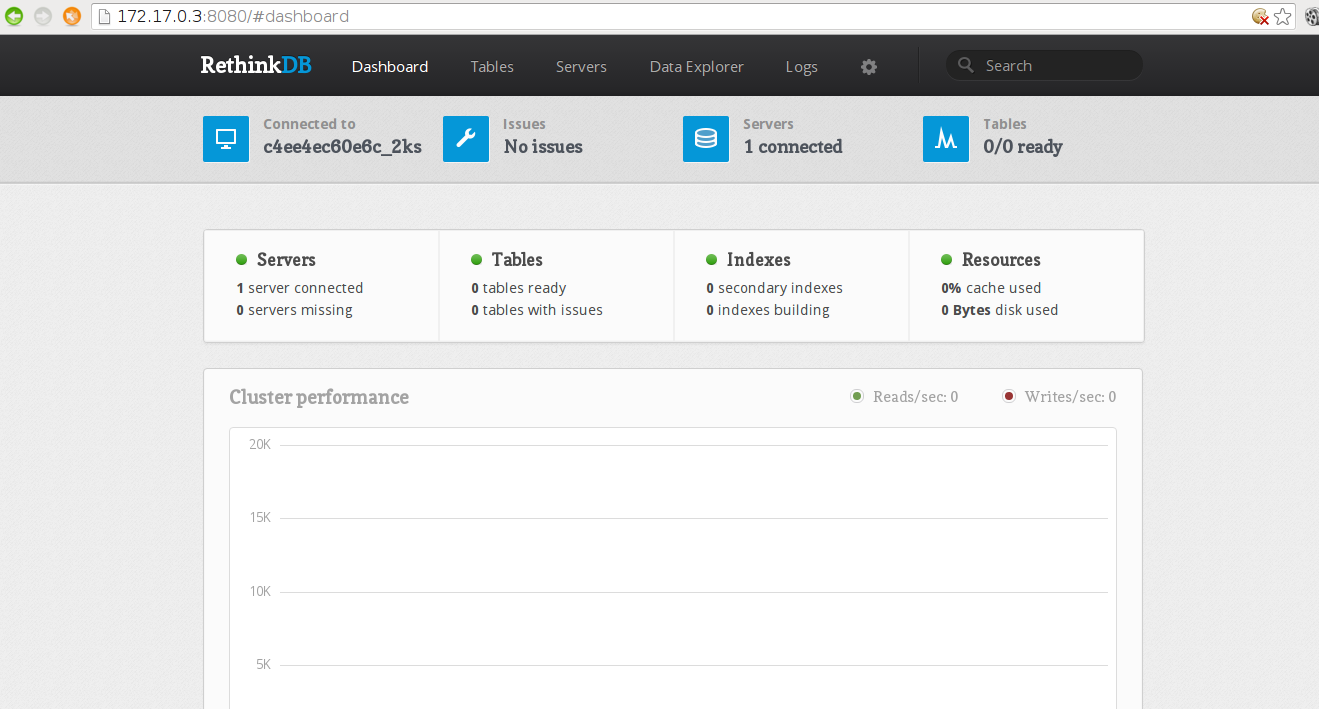
docker run --name some-rethink -v "$PWD:/data" -d debian-rethinkdbTo see the rethingDB web administration interface, run (chromium case):
chromium "http://$(docker inspect --format '{{ .NetworkSettings.IPAddress }}' some-rethink):8080"A screenshot of the web application is shown below:
Make a donation! If you liked the article you can make a donation with Bitcoin (BTC) using the digital wallet of your choice at the following address: 17MtNybhdkA9GV3UNS6BTwPcuhjXoPrSzV
Or by scanning the QR code from your wallet:
