This article shows in a simple way how to run several graphical applications from Docker containers.
The article is based on an article in English on the subject, which you can see at the following link (broken link).
The previous articles about Docker are:
-
Starting Django with docker using docker-compose with postgresql as a microservice.
-
Creating a Continuous Integration and Deployment environment with Docker for node.js.
-
Setting up a Platform as a Service (PaaS) with Dokku (docker).
-
Provisioning a cluster with docker swarm and docker-machine.
-
Installing Jenkins with Docker and creating a Jenkins Docker image
-
Creating a Docker container as a development environment for Sails.js.
Lynx: It is a console browser, widely used long ago. To run it with Docker, use the following command:
docker run -it --name lynx1This runs the application from a container, as the following figure shows:
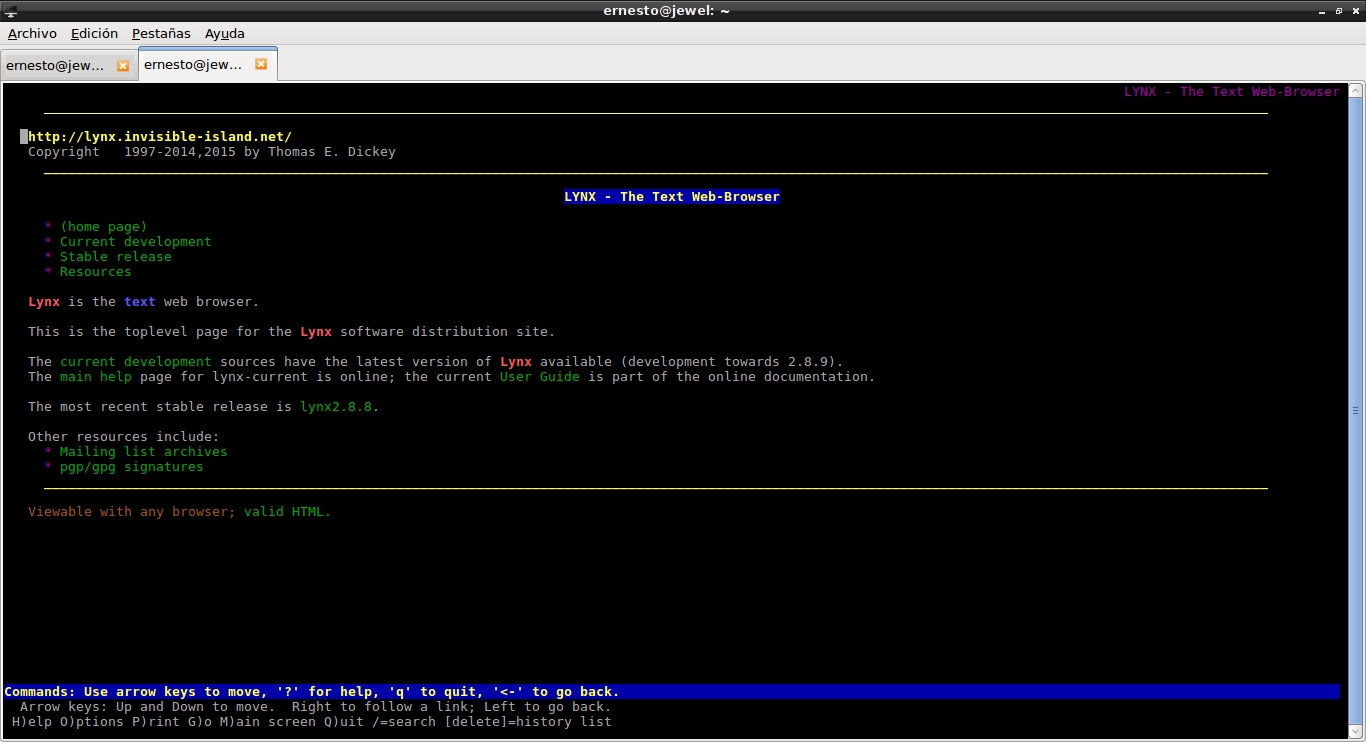
You can visit the container's repository on Docker hub and see the repository's Dockerfile at the following link:
# Run Lynx in a conatiner
#
# docker run --rm -it \
# --name lynx \
# jess/lynx github.com/jfrazelle
#
FROM debian:jessie
MAINTAINER Jessica Frazelle <jess@docker.com>

RUN apt-get update && apt-get install -y \
 lynx \
 --no-install-recommends \
 && rm -rf /var/lib/apt/lists/*

ENTRYPOINT [ "lynx" ]
The link I gave at the beginning of the article lists other desktop applications that can be run, and looking at the Dockerfiles gives you an idea of how to create our own applications that run from a Docker container.
Make a donation! If you liked this article you can donate with Bitcoin (BTC) using the digital wallet of your choice to the following address: 17MtNybhdkA9GV3UNS6BTwPcuhjXoPrSzV
Or by scanning the QR code from your wallet:
