This article covers using a Docker container as a Development environment.
The idea is to have the project's dependencies in the container and be able to develop the application outside the container through persistence as a volume.
This article is based on the information in the following github repository.
This article uses the sails.js framework, but not in depth; I simply create the project and run it. For more information you can check the following tutorial.
The previous articles about Docker are:
-
Starting Django with docker using docker-compose with postgresql as a microservice.
-
Creating a Continuous Integration and Deployment environment with Docker for node.js.
-
Setting up a Platform as a Service (PaaS) with Dokku (docker).
-
Provisioning a cluster with docker swarm and docker-machine.
-
Installing Jenkins through Docker and creating a Jenkins Docker image
There is a directory ProyectoNuevo, which is the sails.js project created with the command:
sails new ProyectoNuevo

ProyectoNuevo
├── api
│   ├── controllers
│   ├── models
│   ├── policies
│   │   └── sessionAuth.js
│   ├── responses
│   │   ├── badRequest.js
│   │   ├── created.js
│   │   ├── forbidden.js
│   │   ├── notFound.js
│   │   ├── ok.js
│   │   └── serverError.js
│   └── services
├── app.js
├── assets
│   ├── favicon.ico
│   ├── images
│   ├── js
│   │   └── dependencies
│   │       └── sails.io.js
│   ├── robots.txt
│   ├── styles
│   │   └── importer.less
│   └── templates
├── config
│   ├── blueprints.js
│   ├── bootstrap.js
│   ├── connections.js
│   ├── cors.js
│   ├── csrf.js
│   ├── env
│   │   ├── development.js
│   │   └── production.js
│   ├── globals.js
│   ├── http.js
│   ├── i18n.js
│   ├── locales
│   │   ├── de.json
│   │   ├── en.json
│   │   ├── es.json
│   │   ├── fr.json
│   │   └── _README.md
│   ├── local.js
│   ├── log.js
│   ├── models.js
│   ├── policies.js
│   ├── routes.js
│   ├── session.js
│   ├── sockets.js
│   └── views.js
├── Gruntfile.js
├── package.json
├── README.md
├── tasks
│   ├── config
│   │   ├── clean.js
│   │   ├── coffee.js
│   │   ├── concat.js
│   │   ├── copy.js
│   │   ├── cssmin.js
│   │   ├── jst.js
│   │   ├── less.js
│   │   ├── sails-linker.js
│   │   ├── sync.js
│   │   ├── uglify.js
│   │   └── watch.js
│   ├── pipeline.js
│   ├── README.md
│   └── register
│       ├── build.js
│       ├── buildProd.js
│       ├── compileAssets.js
│       ├── default.js
│       ├── linkAssetsBuild.js
│       ├── linkAssetsBuildProd.js
│       ├── linkAssets.js
│       ├── prod.js
│       └── syncAssets.js
└── views
    ├── 403.ejs
    ├── 404.ejs
    ├── 500.ejs
    ├── homepage.ejs
    └── layout.ejs
The directory where the project lives is called sailsjs with the following contents:
sailsjs
├── Dockerfile
├── ProyectoNuevo
└── run.sh
The contents of ProyectoNuevo were shown above.
The run.sh file contains a script to bring up sails through sails lift:
#!/bin/bash

cd /app/ProyectoNuevo
sails lift
The Dockerfile contains the following:
#Se usa la imagen de nodejs de google
FROM google/nodejs
#El mantenedor de la imagen
MAINTAINER Ernesto Crespo <ecrespo@gmail.com>
#El usuario del contenedor
USER root
#Se define el directorio de trabajo
WORKDIR /app
#Se copia el ProyectoNuevo a /app/
ADD ProyectoNuevo /app/
#Se instala sails en el contenedor
RUN npm -g install sails
#Se copia el script run.sh al directorio de trabajo
ADD run.sh /app/run.sh
#Se coloca el script con permiso de ejecución
RUN chmod a+x /app/run.sh

#Se expone el puerto 8080
EXPOSE 8080
#Se ejecuta el script
CMD ["/app/run.sh"]
To build the image, run:
docker build -t sails-prueba . To run the image, run:
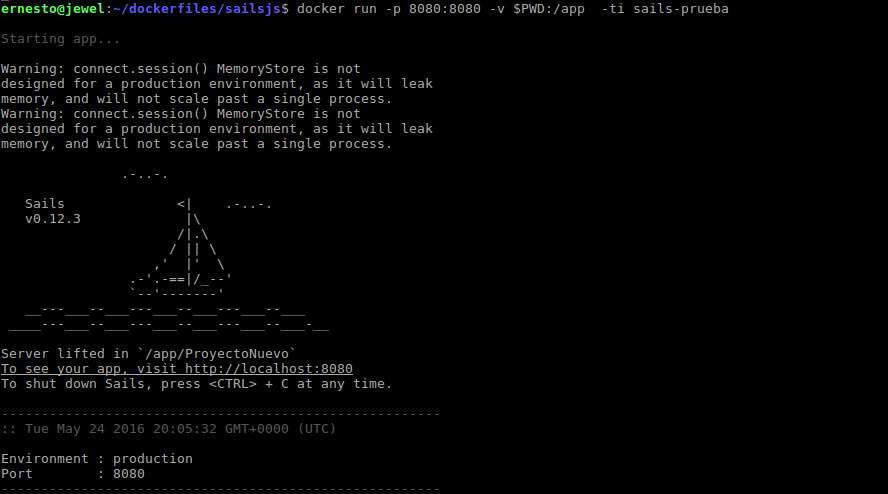
docker run -p 8080:8080 -v $PWD:/app -ti sails-pruebaBelow is an image after running the command:
The containers are listed:

The sails container is running alongside the mongodb one already explained in the previous chapter.
Now open the browser on localhost at port 8080:
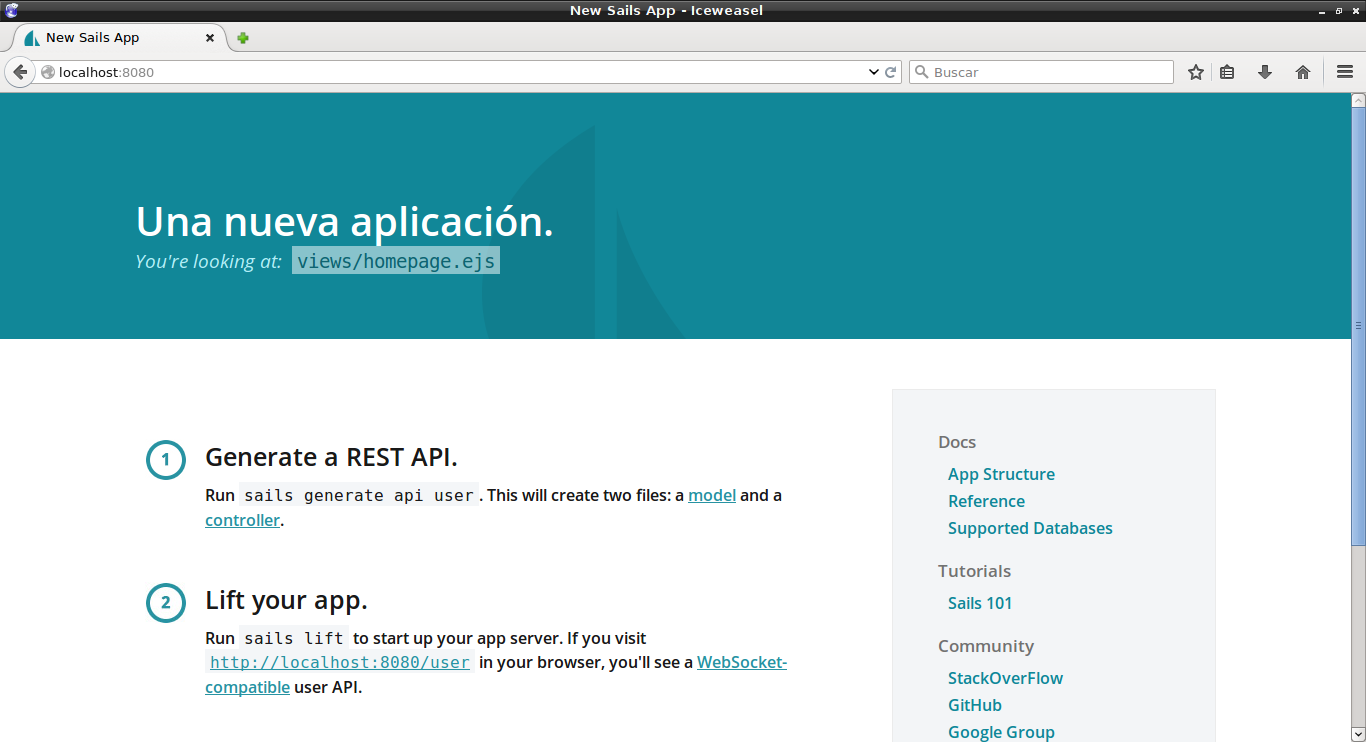
The idea of making the directory persistent is that you can keep modifying the project directory and bring up the container without having to rebuild its image.
Make a donation! If you liked the article you can make a donation in Bitcoin (BTC) using the digital wallet of your choice to the following address: 17MtNybhdkA9GV3UNS6BTwPcuhjXoPrSzV
Or by scanning the QR code from your wallet:
