Continuing with the docker articles, this time we will talk about starting two containers where one serves the other: one container will run the redis service and the other will be a simple web application made with flask.
To manage several containers there is docker-compose; for this article, you can check the link about docker-compose with flask at the following link.
The previous articles that cover docker are:
- Install Docker on Debian Jessie
- Using Docker on Debian Jessie (part 1)
- Using Docker on Debian Jessie (part 2)
- Create a Docker image with a Dockerfile
- Starting Django using Docker
- Starting Gitlab using Docker
First, create the working directory.
mkdir flask
cd flask
Create the file app.py with the following content:
#Se importa flask y redis
from flask import Flask
from redis import Redis

#Se crea la instancia de flask
app = Flask(__name__)
#Se crea la instancia de redis
redis = Redis(host="redis",port=6379)


#Se crea la función hello definiendo la ruta del decorador.
@app.route("/")
def hello():
    #Se incrementa el valor de la variable hits de redis
    redis.incr('hits')
    #Se retorna un mensaje con el valor actual de la variable en redis
    return "Hello is me %s...\n" %redis.get('hits')


if __name__ == "__main__":
    #Se ejecuta la aplicación en modo debug
    app.run(host="0.0.0.0",debug=True)
Create the file requerimientos.txt, which defines that flask and redis need to be installed:
flask
redis
Create the Dockerfile file with the following content:
FROM python:2.7
WORKDIR /code
ADD requerimientos.txt /code/
RUN pip install -r requerimientos.txt
ADD . /code
CMD python app.py
Build the web image:
docker build -t web .The services are defined through the docker-compose.yml file, which contains the following:
web:
  build: .
  ports:
   - "5000:5000"
  volumes:
   - .:/code
  links:
   - redis
redis:
  image: redis
Description of the docker-compose.yml file:
web: Defines the image called web to be built; it handles ports, local 5000 and external will also be 5000; the volume directory called code is also defined, and finally for web, links is defined, which calls the redis image.
redis: Defines the redis image.
Build and run the application with compose:
From the directory where the files are located, run:
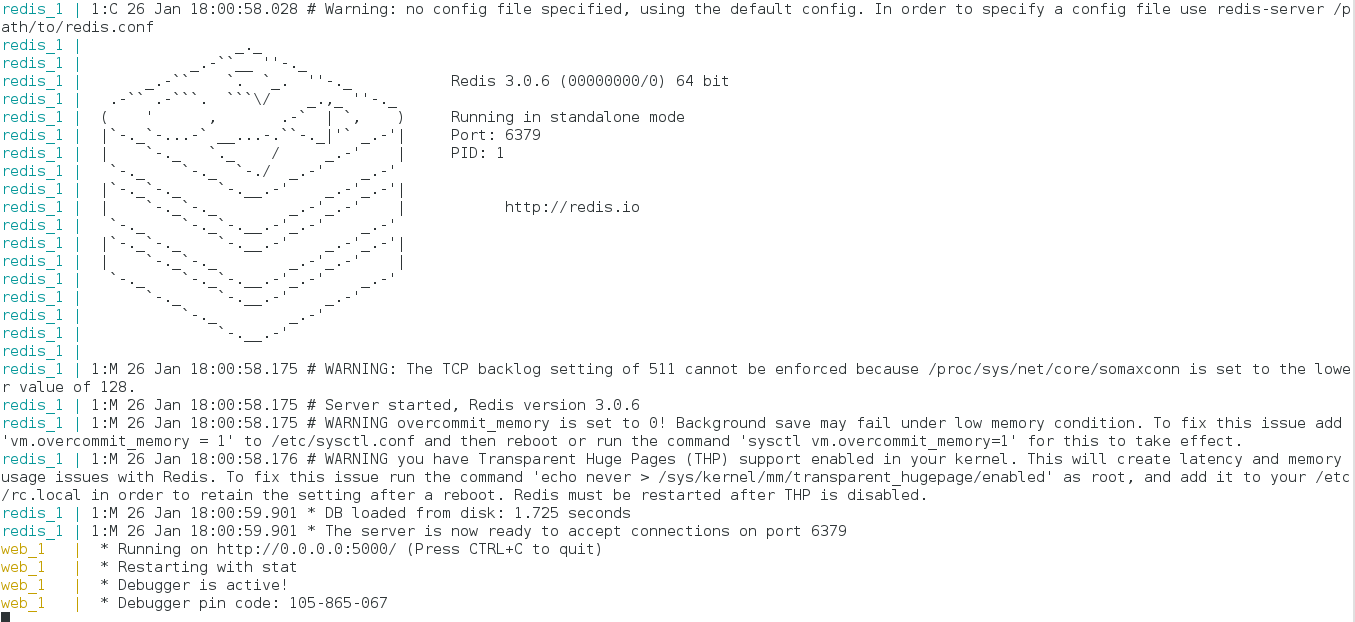
docker-compose upThe following figure shows that the application is running:
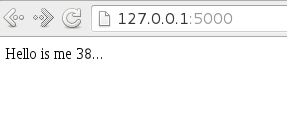
Opening the browser at localhost:5000 gives what the following figure shows:
Running docker ps lists the containers that are running:

docker-compose also has the ps command, and it gives the following:

The output is simplified compared to docker ps.
To stop the processes or the execution of the service, use docker-compose's stop command:
docker-componse stopWith docker compose you can run multiple images and use them in a main application, which achieves the concept of microservices.
Make a donation! If you liked the article you can make a donation with Bitcoin (BTC) using the digital wallet of your choice to the following address: 17MtNybhdkA9GV3UNS6BTwPcuhjXoPrSzV
Or by scanning the QR code from your wallet:
