The previous article explained the installation of docker; at the end of it a functionality test was run by executing an image called hello-word.
When the command is run:
# docker run hello-worldThe command returns:
Unable to find image 'hello-world:latest' locally
latest: Pulling from library/hello-world
b901d36b6f2f: Pull complete
0a6ba66e537a: Pull complete
Digest: sha256:8be990ef2aeb16dbcb9271ddfe2610fa6658d13f6dfb8bc72074cc1ca36966a7
Status: Downloaded newer image for hello-world:latest

Hello from Docker.
This message shows that your installation appears to be working correctly.
The underlined part indicates that the image is not downloaded locally, and it proceeds to download it.
If the command is run again, the message no longer appears because the hello-work image has already been downloaded.
$docker run hello-world

Hello from Docker.
We can list the existing images with the following command:
$ docker images
REPOSITORY          TAG                 IMAGE ID            CREATED             VIRTUAL SIZE
hello-world                 latest              0a6ba66e537a        10 weeks ago        960 B
It shows the repository, the tag that the image uses, the image identifier, the creation date and the size of the image.
Now let's try an image that shows a message from the cow that says boo (you can see the whalesay image info from here):
$ docker run docker/whalesay cowsay booBelow is an image of the result of running the previous command:
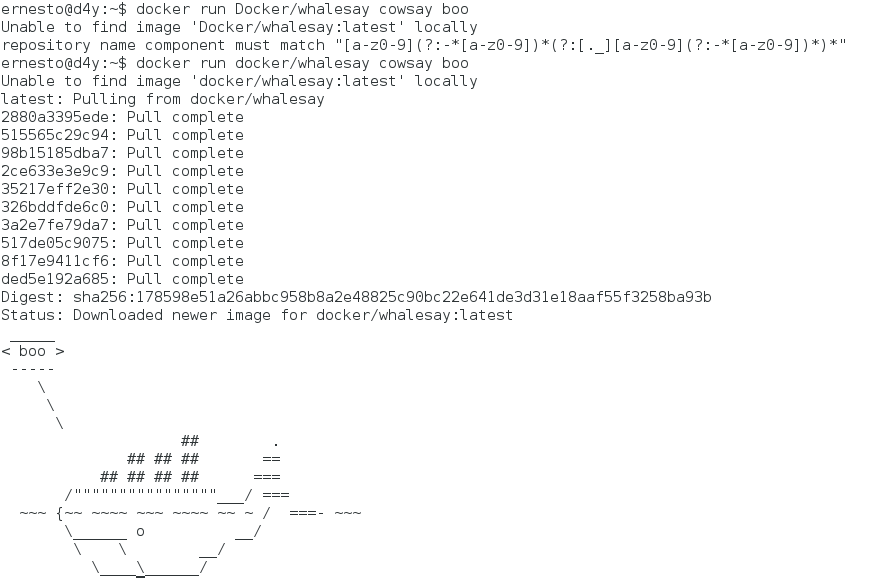
As you can see, running the image returns a result.
When the images are listed again, you get:
$ docker images
REPOSITORY          TAG                 IMAGE ID            CREATED             VIRTUAL SIZE
hello-world                 latest              0a6ba66e537a        10 weeks ago        960 B
docker/whalesay         latest              ded5e192a685        7 months ago        247 MB
To remove an image, run docker rm idimagen:
$docker rmi ded5e192a685
Untagged: docker/whalesay:latest
Deleted: ded5e192a685b2c5f048ea98ca24f4c8c4dccc012185448a0247b49b24645007
Deleted: 8f17e9411cf6e7467e630b369a0216b582a8a811901befc800de41537bde1f04
Deleted: 517de05c9075311e28a12b52c38fbc4d46c47750efc71a6d88ba40a7547fd89d
Deleted: 3a2e7fe79da7865d735739288585f82c694088fc1163b415de7f5f5db12671c7
Deleted: 326bddfde6c0dd63908afd6b62b3db9cbc3d33ab23497493691e6230e051dbae
Deleted: 35217eff2e300e3b9a5402920a71ede310fe5e47d0c88d56e1d7baaa4d0aab04
Deleted: 2ce633e3e9c9bd9e8fe7ade5984d7656ec3fc3994f05a97d5490190ef95bce8d
Deleted: 98b15185dba7f85308eb0e21196956bba653cf142b36dc08059b3468a01bf35d
Deleted: 515565c29c940355ec886c992231c6019a6cffa17ff1d2abdfc844867c9080c5
Deleted: 2880a3395eded9b748c94d27767e1e202f8d7cb06f1e40e18d1b1c77687aef77
When docker images is run, only the hello-world one remains:
$ docker images
REPOSITORY          TAG                 IMAGE ID            CREATED             VIRTUAL SIZE


hello-world                 latest              0a6ba66e537a        10 weeks ago        960 B
Now we will run a Debian jessie image that returns the hello world message:
$ docker run debian /bin/echo hello world

Unable to find image 'debian:latest' locally
Pulling repository docker.io/library/debian
8b9a99209d5c: Pulling dependent layers
8b9a99209d5c: Download complete
6d1ae97ee388: Download complete
Status: Downloaded newer image for debian:latest
docker.io/library/debian: this image was pulled from a legacy registry.  Important: This registry version will not be supported in future versions of docker.
hello world
Now the same image is run with the -t and -i options, which open a pseudo tty and keep it open, so that commands can be run inside the container:
$ docker run -t -i debian /bin/bash
root@10668b1e1336:/#
Running docker ps in another console shows the debian container running:
$ docker ps
$ docker images
REPOSITORY          TAG                 IMAGE ID            CREATED             VIRTUAL SIZE
debian              latest              8b9a99209d5c        3 weeks ago         125.1 MB
As shown, the Debian image has one container.
In this container some Debian packages that make it possible to create Debian packages will be installed, and I will upload the image to my account in the docker repositories.
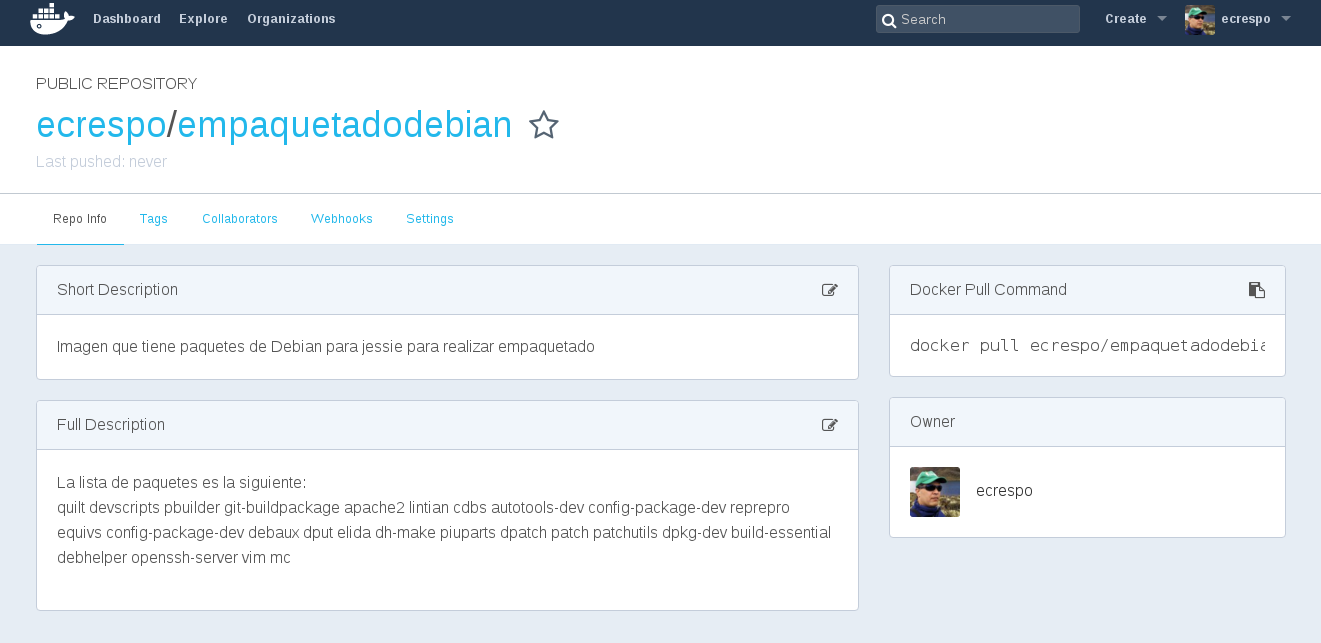
root@10668b1e1336:/etc/apt# apt install quilt devscripts pbuilder git-buildpackage apache2 lintian cdbs autotools-dev config-package-dev reprepro equivs config-package-dev debaux dput elida dh-make piuparts dpatch patch patchutils dpkg-dev build-essential debhelper openssh-server vim mcI have created in Docker hub a repository under my account that will hold the image I modify; the link is the following. It shows the user/repository name, in this case ecrespo/empaquetadodebian.
The image of the repository's page is shown:
To upload the changes you need the container id, which you get by running docker ps:
$ docker ps
CONTAINER ID        IMAGE               COMMAND             CREATED             STATUS              PORTS               NAMES
10668b1e1336        debian              "/bin/bash"         2 hours ago         Up 2 hours                              cranky_wright
The command to commit to the docker repository is:
$ docker commit 10668b1e1336 ecrespo/empaquetadodebian
ee5883957d643419258c19c10b38d6c5e510bb2b369949be7152571083b4b421
After leaving the container there is no longer an active container:
$ docker ps
CONTAINER ID        IMAGE               COMMAND             CREATED             STATUS              PORTS               NAMES
And when the images are listed, the created image is there:
$ docker images
REPOSITORY                  TAG                 IMAGE ID            CREATED             VIRTUAL SIZE
ecrespo/empaquetadodebian   latest              ee5883957d64        4 minutes ago       656.9 MB
debian                      latest              8b9a99209d5c        3 weeks ago         125.1 MB
The next article will explain how to use the dockerfile file to make building easier.
Make a donation! If you liked the article you can make a donation with Bitcoin (BTC) using the digital wallet of your choice to the following address: 17MtNybhdkA9GV3UNS6BTwPcuhjXoPrSzV
Or by scanning the QR code from your wallet:
