Continuing with the Docker articles, this time I show how to start SonarQube connected to a PostgreSQL database, passing the database settings through environment variables.
Sonarqube is a platform for evaluating source code (taken from wikipedia).
The previous articles about Docker are:
-
Running microservices with docker using docker-compose (broken link)
-
Starting Django with docker using docker-compose with postgresql as a microservice. (broken link)
-
Creating a Continuous Integration and Deployment environment with Docker for node.js.
-
Using Jupyter Notebook from a Docker container. (broken link)
-
Running a doctest test with a Docker container (broken link).
-
Running a unittest test in Python with a Docker container. (broken link)
-
Setting up a Platform as a Service (PaaS) with Dokku (docker) (broken link).
-
Provisioning a cluster with docker swarm and docker-machine. (broken link)
-
Installing Jenkins with Docker and creating a Jenkins Docker image (broken link)
-
Automating the build of Docker images with github. (broken link)
-
Creating a Docker container as a development environment for Sails.js. (broken link)
-
Running desktop applications from a Docker container. (broken link)
-
Using dockerui to manage Docker images and containers (broken link)
-
Installing gitlab-runner for gitlab-ci with Docker (broken link)
-
Creating JSON data from a dictionary in Flask (part 1) (update - Docker)
The configuration and usage guide for the sonarqube Docker containers can be seen at the Docker hub.
The first thing to do is start a postgreSQL container:
docker run -d --name postgres2 --restart always -e POSTGRES_PASSWORD=sonar -e POSTGRES_USER=sonar postgresThe database user is defined as sonar and its password is sonar.
Now start the sonarqube container:
docker run -d --name sonarqube --restart always -p 9000:9000 -p 9092:9092 -e SONARQUBE_JDBC_USERNAME=sonar -e SONARQUBE_JDBC_PASSWORD=sonar -e SONARQUBE_JDBC_URL=jdbc:postgresql://postgres2/sonar --link postgres2:postgres sonarqubeThe ports where sonarqube will be (9000 and 9092) are passed, the database configuration is passed to sonarqube (user, password and connection url, which will use the name of the postgres container) and it is linked to the postgres container.
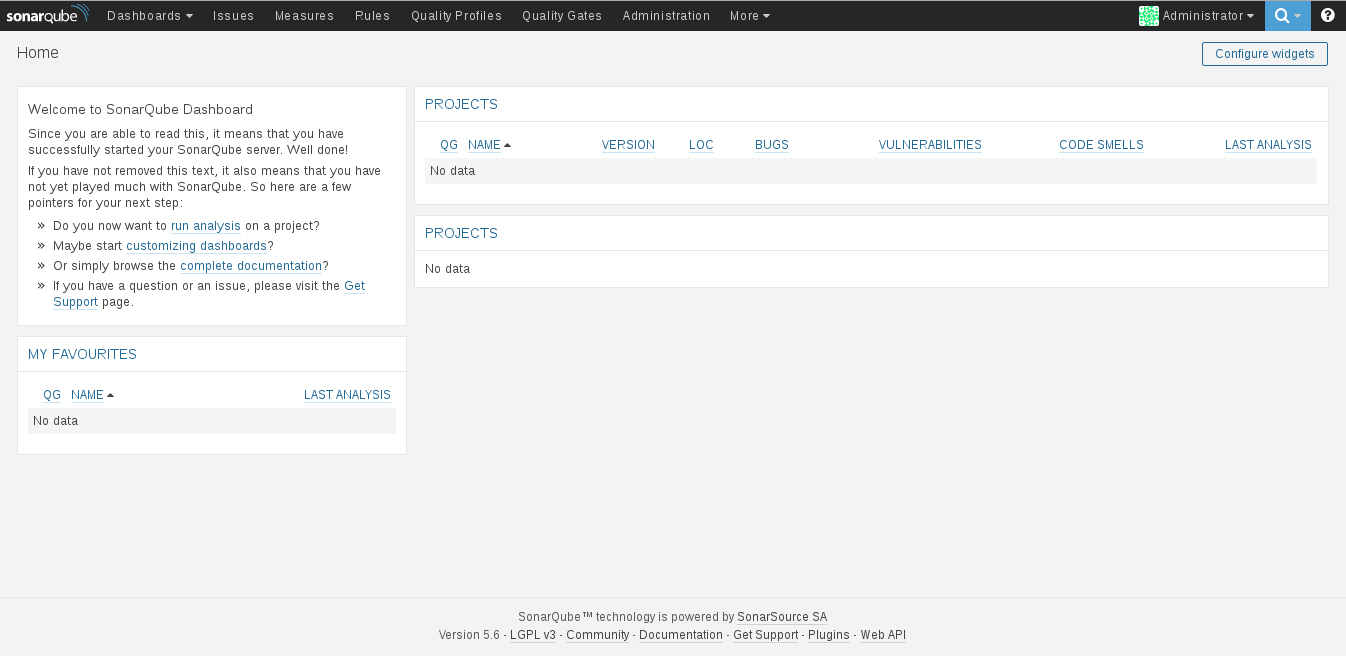
Below is a screenshot of the container running:
Finally, the running containers are shown:
docker ps
CONTAINER ID        IMAGE                     COMMAND                  CREATED             STATUS              PORTS                                                          NAMES
e20d4108f54f        sonarqube                 "./bin/run.sh"           29 minutes ago      Up 29 minutes       0.0.0.0:9092->9092/tcp, 0.0.0.0:49000->9000/tcp                sonarqube
e3387c2754d1        postgres                  "/docker-entrypoint.s"   6 hours ago         Up 6 hours          5432/tcp                                                       postgres2
Make a donation! If you liked this article you can donate with Bitcoin (BTC) using the digital wallet of your choice to the following address: 17MtNybhdkA9GV3UNS6BTwPcuhjXoPrSzV
Or by scanning the QR code from your wallet:
