The webscraping technique is used to extract data from a web page by means of tools (more information on wikipedia).
For Python there are several tools:
urllibyurlopen.Beautiful Soup 4(introduction in a previous article).Python Mechanize(an introductory article, and I hope to publish a few more).- Scrapy.
Selenium.pyquery.ScrapemarkWebscrapingScraperWiki
Other articles will explain the use of each tool mentioned. Now it is time to show another couple of examples of BeautifulSoup4.
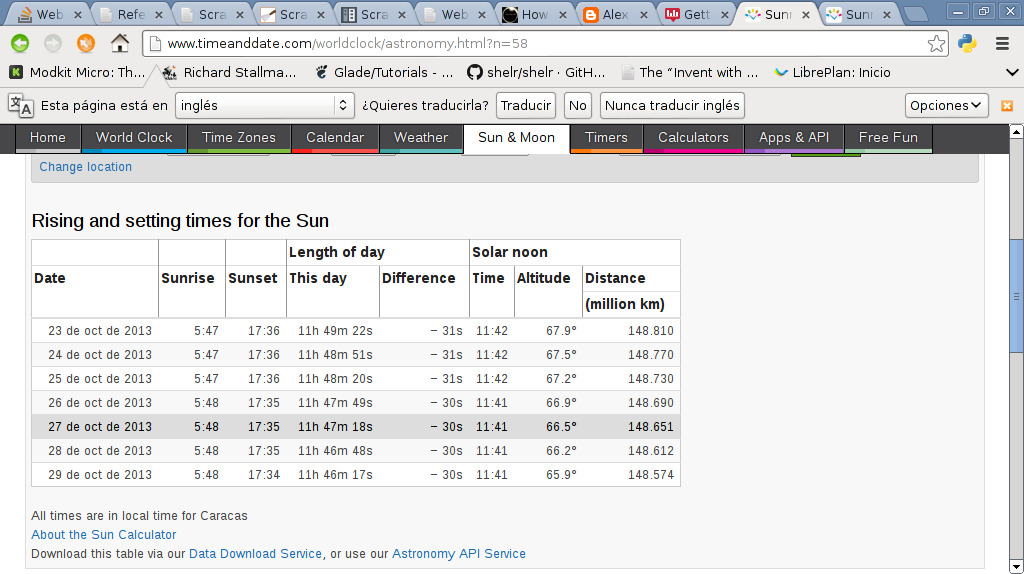
The first example captures the date and time of sunrise for Venezuela from the timeanddate site.
Below is an image of the timeanddate page for sunrise in Venezuela.
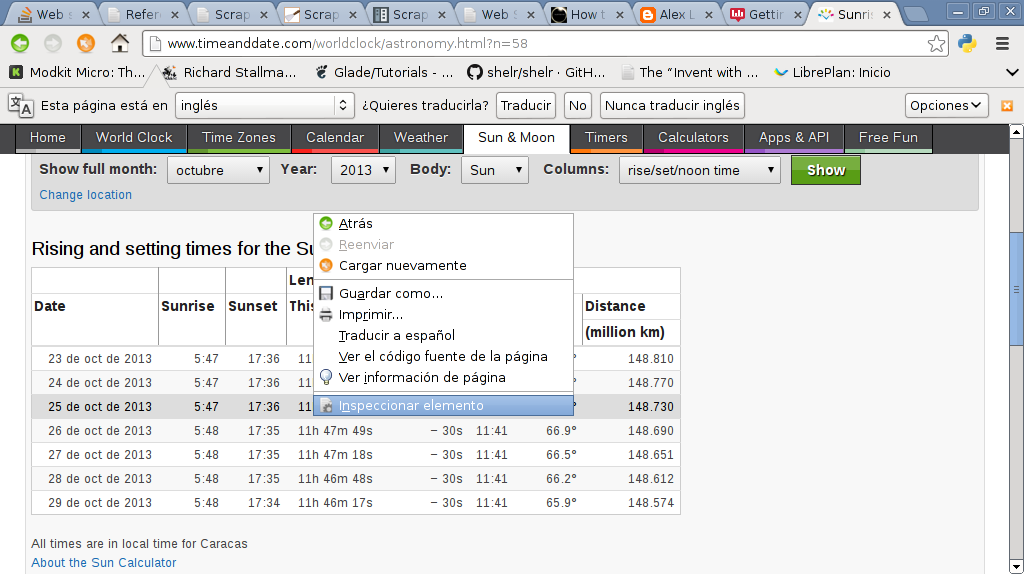
Below is the timeanddate page where the element of the row shown in the previous image will be inspected:
Then the image shows the html code of the row shown in the previous image:
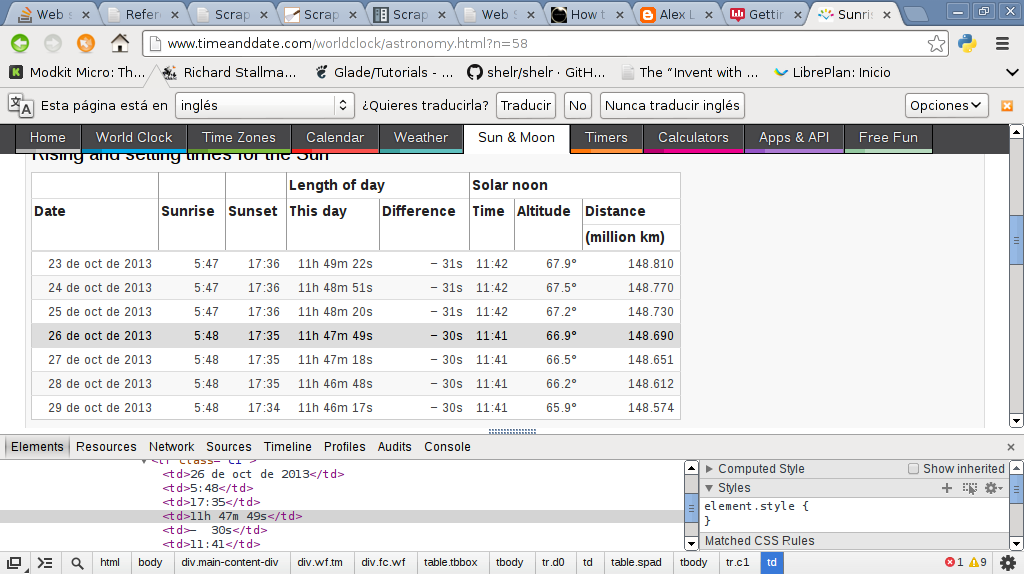
The code is shown below:
#!/usr/bin/env python

#Importar urllib2 y BeautifulSoup

import urllib2


from BeautifulSoup import BeautifulSoup

#Se crea la instancia y se abre el url de timeanddate


#buscando la informacion de la hora de salir el sol en Venezuela


soup = BeautifulSoup(urllib2.urlopen('http://www.timeanddate.com/worldclock/astronomy.html?n=58').read())


#Se busca la palabra table, y de ahi class y se busca el contenido


#de cada columna de la tabla.


for row in soup('table', {'class': 'spad'})[0].tbody('tr'):

    tds = row('td')


    #Se muestra la fecha y hora de la salida del sol


    print tds[0].string, tds[1].string
The result of the execution is the following:
23 Oct 2013 05:47

24 Oct 2013 05:47

25 Oct 2013 05:47

26 Oct 2013 05:48

27 Oct 2013 05:48

28 Oct 2013 05:48

29 Oct 2013 05:48
The other example is a tidier piece of code showing how to extract the links of a web page.
In this case the command line will ask for the url of the site whose urls you want to extract; instead of using urllib2, the request library will be used with beautifulsoup4.
The code follows:
#!/usr/bin/env python

#Se importa BeautifulSoup

from bs4 import BeautifulSoup

#Se importa requests

import requests


#Se crea la clase Extraer

class Extraer:


    def __init__(self,url):

        #Se asocia el url a self.__url

        self.__url = url

    #Se crea el método Enlaces, donde se crea una lista vacía

    #donde se lee el url con requests.get y se busca el tag a

    #luego se agrega a la lista cada link donde aparece el texo href

   #Se retorna la lista

    def Enlaces(self):

        self.__enlaces = []

        for link in BeautifulSoup(requests.get("http://" +url).text).find_all('a'):

            self.__enlaces.append((link.get('href')))

        return self.__enlaces


#Se ejecuta este script

if __name__ == "__main__":

#Se pide el url desde la línea de comandos

    url = raw_input("Escriba el url del sitio que desea extraer informacion: ")

#Se crea la instancia de la clase donde se le pasa el url

    ws = Extraer(url)

#Se muestra el texto Enlaces

    print "Enlaces: "

#Se muestra cada enlace extraído

    for enlace in  ws.Enlaces():

    print enlace
The result is shown below:
ernesto@grievous:~/bin/python/webscraping$ python ej1.py

Escriba el url del sitio que desea extraer informacion: 127.0.0.1:8000

Enlaces:

/

/radios/pagina/1/

/acerca/

/login/
Make a donation! If you liked this article you can donate with Bitcoin (BTC) using the digital wallet of your choice to the following address: 17MtNybhdkA9GV3UNS6BTwPcuhjXoPrSzV
Or by scanning the QR code from your wallet:
