Two articles about Docker touched on the topic of redis: the first one used flask and the second, the latest article, talks about creating a Docker image for Redis.
Next, a Docker container with a Python application that connects to redis will be used.
The directory structure of the application is the following:
redis2
├── app.py
└── Dockerfile
The Dockerfile file contains the following:
#Imagen base de debian
FROM debian
#Directorio de trabajo /code
WORKDIR /code
#Actualización de la lista de paquetes
RUN apt-get update

#Se instala el módulo redis para python
RUN apt-get install -y python-redis
#Se limpia la cache de paquetes deb
RUN apt-get clean

#Se agrega el código en el directorio de trabajo
ADD . /code
#Se ejecuta el script
CMD python app.py
The application code is the following:
#!/usr/bin/env python

#Se importa redis
import redis

#Se crea la instancia de conexion al contenedor redis
cliente = redis.StrictRedis(host='redis', port=6379)

#Se asigna un mensaje a la variable saludo
cliente.set("string:saludo", "Hola mundo!")
#Se muestra el valor de la variable saludo
print (cliente.get("string:saludo"))

#Se crea una variable contador y se incrementa su valor
cliente.incr("string:contador")
#Se muestra el valor de la variable saludo y contador
print (cliente.mget(["string:saludo", "string:contador"]))

#Se crea una lista con 2 items
cliente.rpush("list:lista", "v1", "v2")
#Se extrae el valor de la lista por medio de pop
print (cliente.lpop("list:lista"))

#Se asigna el titulo a una pagina
cliente.hset("set:pagina", "titulo", "Blog de seraph")
#Se muestra todos los valores de pagina
print (cliente.hgetall("set:pagina"))

#SE agrega dos nombres a la variable usuario
cliente.sadd("set:usuarios", "ernesto", "nadir")
#Se muestra los usuarios
print (cliente.smembers("set:usuarios"))

#Se agrega unos valores a la variable programadores
cliente.zadd("sorted_set:programadores", 1969, "Linus Torvalds")
cliente.zadd("sorted_set:programadores", 1986, "Aaron Swartz")
#Se muestra el contenido de dicha variable
print (cliente.zrange("sorted_set:programadores", 0, -1, withscores=True))
Build the image to test the code.
docker build -t redis-prueba .Below is an image of the execution and its result:
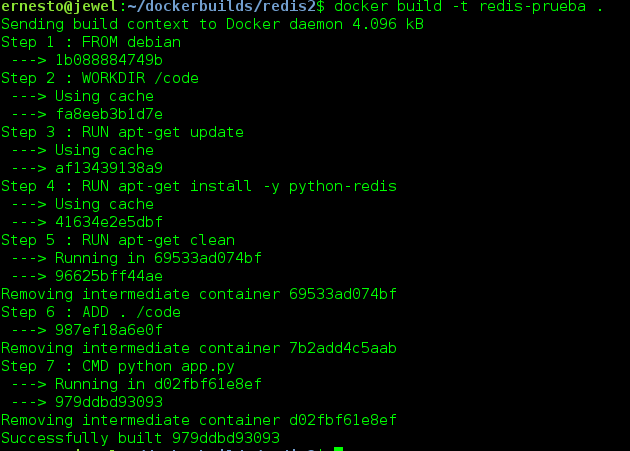
Now run the container, linking it with the redis instance from the previous article:
docker run --link redis:db -i -t redis-prueba
Hola mundo!
['Hola mundo!', '9']
item1
{'titulo': 'Blog de seraph'}
set(['nadir', 'ernesto'])
[('Alan Turing', 1912.0), ('Alan Kay', 1940.0), ('Linus Torvalds', 1969.0), ('Aaron Swartz', 1986.0)]
Make a donation! If you liked the article you can make a donation with Bitcoin (BTC) using the digital wallet of your choice to the following address: 17MtNybhdkA9GV3UNS6BTwPcuhjXoPrSzV
Or by scanning the QR code from your wallet:
