Privoxy is a web proxy that is normally used with tor.
The previous article explains how to install tor. Now privoxy will be used as a proxy for tor.
To install it, simply use apt:
#apt-get install privoxyIn privoxy the sock forward is defined, which is the port and IP where tor is running (localhost and port 9050). Edit the /etc/privoxy/config file and add the following line:
forward-socks4a / localhost:9050 .Restart privoxy:
# /etc/init.d/privoxy restart
[ ok ] Restarting privoxy (via systemctl): privoxy.service.
Check that it is working:
# /etc/init.d/privoxy status
● privoxy.service - Privacy enhancing HTTP Proxy
   Loaded: loaded (/lib/systemd/system/privoxy.service; enabled; vendor preset: enabled)
   Active: active (running) since Tue 2017-06-06 22:50:00 -04; 1s ago
     Docs: man:privoxy(8)
           https://www.privoxy.org/user-manual/
  Process: 20044 ExecStopPost=/bin/rm -f $PIDFILE (code=exited, status=0/SUCCESS)
  Process: 20082 ExecStart=/usr/sbin/privoxy --pidfile $PIDFILE --user $OWNER $CONFIGFILE (code=exited, status=0/SUCCESS)
 Main PID: 20083 (privoxy)
    Tasks: 1 (limit: 4915)
   Memory: 1.3M
      CPU: 8ms
   CGroup: /system.slice/privoxy.service
           └─20083 /usr/sbin/privoxy --pidfile /var/run/privoxy.pid --user privoxy /etc/privoxy/config

jun 06 22:49:59 grievous systemd[1]: Starting Privacy enhancing HTTP Proxy...
jun 06 22:50:00 grievous systemd[1]: Started Privacy enhancing HTTP Proxy.
In firefox, install foxy proxy standar:

Configure it to use the proxy localhost and port 8118:
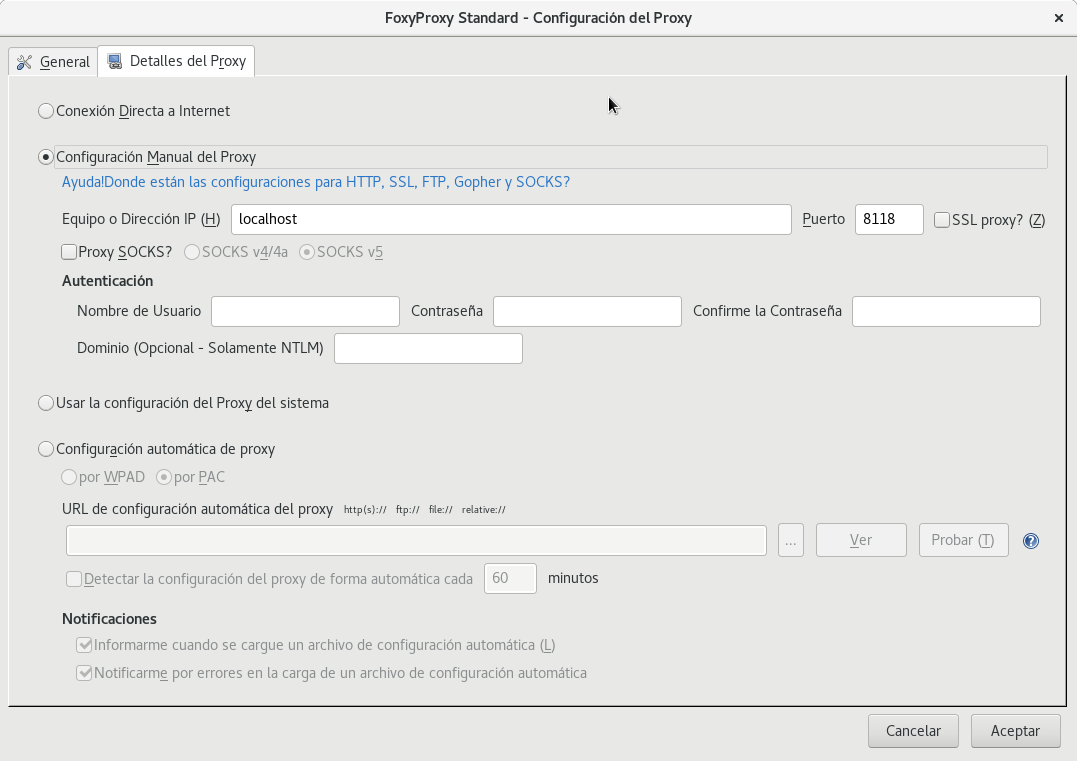
Checking the use of tor with the following URL https://check.torproject.org/?lang=es_AR, you get the following:
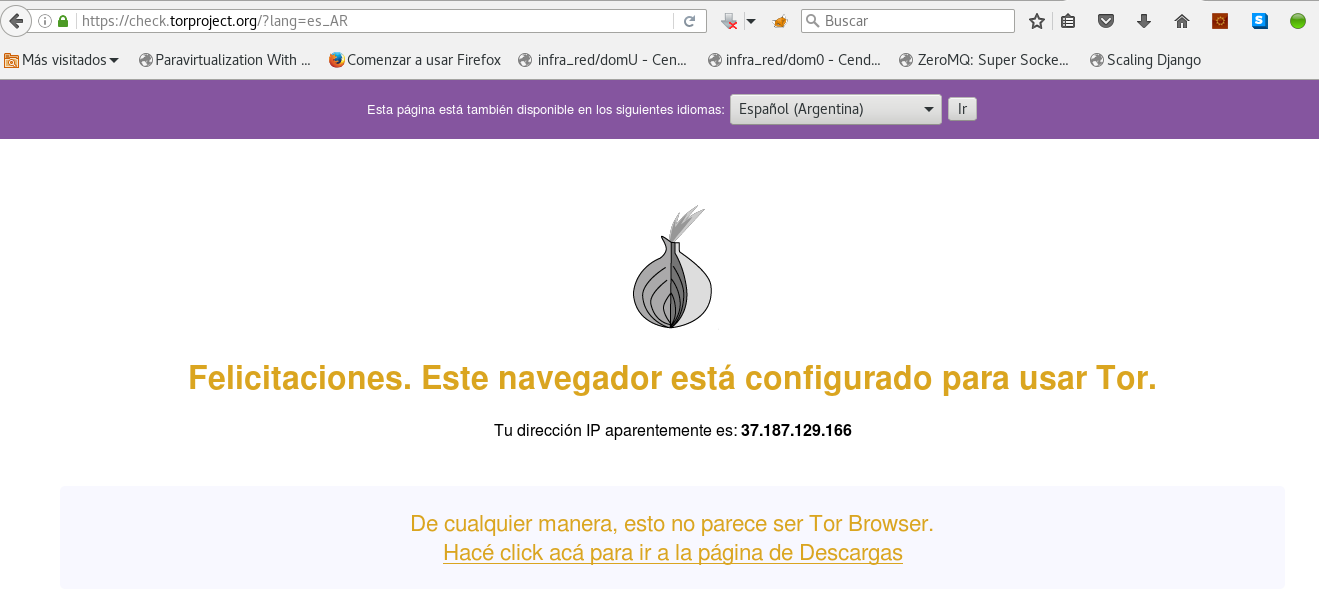
To the left of the search box is the foxyproxy icon, which is active at the time of checking whether tor is being used.
Make a donation! If you liked the article you can make a donation with Bitcoin (BTC) using the digital wallet of your choice at the following address: 17MtNybhdkA9GV3UNS6BTwPcuhjXoPrSzV
Or by scanning the QR code from your wallet:
