In the previous article I explained how to query DNS in an encrypted way , and now we are going to use tor to browse anonymously.
There are two options: one is to download the tor-browser tar.xz from the official page and the other is to install tor the Debian way. That will be the case in this article.
The article is based on the tor installation documentation for Debian.
Create the file /etc/apt/sources.list.d/torbrowser.list with the following repositories:
deb http://deb.torproject.org/torproject.org stretch main
deb-src http://deb.torproject.org/torproject.org stretch main
Download the gpg key of the packages:
$gpg --keyserver keys.gnupg.net --recv A3C4F0F979CAA22CDBA8F512EE8CBC9E886DDD89Export the key and add it to the keyring that apt has.
Command as root:
#gpg --export A3C4F0F979CAA22CDBA8F512EE8CBC9E886DDD89 | apt-key add -Command using sudo:
$gpg --export A3C4F0F979CAA22CDBA8F512EE8CBC9E886DDD89 | sudo apt-key add -Update the package list:
#apt-get updateInstall tor:
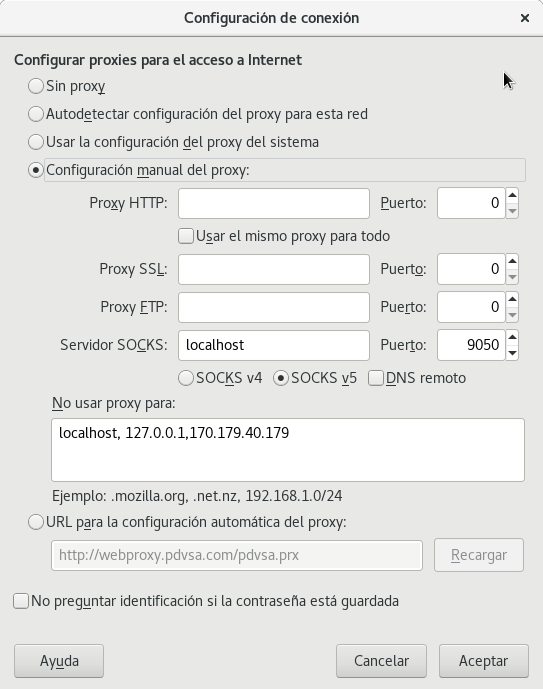
#apt-get install tor deb.torproject.org-keyringIn mozilla firefox, click preferences, then advanced, network and settings. There select manual proxy configuration and in the socks server enter localhost and port 9050, with socks_v5. As shown in the following figure:
Now open the browser at whatismyip.org:
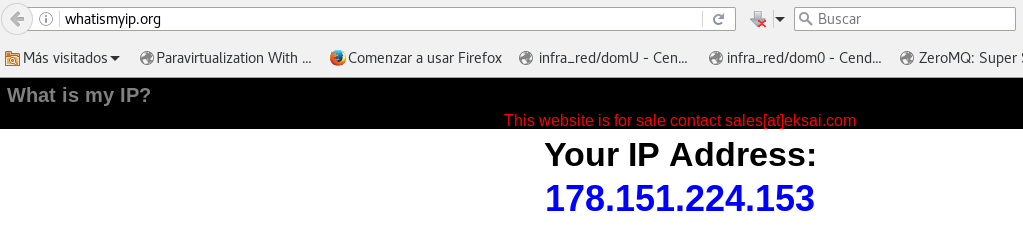
The image shows the IP being used, which is 178.151.224.153.
Now verify that tor is being used with https:/check.torproject.org/?lang=es_AR and you get the following figure:
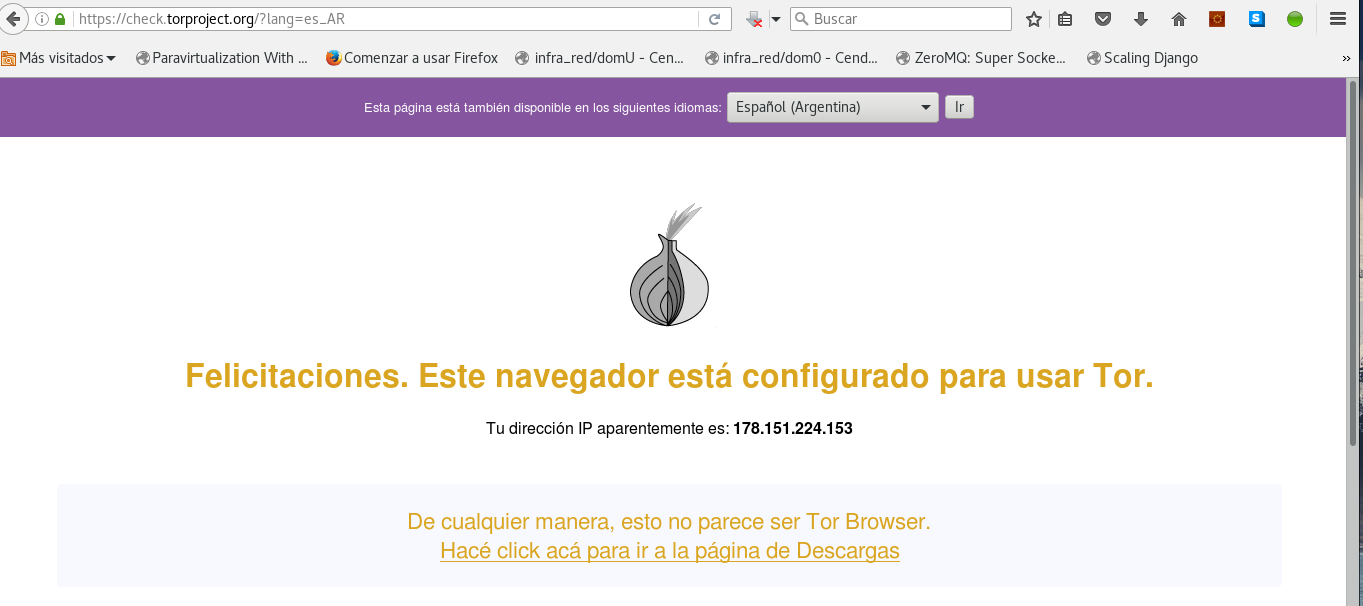
The figure shows that tor is now being used from the browser.
Make a donation! If you liked the article you can make a donation with Bitcoin (BTC) using the digital wallet of your choice to the following address: 17MtNybhdkA9GV3UNS6BTwPcuhjXoPrSzV
Or by scanning the QR code from the wallet:
