Continuing with the articles about django, this time django-celery will be used to send messages to a kannel server (sms server) and django-tastypie to show the result through a rest full API with json.
The two previous articles, Handling RabbitMQ queues in django with django-celery and
Restful API with django tastypie, are the basis of this article. This article is based on the sms messaging example from the Restful API with django tastypie article (the whole process of creating the project and the sms application was explained in that article).
The idea now is to be able to show the sms listed by event. It is not necessary to create a table that inherits from the other two; this will be possible thanks to tastypie in a json query.
sqlite3 will be used as the database. The settings.py file is shown below:
#Archivo settings.py:
#Configuración de la base de datos sqlite3
DATABASES = {
    'default': {
        'ENGINE': 'django.db.backends.sqlite3', # Add 'postgresql_psycopg2', 'mysql', 'sqlite3' or 'oracle'.
        'NAME': 'sms.db',                      # Or path to database file if using sqlite3.
        'USER': '',                      # Not used with sqlite3.
        'PASSWORD': '',                  # Not used with sqlite3.
        'HOST': '',                      # Set to empty string for localhost. Not used with sqlite3.
        'PORT': '',                      # Set to empty string for default. Not used with sqlite3.
    }
}


#Zona horaria y localización


TIME_ZONE = 'America/Caracas'

LANGUAGE_CODE = 'es-ve'

#Aplicaciones instaladas (djcelery,pasarela.apps.sms,tastypie y south)
INSTALLED_APPS = (
    'django.contrib.auth',
    'django.contrib.contenttypes',
    'django.contrib.sessions',
    'django.contrib.sites',
    'django.contrib.messages',
    'django.contrib.staticfiles',
    # Uncomment the next line to enable the admin:
    'django.contrib.admin',
    'djcelery',
    'pasarela.apps.sms',
    'tastypie',
    'south',
    # Uncomment the next line to enable admin documentation:
    # 'django.contrib.admindocs',
)


#Conexión al servidor kannel
direccion = "127.0.0.1"
portsms = "13013"
portadmin  = "13000"
usuario = "kannel"
clave = "kannel"
----------------------
The pasarela/apps/sms/models.py file:
#Archivo pasarela/apps/sms/models.py
from django.db import models

#Se crea la tabla Evento que contiene los campos evento (número del evento), el estatus del mismo (si se #termino el evento o no y si no termino fue por falla o no.
class Evento(models.Model):
    evento = models.IntegerField(primary_key=True)
    estatus = models.BooleanField(default=False)

    def __unicode__(self):
       evento = "Evento: %s, Estatus: %s , Falla: %s" %(self.evento,self.estatus,self.falla)
       return evento

#Se crea la tabla HistoricoSMS donde se tiene un campo
#foreignkey de la tablla evento, el mensaje, el número de celular, el estatus si se envío o no o si fallo.
class HistoricoSMS(models.Model):
    evento = models.ForeignKey(Evento)
    mensaje = models.CharField(max_length=150)
    numcel = models.CharField(max_length=11)
    estatus = models.BooleanField(default=False)

    def __unicode__(self):
        mensaje = "%s, %s, %s, %s, %s"  %(self.evento.evento,self.numcel,self.estatus, self.mensaje,self.falla)
        return mensaje
--------------------
The pasarela/apps/sms/admin.py file:
#Archivo pasarela/apps/sms/admin.py
#En este archivo se define que las tablas Evento e HistoricoSMS se puedan visualizar desde la #administración de django.
from django.contrib  import admin
from pasarela.apps.sms.models import HistoricoSMS,Evento


admin.site.register(HistoricoSMS)
admin.site.register(Evento)
The pasarela/apps/sms/api.py file (the file that creates the django-tastypie restful api). In this case it has several changes compared with the previous article about tastypie: now the filtering variable is added (more information about filtering at the following link), which is a dictionary in each resource:
#Se importa de tastypie.resources ModelResource, ALL y ALL_WITH_RELATIONS
from tastypie.resources import ModelResource, ALL, ALL_WITH_RELATIONS
#Se importa del modelo HistoricoSMS y Evento
from .models import HistoricoSMS,Evento
#Se importa fields de tastypie
from tastypie import fields


class EventoResource(ModelResource):
    class Meta:
        queryset =Evento.objects.all()
        resource_name = 'evento'
#Se muestra todos los eventos
        filtering = {
            'evento': ALL,
        }


class SMSResource(ModelResource):
    evento = fields.ForeignKey(EventoResource, 'evento')
    class Meta:
        queryset = HistoricoSMS.objects.all()
        resource_name = 'sms'
#De evento se muestra todo con relación a el. de estatus se muestra exactamente lo que se necesita,
#acá también se puede usar para las consultas: ['exact', 'range', 'gt', 'gte', 'lt', 'lte'].
        filtering = {
            'evento': ALL_WITH_RELATIONS,
            'estatus':['exact'],
        }
------------------------
The file that handles the celery tasks, pasarela/apps/sms/tasks.py:
#Archivo pasarela/apps/sms/tasks.py
from celery import Celery
app = Celery('tasks', broker='amqp://',backend='amqp')
from urllib2 import urlopen
from urllib import urlencode
import urllib2
import json
from time import sleep
from django.conf import settings
from pasarela.apps.sms.models import HistoricoSMS,Evento


#Conexión al servidor kannel (está configuración se puede pasar al archivo settings.py y usarla desde allí
direccion = settings.direccion
portsms = settings.portsms
portadmin  = settings.portadmin
usuario = settings.usuario
clave = settings.clave

#Se define una tarea para celery por medio del decorador @task, se recibe un json para luego sea
# procesado.
@app.task
def RecNums(datos):
    #Se toma el json y se convierte en un diccionario
    diccionario = json.loads(datos)
    #Se instancia la clave Evento(tabla Evento).
    evento = Evento()
    #Se asigna cada variable del diccionario para trabajarlos directamente
    for clave in diccionario.keys():
        if clave == 'mensaje':
            mensaje = diccionario[clave]
        elif clave == 'numeros':
            numeros = diccionario[clave]
        elif clave == 'cantnumeros':
            cantnum = int(diccionario[clave])
        elif clave == 'evento':
            eventoid = int(diccionario[clave])
    #Se crea una lista para agregar todos los números de celular a dicha lista
    lista = []
    for num in numeros: lista.append(str(num))
    #A evento.evento se le asigna el id del evento.
    evento.evento = eventoid
    #Si la lista es distinta a la variable cantnum se envía un mensaje de error, si no se procesa la lista
    if len(lista) == cantnum:
        #Se envía al proceso Enviar (de celery) cada mensaje con su número celular, esperando un segundo
        #para procesar el siguiente.
        for i in range(len(lista)):
            #Se Envía el mensaje pasando el evento, el número celular de la lista y el mensaje
            resultado = Enviar.delay(evento,lista[i],mensaje)
            sleep(1)
        #Se asigna True al estatus del evento al terminar de procesar los mensajes.
        evento.estatus = True
        #Se salva los valores en la tabla Evento.
        evento.save()
        return "Se enviaron: %s" %cantnum
    else:
        evento.estatus = False
        evento.save()
        return "Error en la recepcion de los datos"


#Se crea la tarea de celery Enviar donde recibe el número del evento, el número de celular y la cantidad de
#intentos para enviar el sms el valor por defecto es 5.
@app.task
def Enviar(evento,numcel,mensaje,intentos=5):
    #Se instancia la clase HistoricoSMS que maneja dicha table de models.py
    historico = HistoricoSMS()
    #Se le da forma de códificación url al mensaje para eliminar los espacios en blanco del mismo.
    form = urlencode({'text': mensaje})
    #se define la variable Url donde se tiene el url del servidor kannel donde se le pasa al texto
    #el usuario, la clave, el número celular y el mensaje a enviar.
    Url = "http://%s:%s/cgi-bin/sendsms?username=%s&password=%s&to=%s&text=%s" % (direccion,portsms,usuario,clave,numcel,form)
    #Se maneja una excepción si hay un error de comunicación http.
    try:
        #Se abre el Url
        f = urlopen(Url,timeout=10)
        #Se asigna los valores numcel, mensaje y evento al objeto historico.
        historico.numcel = numcel
        historico.mensaje = mensaje
        historico.evento = evento
        #Se lee el resultado de abrir el url, si se tiene el mensaje  de encolado para enviar más tarde
        #se asigna el estatus False y se salva devolviendo el mensaje de no enviado
        if f.read() <> '3: Queued for later delivery':
            historico.estatus = False
            historico.save()
            return 'Mensaje no enviado a: %s' %numcel
        else:
            #Se envío el mensaje se coloca el estatus en True y se salva en la tabla
            historico.estatus = True
            historico.save()
            #Se devuelve el mensaje de mensaje enviado.
            return 'Mensaje enviado a: %s' %numcel
    except (urllib2.URLError,urllib2.HTTPError),exc:
    #Si hay una excepción de error http se reintenta el envío llamando de forma
    #concurrente a esta misma función reduciendo el valor de los intentos,
    #cuando llegue a cero el número de intentos se devuelve un mensaje de no enviado
        if intentos <> 0:
            Enviar(evento,numcel,mensaje,intentos-1)
        else:
            #Se salva los valores en la tabla y devuelve el mensaje de sms no enviado
            historico.numcel = numcel
            historico.mensaje = mensaje
            historico.evento = evento
            historico.estatus = False
            historico.save()
            return'No hay conexion al kannel por puerto o IP, el numero que no se procesaron es: %s' %numcel
----------------------------
Below is the content of the pasarela/urls.py file, which contains the access to the API as explained in the previous article and now also has the access to the function that receives the data to send (this data is passed as json):
#Archivo pasarela/urls.py
from django.conf.urls import patterns, include, url

from djcelery import views as celery_views
from pasarela.apps.sms import tasks

# Uncomment the next two lines to enable the admin:
from django.contrib import admin
admin.autodiscover()

#Se importa Api de tastypie.api
from tastypie.api import Api
from apps.sms.api import SMSResource,EventoResource

v1_api = Api(api_name='v1')
#Se registra los recursos en la instancia del api.
v1_api.register(SMSResource())
v1_api.register(EventoResource())

urlpatterns = patterns('',
    # Uncomment the next line to enable the admin:
    url(r'^admin/', include(admin.site.urls)),
    #Acceso al API
    url(r'^api/', include(v1_api.urls)),
    #se define enviar que usa la vista de tareas de celery para ejecutar tasks.RecNums
    url(r'^enviar/', celery_views.task_view(tasks.RecNums)),
    #Consulta a celery si la tarea se ejecuto sin problemas
    url(r'^(?P<task_id>[\w\d\-]+)/done/?$', celery_views.is_task_successful,
        name="celery-is_task_successful"),
    #Consulta de celery para ver el estatus de la tarea
    url(r'^(?P<task_id>[\w\d\-]+)/status/?$', celery_views.task_status,
        name="celery-task_status"),
)
-----------------------
The database is synchronized as explained in the previous articles. Now it is time to run django-celery in test mode, django itself, and open a command interpreter for django.
Running django-celery with two rabbitMQ queues in info mode:
python manage.py celeryd -E -l info -c 2Here is a screenshot of the execution:
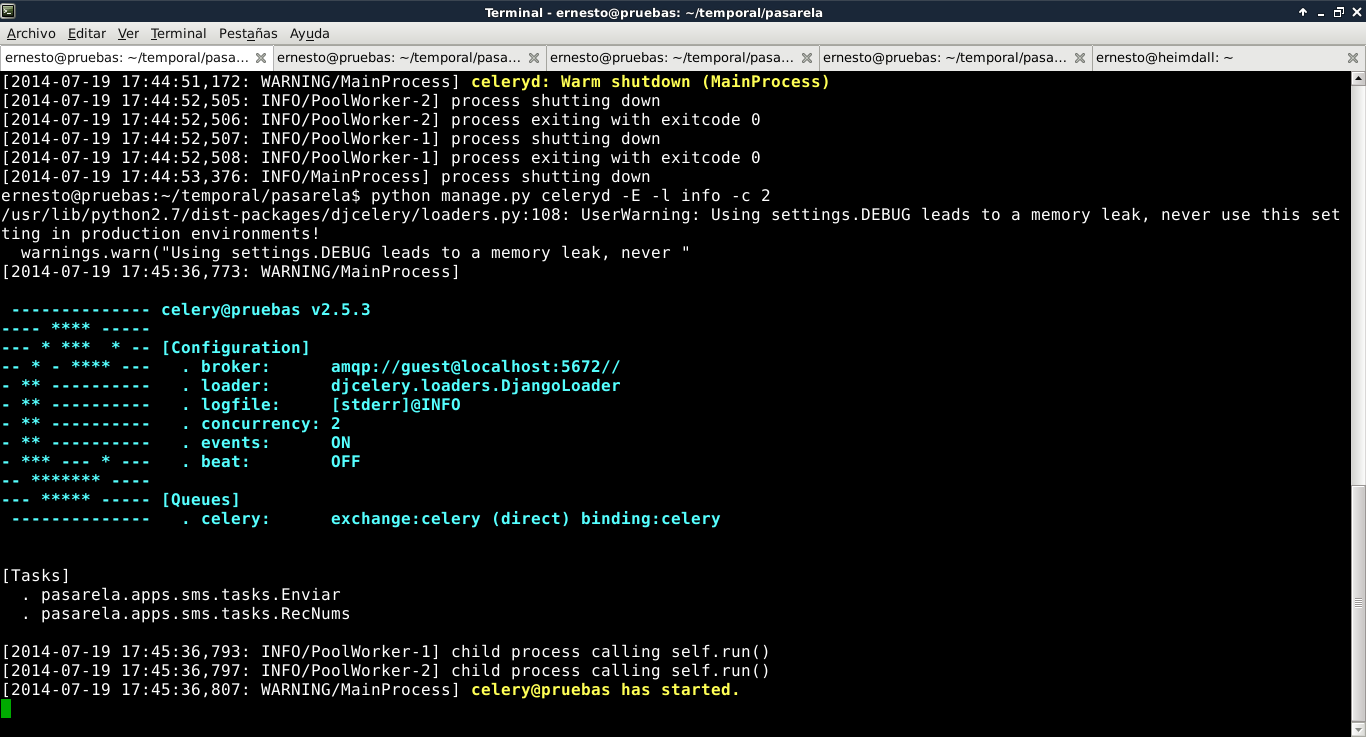
Note that there are 2 tasks in celery:
- pasarela.apps.sms.tasks.Enviar
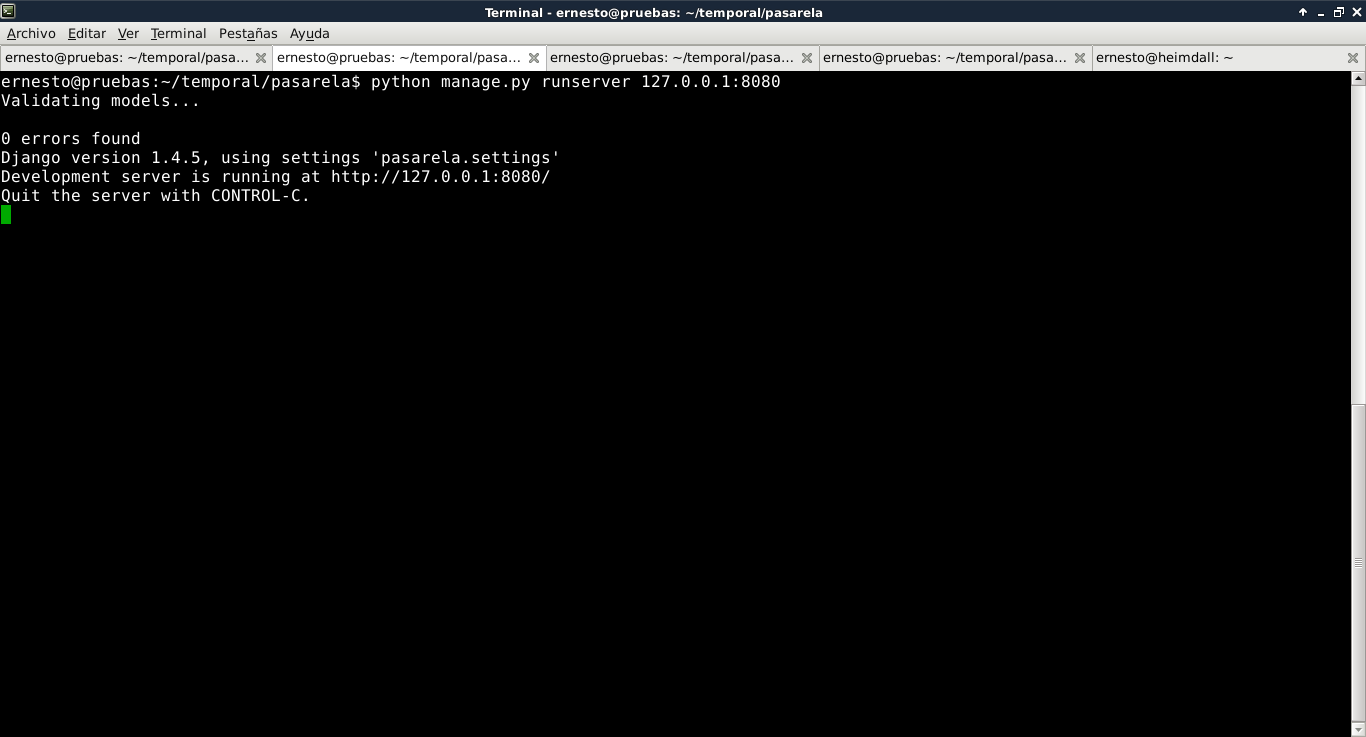
- pasarela.apps.sms.tasks.RecNums Now run django on 127.0.0.1 and port 8080: python manage.py runserver 127.0.0.1:8080 Here is a screenshot of the command's execution:
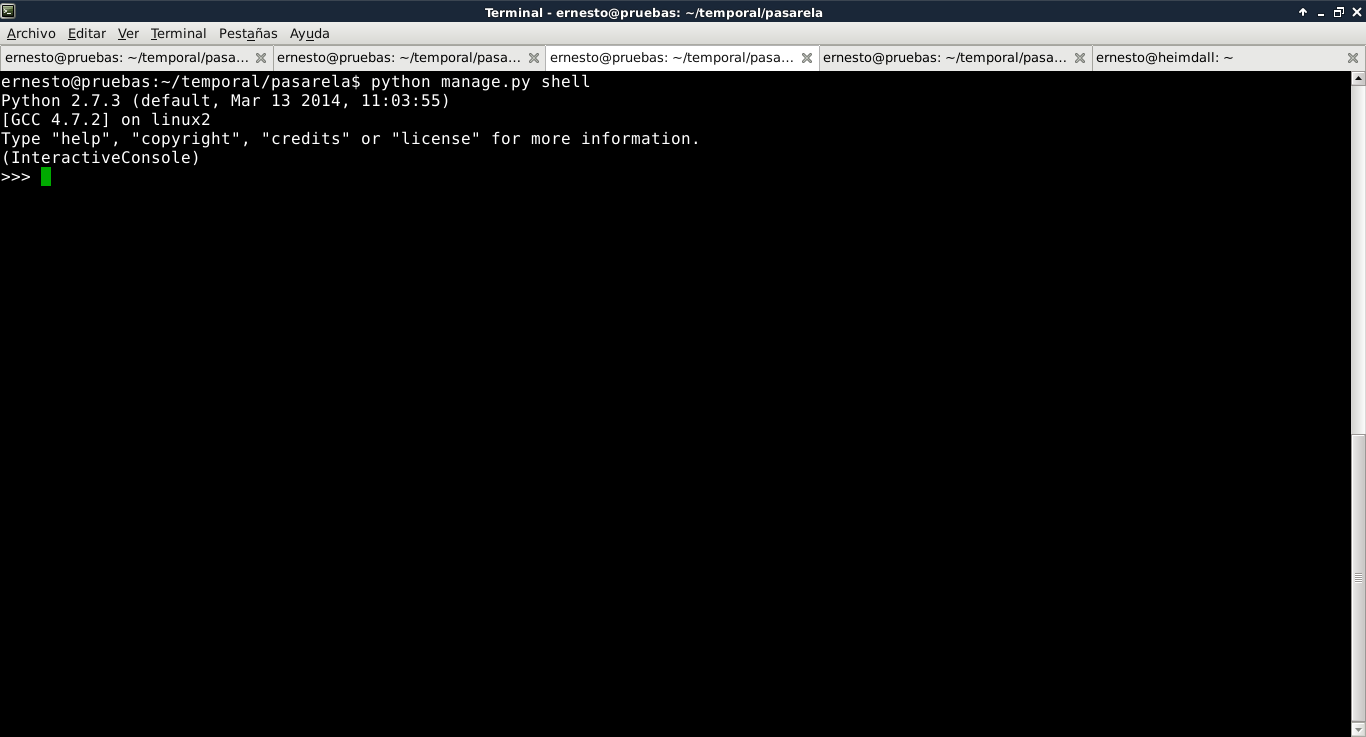
And finally, run the command to get an interactive django shell: python manage.py shell Here is the screenshot:
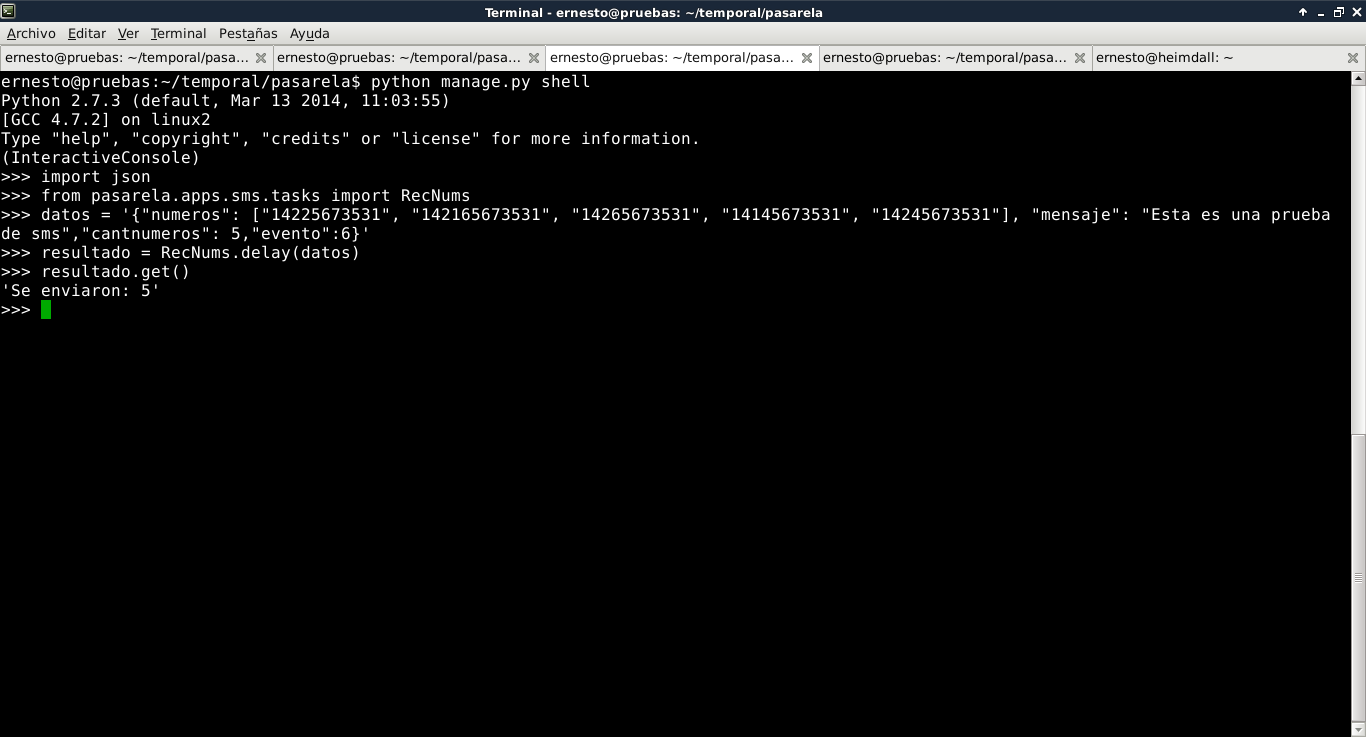
Now a test will be run in the shell that simulates the task receiving the json from an external application to send the sms: Note that the cell phone numbers used in the test are not real numbers and do not belong to mobile phone providers.
Now, to complement the idea of the restful API json query from the previous article, the goal is to list the cell phone numbers that were sent for event 6; in this case the curl program will be used: curl http://127.0.0.1:8080/api/v1/sms/?evento=6 The result is:
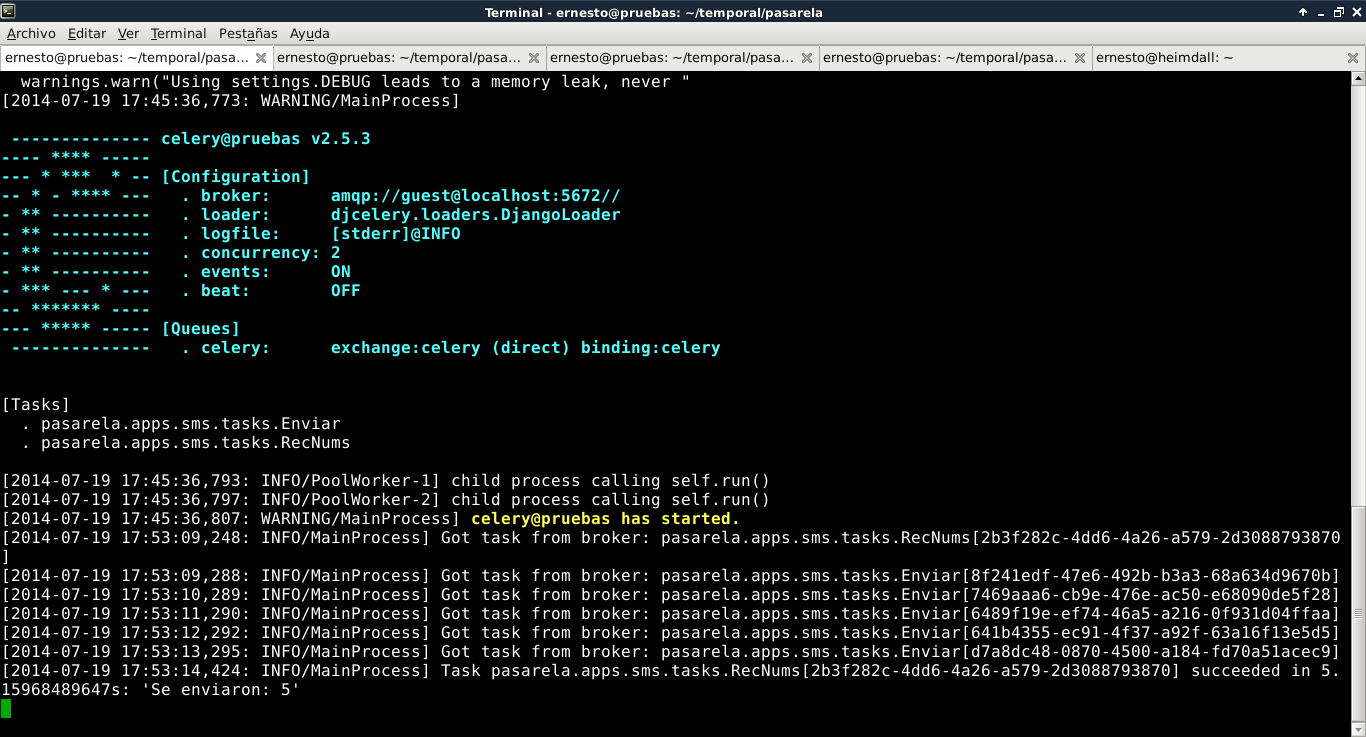
{"meta": {"limit": 20, "next": null, "offset": 0, "previous": null, "total_count": 5}, "objects": [{"estatus":true, "evento": "/api/v1/evento/6/", "id": "21", "mensaje": "Esta es una prueba de sms", "numcel": "14225673531", "resource_uri": "/api/v1/sms/21/"}, {"estatus":true, "evento": "/api/v1/evento/6/","id": "22", "mensaje": "Esta es una prueba de sms", "numcel": "142165673531", "resource_uri": "/api/v1/sms/22/"}, {"estatus": true, "evento": "/api/v1/evento/6/","id": "23", "mensaje": "Esta es una prueba de sms", "numcel": "14265673531", "resource_uri": "/api/v1/sms/23/"}, {"estatus": true, "evento": "/api/v1/evento/6/", "id": "24", "mensaje": "Esta es una prueba de sms", "numcel": "14145673531", "resource_uri": "/api/v1/sms/24/"}, {"estatus": true, "evento": "/api/v1/evento/6/","id": "25", "mensaje": "Esta es una prueba de sms", "numcel": "14245673531", "resource_uri": "/api/v1/sms/25/"}]}Finally, here is the screenshot of what is generated in djcelery:
The next article will show access to the celery tasks from the URL defined in urls.py.
Make a donation! If you liked the article you can make a donation with Bitcoin (BTC) using the digital wallet of your choice to the following address: 17MtNybhdkA9GV3UNS6BTwPcuhjXoPrSzV
Or by scanning the QR code from the wallet:
