The site elandroidlibre.com published an article about the QtADB program, which lets you manage the phone's file system, view the list of installed packages, take screenshots, run the phone's console, recovery and other options. You can find the link to androidelibre.com here (broken link).
You need to have the Android SDK installed; you can download it at this link.
You need to install the apk package (qtadb.apk) on the phone and download the QtADB package for Linux; in this case, for 32 bits, you can download it at this link.
The qtadb page is at the following link.
You can follow the procedure for installing the Android SDK on Linux here.
Once the Android SDK is installed on Linux, connect the phone and start the adb service:
ernesto@jewel:~/bin$ adb devices
* daemon not running. starting it now on port 5037 *
* daemon started successfully *
List of devices attached
0403725B09015010 device
But to achieve this you need to enable the phone's USB connection as Portal and Tools; the following figure shows the option:
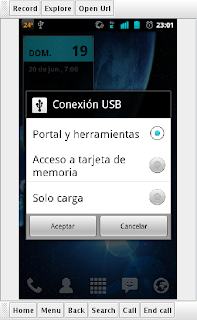
To install the apk package on the phone, run the adb command for installing packages as shown:
ernesto@jewel:~/bin$adb install qtadb.apk
44 KB/s (24316 bytes in 0.531s)
 pkg: /data/local/tmp/qtadb.apk
Success
The following figure shows the program installed on the phone:
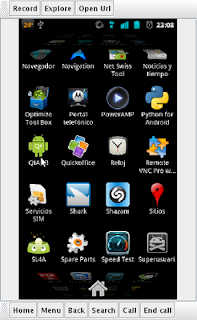
When you click QtADB, 2 buttons are shown, one to start the service and another to stop it, as the following figure shows:
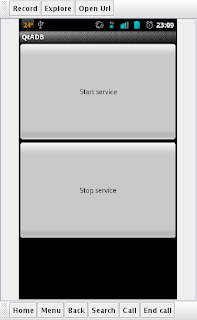
Start the service, and what remains is to start QtADB for Linux.
When the application starts, the first thing shown is the file manager, as the following figure shows:
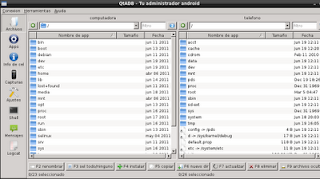
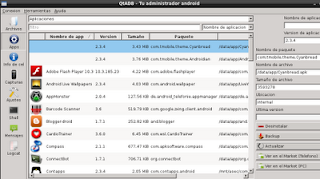
You can list the applications installed on the phone, update them, uninstall them and back them up.
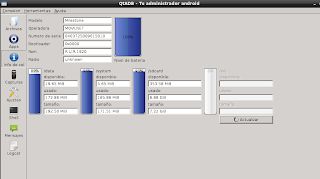
You can see information about the phone such as the mobile carrier, model, serial number, ROM and the space on the partitions.
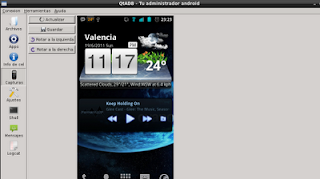
You can take screenshots on the phone.
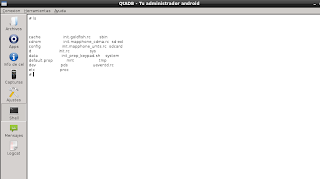
You can run a shell on the phone:
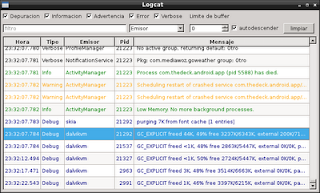
You can view the phone's logs:
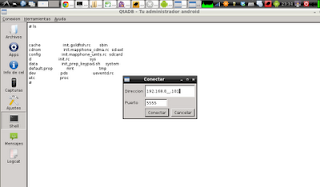
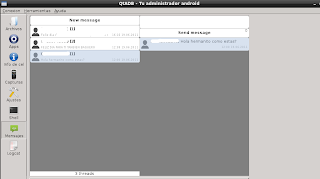
Finally, you can also view the text messages: For viewing messages to work, you need to turn on wifi on the phone and connect it to the wifi network, and also enable wifi in the application.
The following figure shows the text messages stored on the phone:
===
Make a donation! If you liked the article you can make a donation in Bitcoin (BTC) using the digital wallet of your choice to the following address: 17MtNybhdkA9GV3UNS6BTwPcuhjXoPrSzV
Or by scanning the QR code from your wallet:
