To access an Android phone from Debian, the first thing to do is download the Android SDK from the following link.
Then extract android-sdk_r06-linux_86.tgz.
tar -xvzf android-sdk_r06-linux_86.tgzThen change to the android-sdk_r06-linux_86 directory and then to the tools directory.
cd android-sdk_r06-linux_86/toolsRun android:
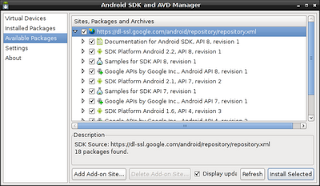
./androidThe following window will appear. Select the packages to install.
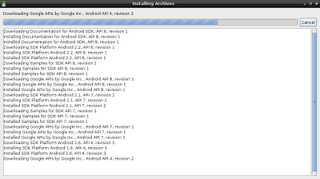
Then accept the license of all the packages and the installation process starts, as the figure shows.
When the installation of the SDK APIs and libraries finishes, select Virtual Devices.
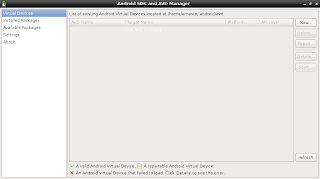
Create one as the figure shows.
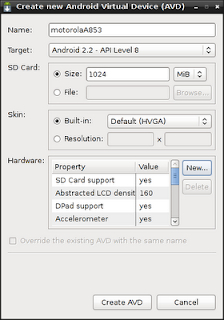
When you click Create, a window will show the results of creating the virtual device; after clicking OK the device will appear in the list of devices.
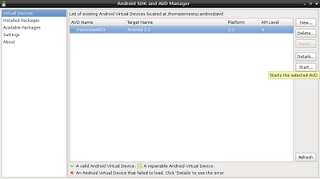
When you click the Start button, a window opens showing options to launch the virtual device.
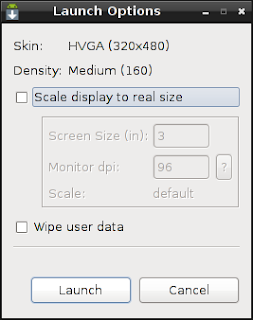
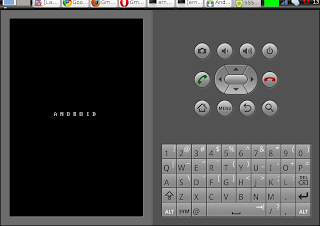
When you click the Launch button, a virtualized Android phone will start, as the following figure shows.
The next post will explain the use of adb, which allows access to the real phone.
===
Make a donation! If you liked the article you can make a donation with Bitcoin (BTC) using the digital wallet of your choice to the following address: 17MtNybhdkA9GV3UNS6BTwPcuhjXoPrSzV
Or by scanning the QR code from your wallet:
