This article explains how to install python on Android from the emulator so that I can show the screenshots; the procedure is the same for installing python from the phone.
The first thing you need to do is start the emulator, as explained in the article on installing the Android SDK.
When you run adb devices you will find a virtual device running.
ernesto@zvezda:~/android-sdk-linux_86/tools$ ./adb devices List of devices attached emulator-5554 deviceThen download the ASE program from the following link (broken link).
ernesto@zvezda:~/android-sdk-linux_86/tools$ ./adb install ../../Descargas/ase_r22.apk 868 KB/s (217639 bytes in 0.244s) pkg: /data/local/tmp/ase_r22.apk SuccessThis indicates that the ASE program was installed without problems.
The following figure shows the emulator's home screen with ASE installed.
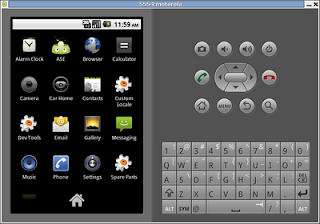
When you click the ASE icon, a screen appears asking you to add scripts or interpreters by pressing the menu button, as the following figure shows:
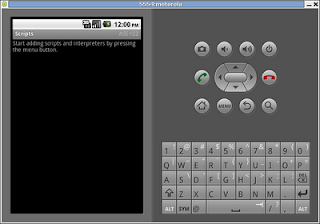
When you press menu, several options appear: Add, View, Preferences, Help, Update. Next figure:
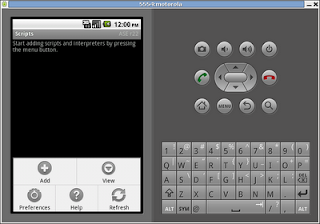
When you click View, a menu appears with several viewing options; in this case we want to view interpreters. Next figure:
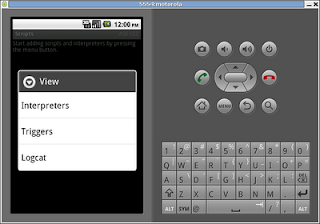
When you click Interpreters, only the Shell interpreter will appear, along with the options Add, Start server, Preferences and Help. In this case we are going to add a new interpreter.
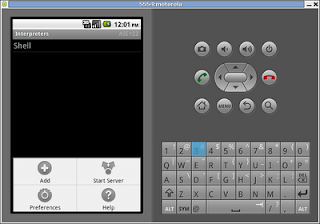
When you click add, a list of interpreters appears, from which we will install python. Next figure:
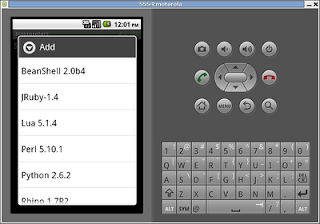
When you select Python 2.6.2, the installation of the interpreter and some scripts starts, as the following 2 figures show:
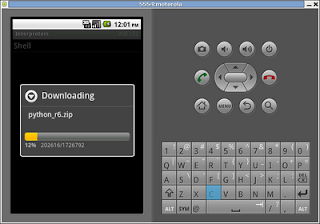
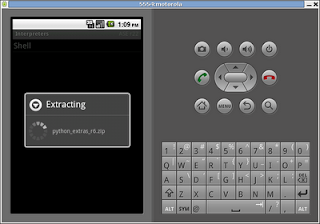
Now Python appears next to Shell in the list of interpreters, as the following figure shows:
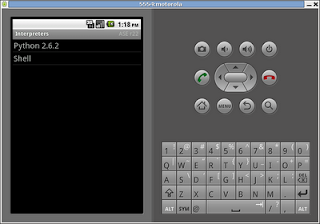
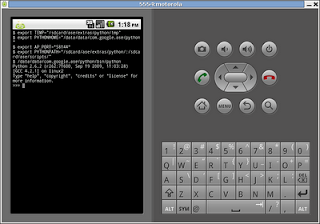
To test that everything is working, select the interpreter and it will run, as the figure shows:
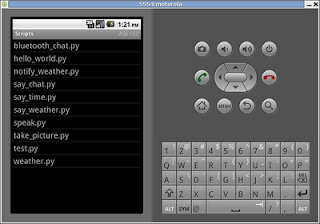
Finally, the example python scripts for working with Android are listed:
In upcoming articles I will explain how to use the scripts to build an Android application step by step.
===
Make a donation! If you liked the article you can make a donation in Bitcoin (BTC) using the digital wallet of your choice to the following address: 17MtNybhdkA9GV3UNS6BTwPcuhjXoPrSzV
Or by scanning the QR code from your wallet:
