The article on a web development framework with Django part 1 explains how to install Django
and start the built-in web server to test the development.
Now we will explain how to display a web page with a "Hello World" message.
Inside the pruebas directory of the pruebas project created in the previous article, an application is created. The application will be called todo:
python manage.py startapp todoThis command creates the todo directory. Inside that directory you will find the following files:
__init__.py: Tells python that the directory's contents are a package.models.py: Data model for the database using an ORM.tests.py: Defines the unit tests.views.py: The application's views are created here by means of functions.
In the views.py file, a function is created that returns a string as the response for the web page:
#Se importa HttpResponse, la cual será usado para devolver una respuesta http.

from django.http import HttpResponse

#Se crea la función HolaMundo, se le pasa como argumento request.

def HolaMundo(request):

#Se devuelve una respuesta http pasando el string que se quiere que

#aparezca en la página web.

    return HttpResponse("Hola Mundo!")
Now that the function has been created in the views file, you need to define the URL where the view's page can be seen.
To display the page, a line is created in the project's urls.py file that defines the regular expression of the URL where you want the page to be shown, followed by the path of the function in the views.py file that returns the string to be displayed on the page.
The urls.py file contains the following:
#Se importa  patterns y url.

from django.conf.urls import patterns,  url

#Se importa la vista de la aplicación todo.

import todo.views

#Se define la tupla de patterns donde se lista los urls a desplegar.

#Se busca que el url tenga el patrón /hola, y se ejecuta HolaMundo del archivo views.py.

urlpatterns = patterns('',

    url(r'^hola/',todo.views.HolaMundo),

)
Run the django server:
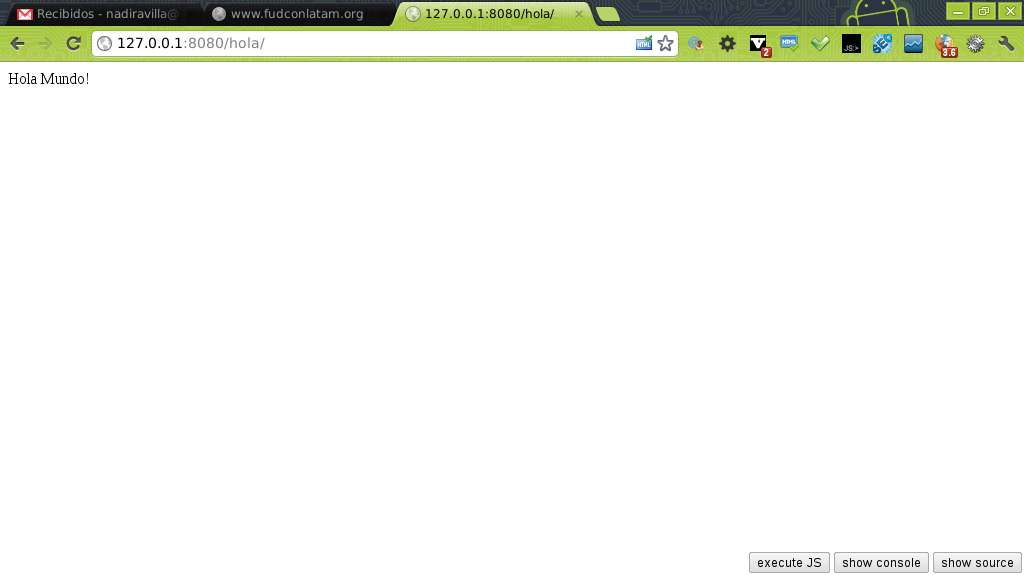
python manage.py runserver 8080The figure shows the result of opening the URL http://127.0.0.1:8080/hola/
Make a donation! If you liked the article you can make a donation with Bitcoin (BTC) using the digital wallet of your choice to the following address: 17MtNybhdkA9GV3UNS6BTwPcuhjXoPrSzV
Or by scanning the QR code from your wallet:
