The previous article explained how to show a result on a web page with Django. Now a set of information will be displayed first as a normal html page and then using Django templates.
The idea is to display a list of activities showing the priority level of each activity.
There is a view (views.py) with the Actividades function; this function returns html code with the list of activities and their priority. The urls.py file must be modified so that, when the desired url is requested (in this case the one associated with actividades), it returns the result of the Actividades function in the views.py file.
The code of the views.py file is shown below:
from django.http import HttpResponse

def Actividades(request):

    return HttpResponse("""

                        <html>

                        <head>

                        <title>Lista de actividades</title>

                        </head>

                        <body>

                        <h1>Actividades:</h1>

                        <li>Comprar comida</li>

                        <li>Preparar articulo</li>

                        <li>Trotar</li>

                        <li>Reunion para proyecto pysms</li>

                        </body></html>""")
The code of the urls.py file is shown below:
from django.conf.urls import patterns, include, url

import todo.views

urlpatterns = patterns('',

    url(r'^actividades/',todo.views.Actividades),

)
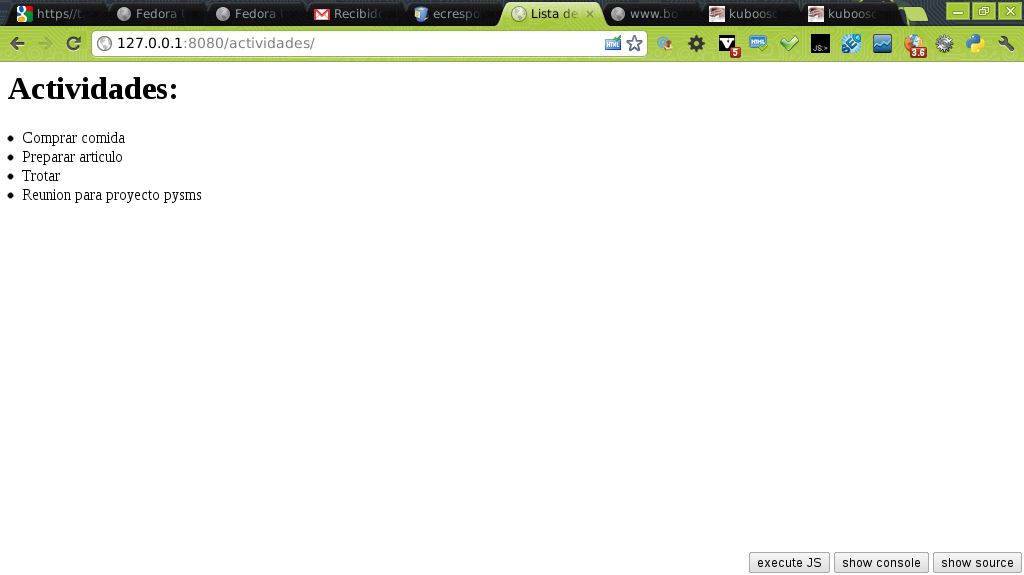
When visiting the url http://127.0.0.1:8080/actividades the page is shown as in the following figure:
Now, instead of inserting html code in the view, templates will be used. To do so, an Actividades1 function is created in the view, where a list of dictionaries with the activity information and its priority is created, the index.html template is loaded, the context is created by passing it the list of activity dictionaries, and the HTTP response is returned through the template by rendering the context.
The code of the views.py file is shown below:
# Create your views here.

from django.http import HttpResponse

from django.template import Context, loader

def Actividades(request):

    return HttpResponse("""

                        <html>

                        <head>

                        <title>Lista de actividades</title>

                        </head>

                        <body>

                        <h1>Actividades:</h1>

                        <li>Comprar comida</li>

                        <li>Preparar articulo</li>

                        <li>Trotar</li>

                        <li>Reunion para proyecto pysms</li>

                        </body></html>""")

def Actividades1(request):

    #Se genera la lista de diccionarios con las actividades y su importancia

    actividades = [{'titulo':'Comprar comida','importancia':'baja'},

        {'titulo':'Preparar articulo','importancia':'media'},

        {'titulo':'Trotar','importancia':'alta'},

        {'titulo':'Reunion para proyecto Pysms','importancia':'muy alta'}]

    #Se carga el archivo con la plantilla html

    t = loader.get_template('index.html')

    #Se carga el contexto de las actividades

    c = Context({'actividades': actividades,})

    #Se envia la respuesta renderizando el contexto a la plantilla

    return HttpResponse(t.render(c))
Now a new line is added to the urls.py file with the redirection to actividades1, which uses the Actividades1 view function (views.py):
from django.conf.urls import patterns, include, url

import todo.views

urlpatterns = patterns('',

    url(r'^actividades/',todo.views.Actividades),

    url(r'^actividades1/',todo.views.Actividades1),

)
Now a directory called plantillas (templates) is created inside the pruebas application of the pruebas project, and inside that directory the index.html file is created with the following content:
<html>

    <head>

        <title>Lista de actividades</title>

        <style type="text/css">

             body { font-family: Arial, Helvetica, sans-serif;color: black;background: #ffffff; }

        </style>


    </head>

    <body>

        <h1>Actividades:</h1>

            {% if actividades %}

            <table border="1">

            {% for actividad in actividades %}

            <tr><td>{{actividad.titulo}}</td>

            <td>{{actividad.importancia}}</td></tr>

            {% endfor %}

            </table>

            {% else %}

            <p>No hay actividades que hacer!</p>

            {% endif %}

    </body>

</html>
After saving the file, start the django server (python manage.py runserver 8080) and the following appears when browsing to http://localhost:8080/actividades1/ :
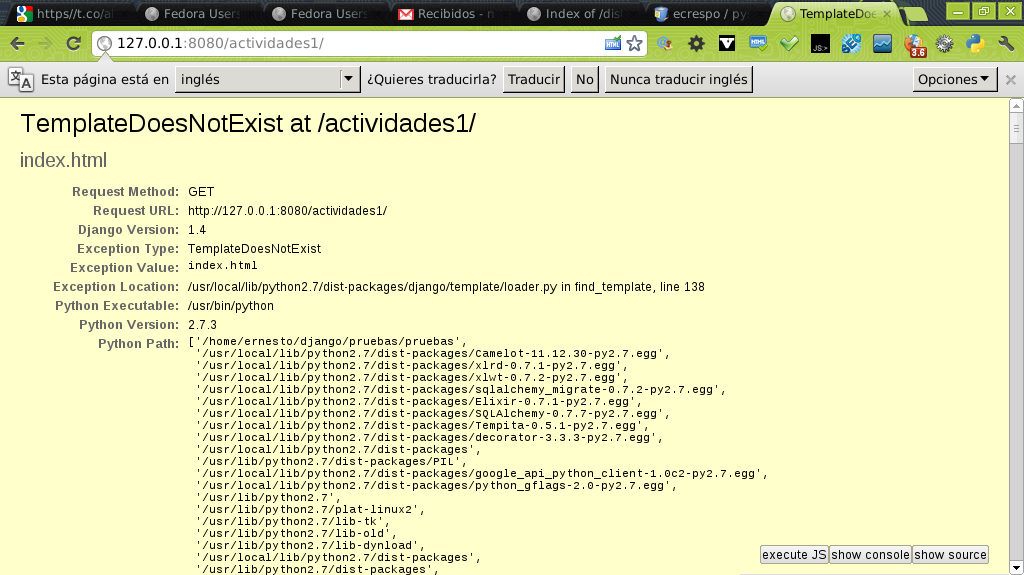
The application says the template does not exist; of course, I forgot to modify the settings.py file so that it looks for the template in the path where it is located:
The settings.py file must have the path where the templates will be stored; the configuration of the templates section is shown below:
TEMPLATE_DIRS = (

    # Put strings here, like "/home/html/django_templates" or "C:/www/django/templates".

    # Always use forward slashes, even on Windows.

    # Don't forget to use absolute paths, not relative paths.

    '/home/ernesto/django/pruebas/pruebas/pruebas/plantillas/'

)
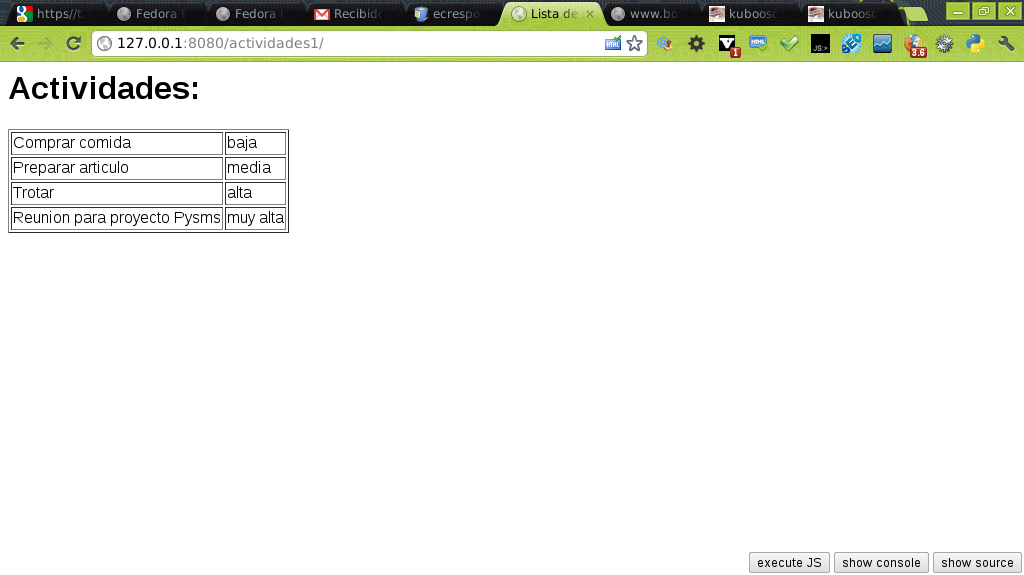
Then, when starting the Django web server, you get the list of activities with their priorities:
You can download the compressed file with the code at this link.
Make a donation! If you liked the article you can make a donation with Bitcoin (BTC) using the digital wallet of your choice to the following address: 17MtNybhdkA9GV3UNS6BTwPcuhjXoPrSzV
Or by scanning the QR code from the wallet:
