Continuing with the widgets of the ASE API for the python language, we will write a script that shows 3 buttons and displays a message with the result of clicking a button.
The program code is the following:
#Importando el módulo android.
import android

#Crear la instancia del objeto android
droid = android.Android()

#Título y mensaje del botón.
title = 'Alerta'
message = ('Esta alerta tiene 3 botones y' 'se espera que presione uno')

#Crear el widget de mensaje de alerta
droid.dialogCreateAlert(title, message)

#Se definen los mensajes de los botones (si, no y cancelar).
droid.dialogSetPositiveButtonText('Si')
droid.dialogSetNegativeButtonText('No')
droid.dialogSetNeutralButtonText('Cancelar')

#Mostrar el mensaje
droid.dialogShow()

#Captura del resultado de darle clip a algún botón.
#el resultado es un diccionario.
response = droid.dialogGetResponse().result

#Se muestra un mensaje con el resultado de darle clip.
droid.makeToast('El resultado de la ejecucion del boton es: %s'    %response['which'])
The following figure shows the buttons widget.
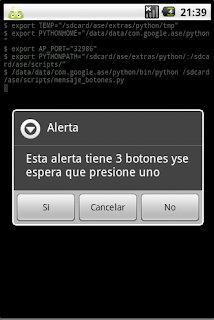
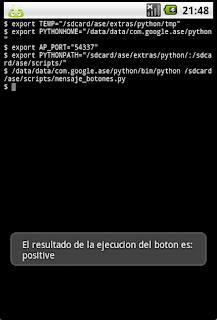
Next, the 3 figures for clicking each button are shown. Message for the Yes button.
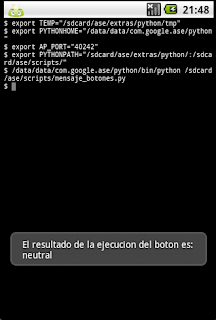
Message for the Cancel button.
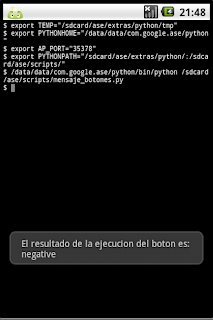
Message for the No button.
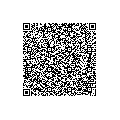
Finally, the figure with the QR code of the script is shown.
===
Make a donation! If you liked the article you can make a donation with Bitcoin (BTC) using the digital wallet of your choice to the following address: 17MtNybhdkA9GV3UNS6BTwPcuhjXoPrSzV
Or by scanning the QR code from your wallet:
