The idea is to tell a program the time after which a photo will be taken; when the time is up, the photo is taken and saved in a directory, and then a web page that shows the photo is opened on the phone.
The article is based on a program written in ruby, where a script is created that takes photos remotely with the phone; the article about the ruby program is here (broken link).
The cameraCapturePicture function will be used, passing it the file where the photo will be saved.
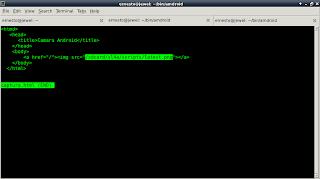
The html code is shown in the following figure:
The python code is shown below:
import android
#
#Se importa la función sleep
from time import sleep
#Importar el módulo os para usar os.path.isfile y os.remove.
import os

#Mensaje del programa
title = 'Captura de una foto'
message = ('Desea capturar una foto?')
#Se crea la instancia del objeto android
droid = android.Android()
#Se crea el mensaje si se desea tomar la foto.
droid.dialogCreateAlert(title, message)
droid.dialogSetPositiveButtonText('Si')
droid.dialogSetNegativeButtonText('No')
droid.dialogShow()

#Se captura la respuesta si es positiva se pide el tiempo que se desea
#usar para tomar la foto.
#Si es negativa finaliza el programa.
respuesta = droid.dialogGetResponse()
if respuesta[1]['which'] == "positive":
    tiempo = droid.dialogGetInput("Escriba el tiempo para capturar la foto","tiempo:")
    #Se crea el mensaje del tiempo para ejecutar la toma de la foto.
    droid.makeToast("Tiempo para tomar la foto: %s " %tiempo[1])
    #Se espera el tiempo definido
    sleep(int(tiempo[1]))
    #Se toma la foto guardandola en el archivo latest.png.Si la imagen existe
    #se borra si no se toma la foto.
    if os.path.isfile("/sdcard/sl4a/scripts/latest.png") == True:
        os.remove("/sdcard/sl4a/scripts/latest.png")
    droid.cameraCapturePicture("/sdcard/sl4a/scripts/latest.png")
    sleep(1)
    droid.makeToast("Presentando la foto tomada")
    sleep(2)
    #Se muestra una página web donde aparecerá la foto tomada.
    droid.webViewShow("file:///sdcard/sl4a/scripts/captura.html")
    sleep(120)
    droid.makeToast("Fin del programa")
else:
    droid.makeToast('Fin del programa')
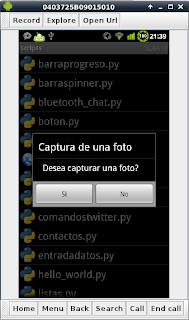
The figure shows the program running, asking whether you want to take the photo.
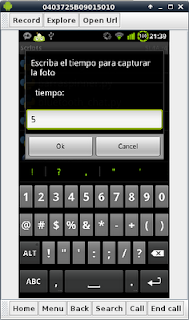
The following figure shows that the user is asked how long to wait until the photo is taken:
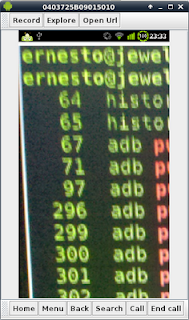
The following figure shows the web page with the photo that was taken:
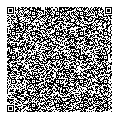
The QR code of the captura.py script is shown in the following figure:
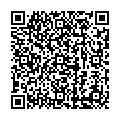
The QR code of captura.html is shown in the following figure:
One improvement to the program would be to view the photo remotely through a web server on the Android phone; I tried with the Python module that lets you start a web server, but because of the permissions SL4A handles, the web server could not be started.
===
Make a donation! If you liked the article you can make a donation with Bitcoin (BTC) using the digital wallet of your choice to the following address: 17MtNybhdkA9GV3UNS6BTwPcuhjXoPrSzV
Or by scanning the QR code from your wallet:
