Looking for applications to remotely control music players on Linux from Android, I came across tesla.
To install tesla on the phone you can download the apk file from andAppStore (broken link). On your Debian machine you need to install openssh and libpam-ck-connector. aptitude install libpam-ck-connector openssh-server openssh-client openssh-blacklist-extra openssh-blacklist
You need to restart ssh.
/etc/init.d/ssh restart.The phone must be connected to the same wifi network as your computer.
When you start tesla on the phone it will ask for your computer's IP address, the user you log in with and its password, as the figure shows.
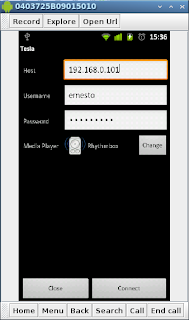
You can select other players that work on Linux before connecting the application.
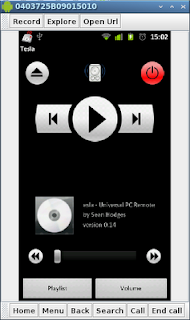
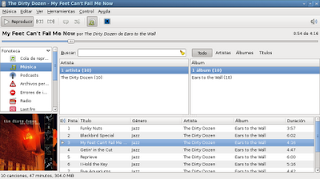
The following image shows tesla running on the phone and then the Rhythmbox player.
===
Make a donation! If you liked the article you can make a donation with Bitcoin (BTC) using the digital wallet of your choice to the following address: 17MtNybhdkA9GV3UNS6BTwPcuhjXoPrSzV
Or by scanning the QR code from your wallet:
