Continuing with the Twitter with Python articles, I will now show how to use Twitter's API Stream.
In this case, since the twitter library does not handle streaming, you need to install another library called tweetstream.
The Twitter Stream API documentation is at this link (broken link), and specifically, to get information about the tweet object you can check this link.
There you will find the json structure of this object. The fields used in the example are 'text' and 'user'; text contains the text of the tweet and user contains another object with information about the user. In this case the 'screen_name' field will be used, which holds the name of the twitter user who sends the tweet.
Here is the application code:
#!/usr/bin/env python

# -*- coding: utf-8 -*-

#Import tweetstram, sleep y exit

import tweetstream

from time import sleep

from sys import exit

#Se crea la funcion StreamTweet donde se le pasa el usuario y la clave de una cuenta twitter.

def StreamTweet(usuario,clave):

    #Se captura la excepcion de error de conexion e interrupcion por teclado

    try:

 #Se intenta conectar a la funcion de stream de tweetstream con el usuario y la clave

 #Asignando a stream el resultado

 with tweetstream.TweetStream(usuario,clave) as stream:

     #Se genera un ciclo de cada tweet

     for tweet in stream:

  #Se captura la excepcion de KeyError e Interrupcion de teclado, de esa forma

  #Se devuelve un mensaje de error y se termina el programa respectivamente.

  try:

      #Se crea un texto con el numero de tweet y la velocidad de cada tweet.

      adicional = "|| tweet %d || velocidad %.5f tweets/seg" %(stream.count,stream.rate)

      #Se crea un texto final donde se le pasa el nombre del usuario que envia el tweet,

      #el texto del tweet y el texto anterior

      texto = tweet['user']['screen_name'] + "||" + tweet['text'] + adicional

      #Se imprime dicho texto en pantalla

      print texto

  except KeyError:

      print "No hay tweet"

  except KeyboardInterrupt:

      exit()

  #Se espera 5 segundos para continuar al siguiente ciclo del lazo

  sleep(5)

    except tweetstream.ConnectionError, e:

 print "Desconectado de twitter. Razon: ", e.reason

 exit()

    except KeyboardInterrupt:

 exit()


if __name__ == '__main__':

    #Se llama a la funcion pasando el usuario y la clave.

    StreamTweet(usuario,clave)
The following figure shows a screenshot of the program running:
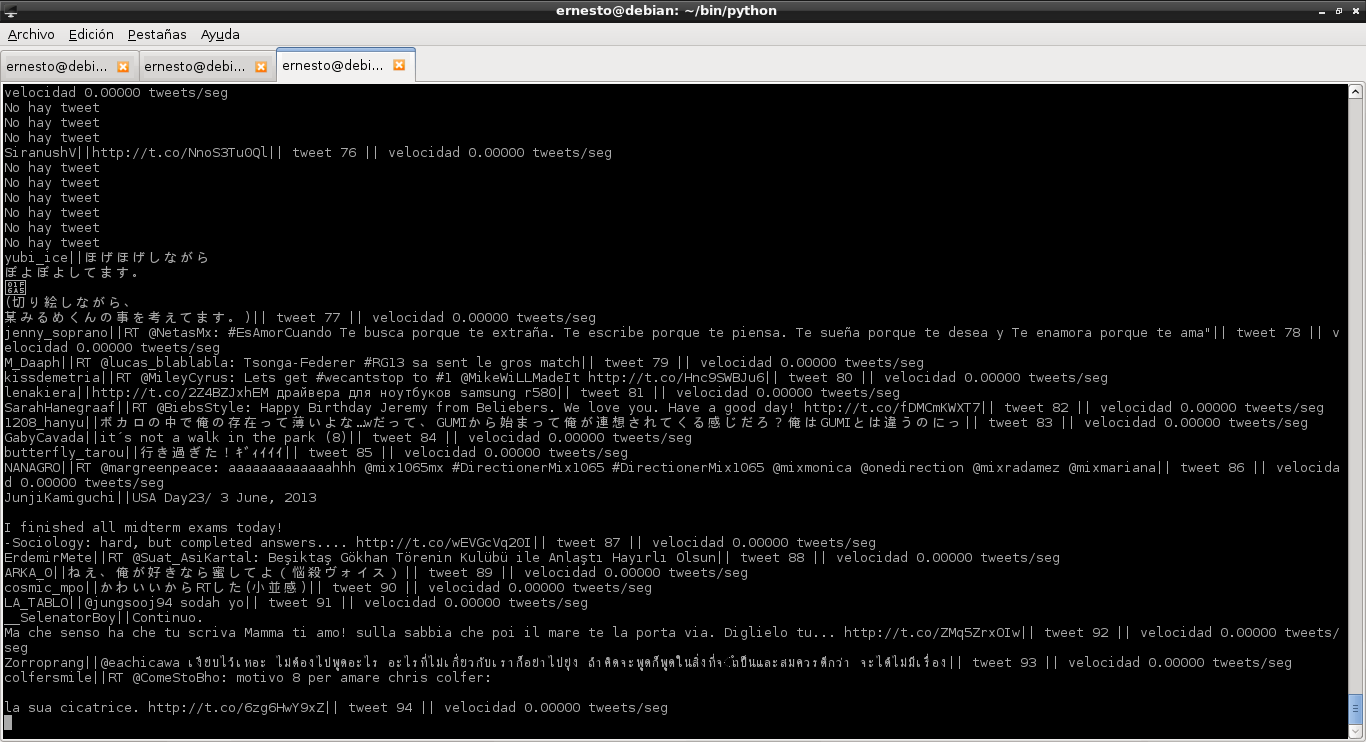
For each tweet it shows the user who sends the tweet, the tweet itself, the number of tweets sent, and the speed at which tweets are sent.
Make a donation! If you liked the article you can make a donation with Bitcoin (BTC) using the digital wallet of your choice to the following address: 17MtNybhdkA9GV3UNS6BTwPcuhjXoPrSzV
Or by scanning the QR code from your wallet:
