After a few articles on gtk I will start publishing articles on pyqt, because I was assigned to another project and I am evaluating whether to develop in pyqt or in wxwidget.
The first tutorials will focus on building the interface by hand, without using qtdesigner.
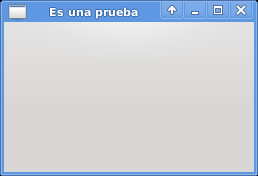
This example simply shows a window with a defined size and its title.
#!/usr/bin/env python
# -*- coding: utf-8 -*-
#Importar módulo sys
import sys
#importar QTGui de pyQt4
from PyQt4 import QtGui

#Se instancia la clase QApplication pasandole sys.argv
app = QtGui.QApplication(sys.argv)

#Se crea la instancia de QWidget.
widget = QtGui.QWidget()
#Se define el tamaño de la ventana
widget.resize(250, 150)
#Se le coloca el título a la ventana
widget.setWindowTitle('Es una prueba')
#Se muestra la ventana
widget.show()
#Se sale de la aplicación
sys.exit(app.exec_())
The figure shows the window that was created:
===
Make a donation! If you liked the article you can make a donation in Bitcoin (BTC) using the digital wallet of your choice to the following address: 17MtNybhdkA9GV3UNS6BTwPcuhjXoPrSzV
Or by scanning the QR code from your wallet:
