The following example of developing graphical applications with glade shows how to capture text in a text entry and how to change the information in a label using buttons.
The interface created with glade is shown in the following figure:

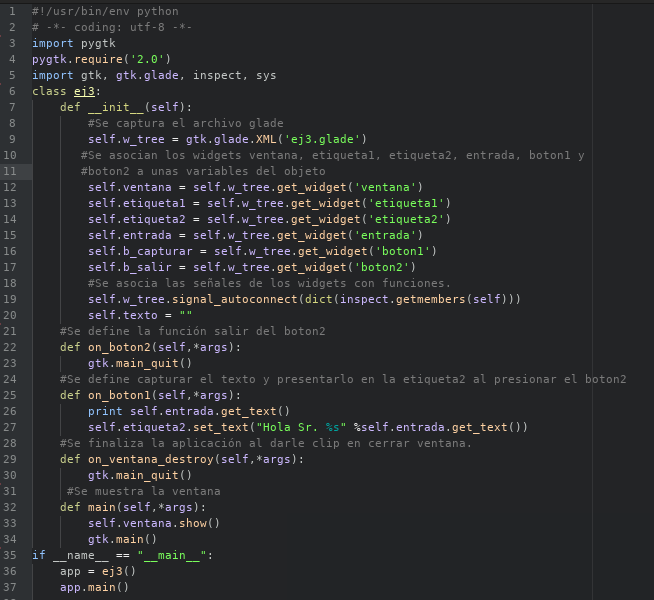
The program code is the following:
When the program is run, this figure is shown:

After entering the requested data and clicking the capture text button:

You can download the application code from github at the following link (broken link).
===
Make a donation! If you liked the article you can make a donation with Bitcoin (BTC) using the digital wallet of your choice to the following address: 17MtNybhdkA9GV3UNS6BTwPcuhjXoPrSzV
Or by scanning the QR code from your wallet:
