Continuing with the articles about ZeroMQ.
The Linux Magazine Spanish edition published an article about ZeroMQ with Python.
It explains the use of 2 patterns together, REP/REQ and PUB/SUB. As an example it presents a simulation of the process of sending twitter tweets.
The following figure shows the simulation:
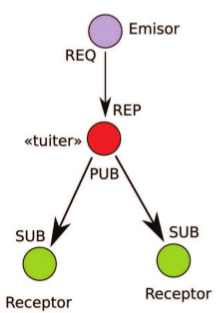
The sender generates the messages, twitter receives and publishes them, and then each receiver subscribes to twitter and receives the information it is interested in.
The sender code is the following:
#!/usr/bin/python

#Se importa zeroMQ

import zmq

#Se crea el contexto

context = zmq.Context()

#Se crea el socket con el parametro REQ

socket = context.socket(zmq.REQ)

#Se asocia la IP y el puerto del socket.

socket.connect("tcp://127.0.0.1:4000")

#Se genera los mensajes estilo tuiter y se envia al socket.

for i in ['@_seraph1 Esta es una prueba','@otro viendo el juego', '@_seraph1 otra prueba','@otro otro']:

 socket.send(i)

 msg_in = socket.recv()
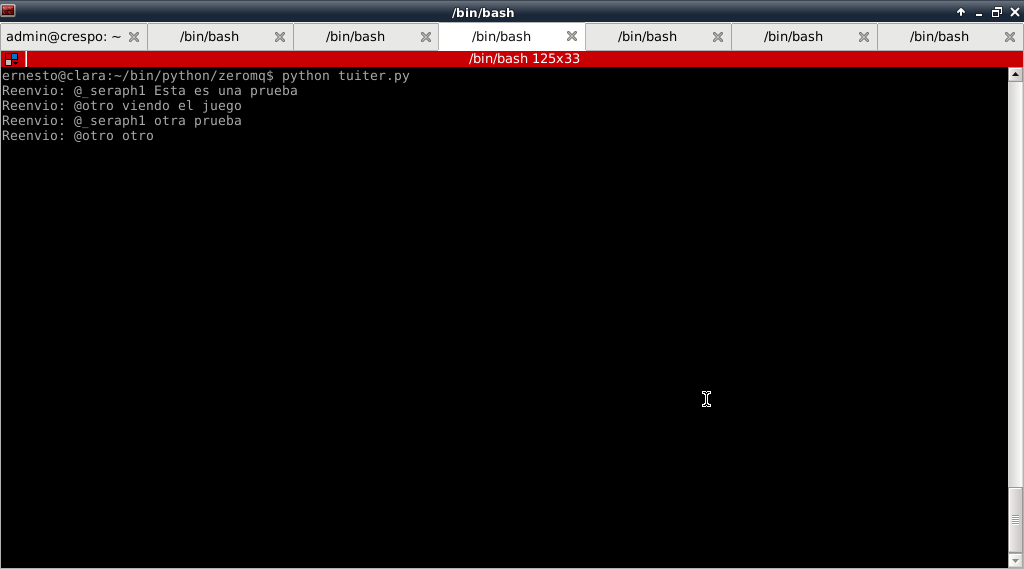
The tuiter code is the following:
#!/usr/bin/env python

#Se importa zeroMQ

import zmq

#Se importa choice de random

from random import choice

#Se crea el contexto

context = zmq.Context()

#Se define el socket de recepcion con argumento REP

socket_recv = context.socket(zmq.REP)

#Se asocia a una IP y puerto el socket de recepcion

socket_recv.bind("tcp://127.0.0.1:4000")

#Se define el socket de publicacion con argumento PUB

socket = context.socket(zmq.PUB)

#Se asocia la ip y un puerto distinto al anterio socket

socket.bind("tcp://127.0.0.1:5000")

#Se crea un ciclo

while True:

 #Se recibe el mensaje del socket de recepcion

 msg = socket_recv.recv()

 #Se envia el mensaje de recepcion

 socket_recv.send(msg)

 #Se muestra el mensaje en pantalla

 print "Reenvio: {0}".format(msg)

 #Se envia  el mensaje al socket de publicacion

 socket.send(msg)
The receivers' code is shown now:
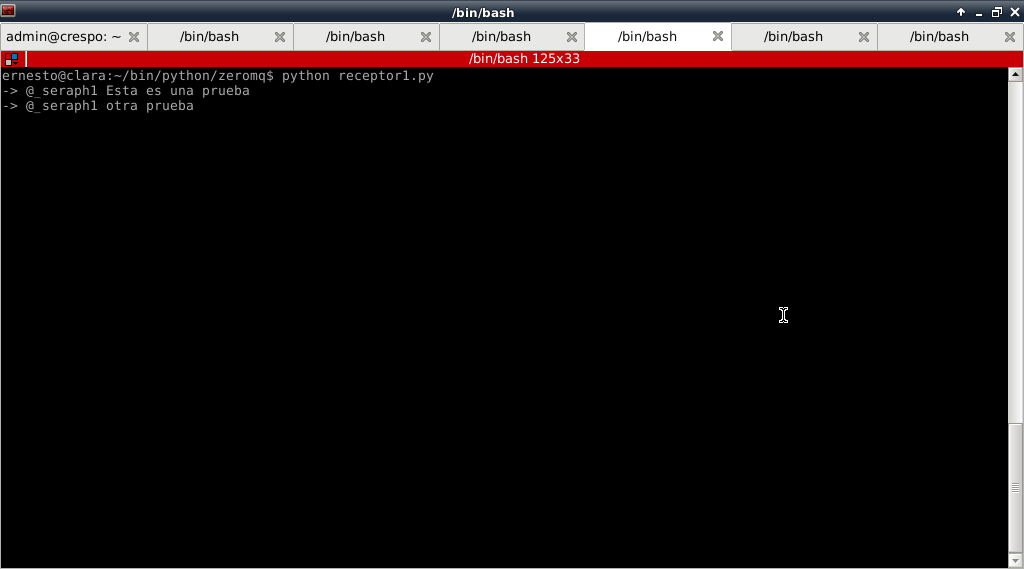
Receiver 1:
#!/usr/bin/python

#Se importa zeroMQ

import zmq

#Se crea el contexto

context = zmq.Context()

#Se crea el socket de suscripcion

socket = context.socket(zmq.SUB)

#Se asocia ese socket a la IP y puerto donde publica tuiter

socket.connect("tcp://127.0.0.1:5000")

#Se suscribe a escuchar los mensajes de @_seraph1

socket.setsockopt(zmq.SUBSCRIBE, "@_seraph1")

#se crea un ciclo donde se recibe los mensajes

while True:

 print "->",socket.recv()
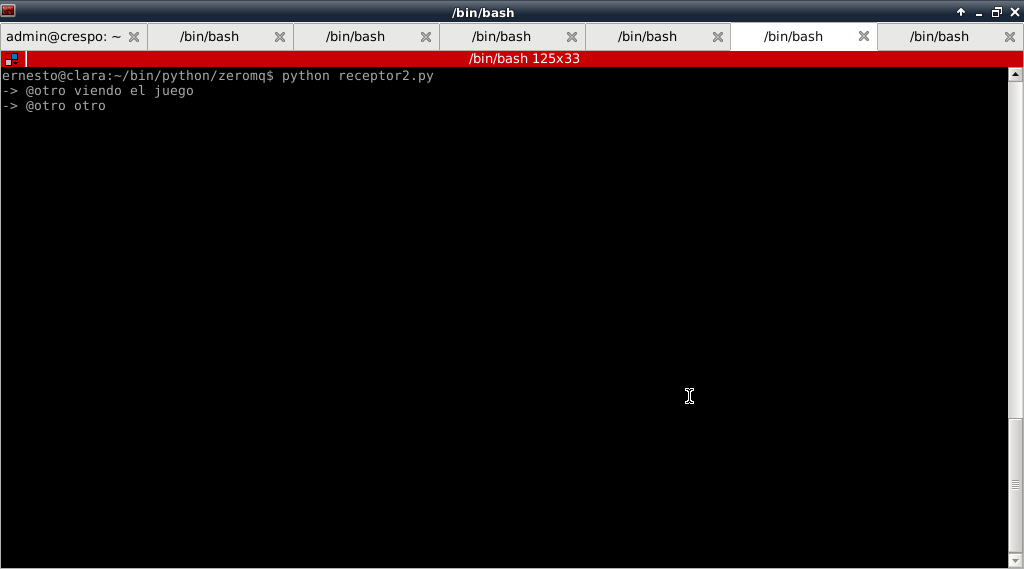
Receiver 2:
#!/usr/bin/python

#Se importa zeroMQ

import zmq

#Se crea el contexto

context = zmq.Context()

#Se crea el socket de suscripcion

socket = context.socket(zmq.SUB)

#Se asocia ese socket a la IP y puerto donde publica tuiter

socket.connect("tcp://127.0.0.1:5000")

#Se suscribe a escuchar los mensajes de @otro

socket.setsockopt(zmq.SUBSCRIBE, "@otro")

#se crea un ciclo donde se recibe los mensajes

while True:

 print "->",socket.recv()
The figure shows the twitter output:
The following figure shows the output of receiver 1:
And finally receiver 2:
The magazine version did not publish the code of the receivers.
This shows the level of complexity in queue systems that can be achieved with ZeroMQ.
Make a donation! If you liked the article you can make a donation with Bitcoin (BTC) using the digital wallet of your choice to the following address: 17MtNybhdkA9GV3UNS6BTwPcuhjXoPrSzV
Or by scanning the QR code from your wallet:
