The Springer publisher has released books in pdf. At the link (broken link) they explain how to download all the pdf books using a spreadsheet that contains the books, convert it into a pandas dataframe and then run the download script itself for each book. But in this case there is another link that has only the books dedicated to Data Science and Machine Learning, by clicking on each link on the page.
This article is based on the book download script that uses the spreadsheet, but instead of using the spreadsheet, the books listed at the second link, the ones dedicated to Data Science and Machine Learning, will be downloaded. The difference is using web scraping instead of reading a spreadsheet and converting it into a DataFrame.
Before starting with the code, a few clarifications:
- This script and article are based on the English article on downloading Springer books using Python (broken link).
- The books that the script downloads are the ones in the article on downloads dedicated to Data Science and Machine Learning.
- From a bit of research, the books can be downloaded until the end of July, from what I read on Hipertextual (broken link)
- So the script below will stop working once the publisher blocks the free download. If any books can still be downloaded after that date, that is the responsibility of the publisher (Springer).
To use the script you need Python 3.7 or higher with request and wget installed:
pip install request wgetThe code is shown below:
import requests, wget
from bs4 import *
from pathlib import Path

def ls3(path):
    """
    Toma el path y lista los archivos que se encuentran en ese path.
    :param: path: Ruta donde se encuentran los archivos a listar.
    :return: list: Retoran la lista de archivos en el path.
    """
    return [obj.name for obj in Path(path).iterdir() if obj.is_file()]


def main(url,path):
    """
    Descarga los libros pasando el url de la página que contiene los enlaces.
    :param: url: URL del sitio donde se encuentran los enlaces de los libros a descargar.
    :param: path: Ruta donde se descargan los libros.
    """

    pattern = "springer"

    #Se realiza el get del URL inicial y se usa bs4.
    html = requests.get(url)
    soup = BeautifulSoup(html.text,features='lxml')
    #Se captura los tags a
    tags = soup('a')

    #Se obtienen los enlaces de las descargas de los libros.
    links = [str(tag.get('href',None)) for tag in tags if (str(tag.get('href',None)).find(pattern) != -1) and (str(tag.get('href',None)).find("link") != -1)]

    #Se recorre cada enlace.
    for i,link in enumerate(links):
        #Se realiza el get del enlace
        r = requests.get(link)
        #Con bs4 se obtiene el nombre del libro a descargar
        soup = BeautifulSoup(r.text,features='lxml')
        ref = soup("h1")
        name = str(ref).split("<h1>")[-1].split("</h1>")[0]

        #Se define el url de descarga.
        download_url = f"{r.url.replace('book','content/pdf')}.pdf"
        #Se verifica que el libro ya no se ha descargado antes.
        # Si no se ha descargado antes se descarga usando wget.
        if f"{name}.pdf" not in ls3(path):
            print(f"{i+1},downloading {name}.pdf ")
            wget.download(download_url, f"./descargas/{name}.pdf")
            print(f" downloaded {name}.pdf")

    print("Download completed")

if __name__ == "__main__":
    url = "https://towardsdatascience.com/springer-has-released-65-machine-learning-and-data-books-for-free-961f8181f189"

    path = "/home/ernesto/desarrollo/springer/descargas/"

    main(url,path)
An image of the book download process is shown below:
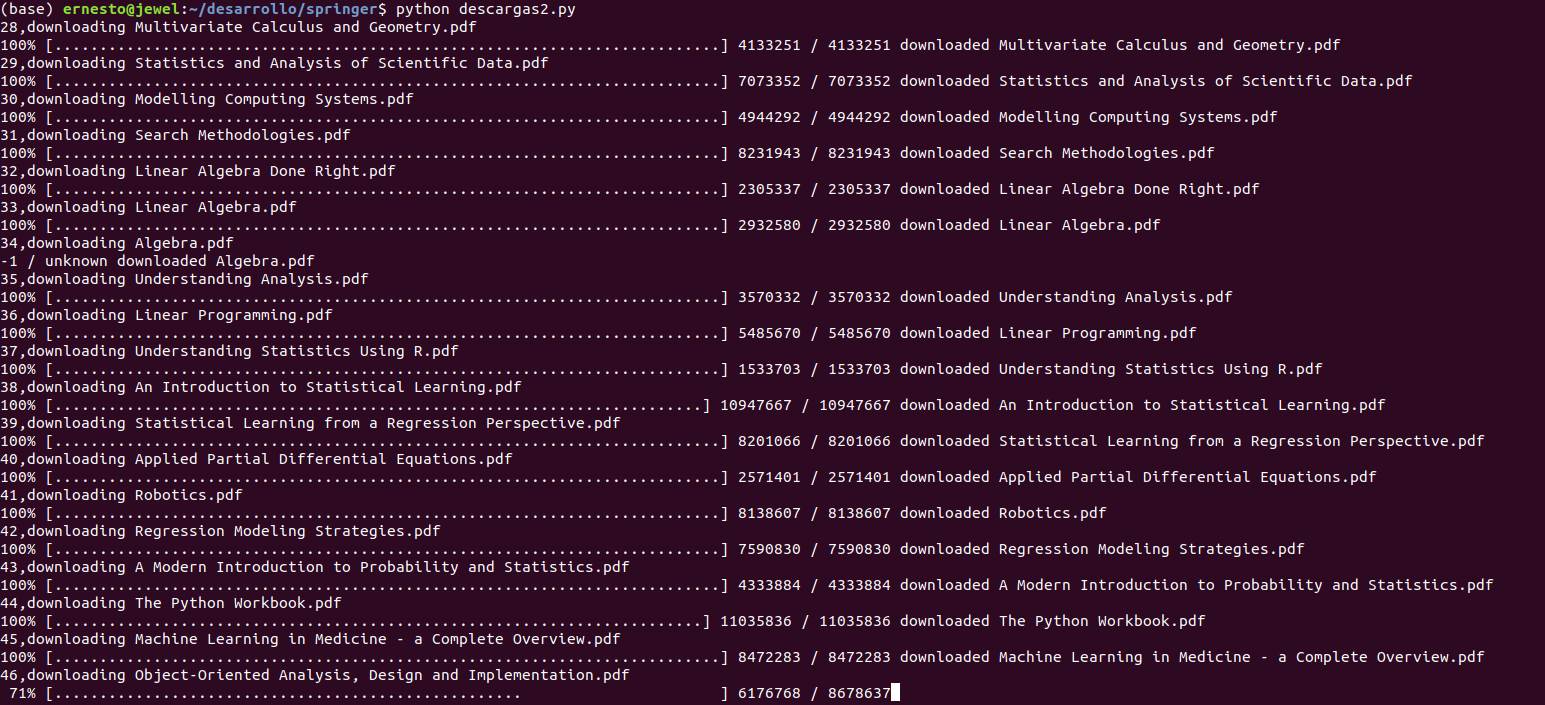
Here is the link to the script's github repository link.
Make a donation! If you liked the article you can make a donation with Bitcoin (BTC) using the digital wallet of your choice to the following address: 17MtNybhdkA9GV3UNS6BTwPcuhjXoPrSzV
Or by scanning the QR code from your wallet:
