There is a tool and API for Python that lets you create documents and spreadsheets directly from a program. The module is called odfpy .
Download and install odfpy: It can be downloaded from the subversion repository:
svn export https://svn.forge.osor.eu/svn/odfpy/trunk odfpyThen change to the odfpy directory:
cd odfpyTo install, run
python setup.py installFrom easy_install:
easy_install odfpyIn this case it downloads the package and installs it.
The tools that get installed are:
- mailodf - Sends an ODF file as html
- odf2xhtml - Converts ODF to (X)HTML
- odf2xml - Creates an xml document from the ODF file
- odf2mht - Converts ODF to HTML
- odf2war - Converts ODF to a KDE web archive
- odfimgimport - Imports images from the document
- odflint - Checks the file
- odfmeta - Lists or changes the metadata information of an ODF file
- odfoutline - Shows the document outline
- odfuserfield - Lists or changes the user-declared fields in an ODF file
- xml2odf - Creates an ODF file from an XML file
The "Hello World" example. Run the Python command interpreter Import the Opendocument modules Import the text document handling module Use the object that handles text documents Write Hello world in an element Add the element to the document Save the document
>>> from odf.opendocument import OpenDocumentText
>>> from odf.text import P
>>> textdoc = OpenDocumentText()
>>> p = P(text="Hola mundo!")
>>> textdoc.text.addElement(p)
>>> textdoc.save("holamundo",True)
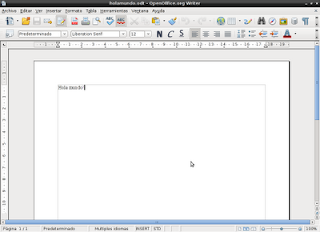
The following image shows the document that was created.
===
Make a donation! If you liked the article you can make a donation with Bitcoin (BTC) using the digital wallet of your choice at the following address: 17MtNybhdkA9GV3UNS6BTwPcuhjXoPrSzV
Or by scanning the QR code from your wallet:
