This installation process is done on Ubuntu using anaconda.
This article is based on an article in English, Apache Airflow Installation on Ubuntu (broken link), and the official Airflow page.
Preparation
1. Upgrading pip:
The first thing to do is upgrade pip:
pip install --upgrade pip2. Installing the postgreSQL database:
The installation process is the Debian way:
sudo apt-get install postgresql postgresql-contrib3. Creating a database for Airflow
- Creating an airflow user:
sudo adduser airflow
Añadiendo el usuario `airflow' ...
Añadiendo el nuevo grupo `airflow' (1004) ...
Añadiendo el nuevo usuario `airflow' (1003) con grupo `airflow' ...
Creando el directorio personal `/home/airflow' ...
Copiando los ficheros desde `/etc/skel' ...
Nueva contraseña:
Vuelva a escribir la nueva contraseña:
passwd: contraseña actualizada correctamente
Cambiando la información de usuario para airflow
Introduzca el nuevo valor, o presione INTRO para el predeterminado
	Nombre completo []:
	Número de habitación []:
	Teléfono del trabajo []:
	Teléfono de casa []:
	Otro []:
¿Es correcta la información? [S/n] s- Adding the airflow user to the group
sudo usermod -aG sudo airflow- Switch to the airflow user's shell
su - airflow- Switch to the postgres user to create a role for airflow
sudo -u postgres psqlThe output is:
[sudo] contraseña para airflow:
Lo sentimos, vuelva a intentarlo.
[sudo] contraseña para airflow:
psql (12.6 (Ubuntu 12.6-0ubuntu0.20.04.1))
Type "help" for help.

postgres=# - Create the user for airflow:
CREATE USER airflow PASSWORD 'a1rfl0w';
CREATE ROLE
CREATE DATABASE airflow;
GRANT ALL PRIVILEGES ON ALL TABLES IN SCHEMA public TO airflow- Verify that the database exists:
psql -d airflow -h localhost -U airflow
psql (12.3, server 12.6 (Ubuntu 12.6-0ubuntu0.20.04.1))
SSL connection (protocol: TLSv1.3, cipher: TLS_AES_256_GCM_SHA384, bits: 256, compression: off)
Type "help" for help.

airflow=> \conninfo
You are connected to database "airflow" as user "airflow" on host "localhost" (address "127.0.0.1") at port "5432".
SSL connection (protocol: TLSv1.3, cipher: TLS_AES_256_GCM_SHA384, bits: 256, compression: off)
- Configure pg_hba.conf:
sudo vim /etc/postgresql/12/main/pg_hba.conf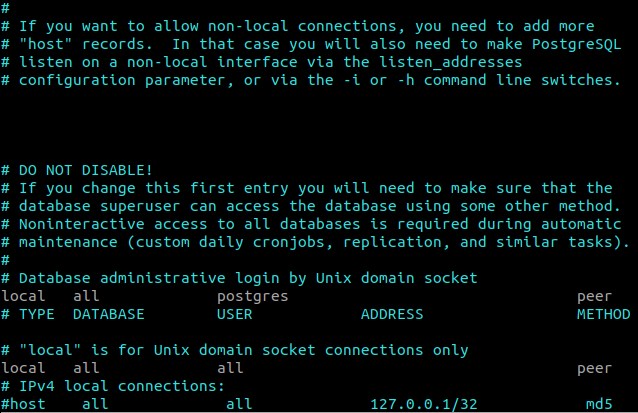
Change to 0.0.0.0/0 and set the IPv4 method to trust:
# IPv4 local connections:
host all all 0.0.0.0/0 trust- Restart postgresql:
sudo service postgresql restartInstalling airflow
- Configure the airflow home:
export AIRFLOW_HOME=~/airflow- Install airflow with several components:
pip install "apache-airflow[async,postgres,google,celery,rabbitmq,docker,amazon]"- Initialize the airflow database:
airflow initdbThe command will generate an airflow.cfg file in the airflow user's home directory.
- Configure airflow.cfg
Add the executor; in this case celery will be used:
executor = CeleryExecutor- The tables are created in the database when configuring airflow.cfg:
sql_alchemy_conn = postgresql+psycopg2://airflow@localhost:5432/airflowSave and run airflow initdb.
- Disabling examples:
Edit airflow.cfg:
load_examples = False- Start the Airflow web server:
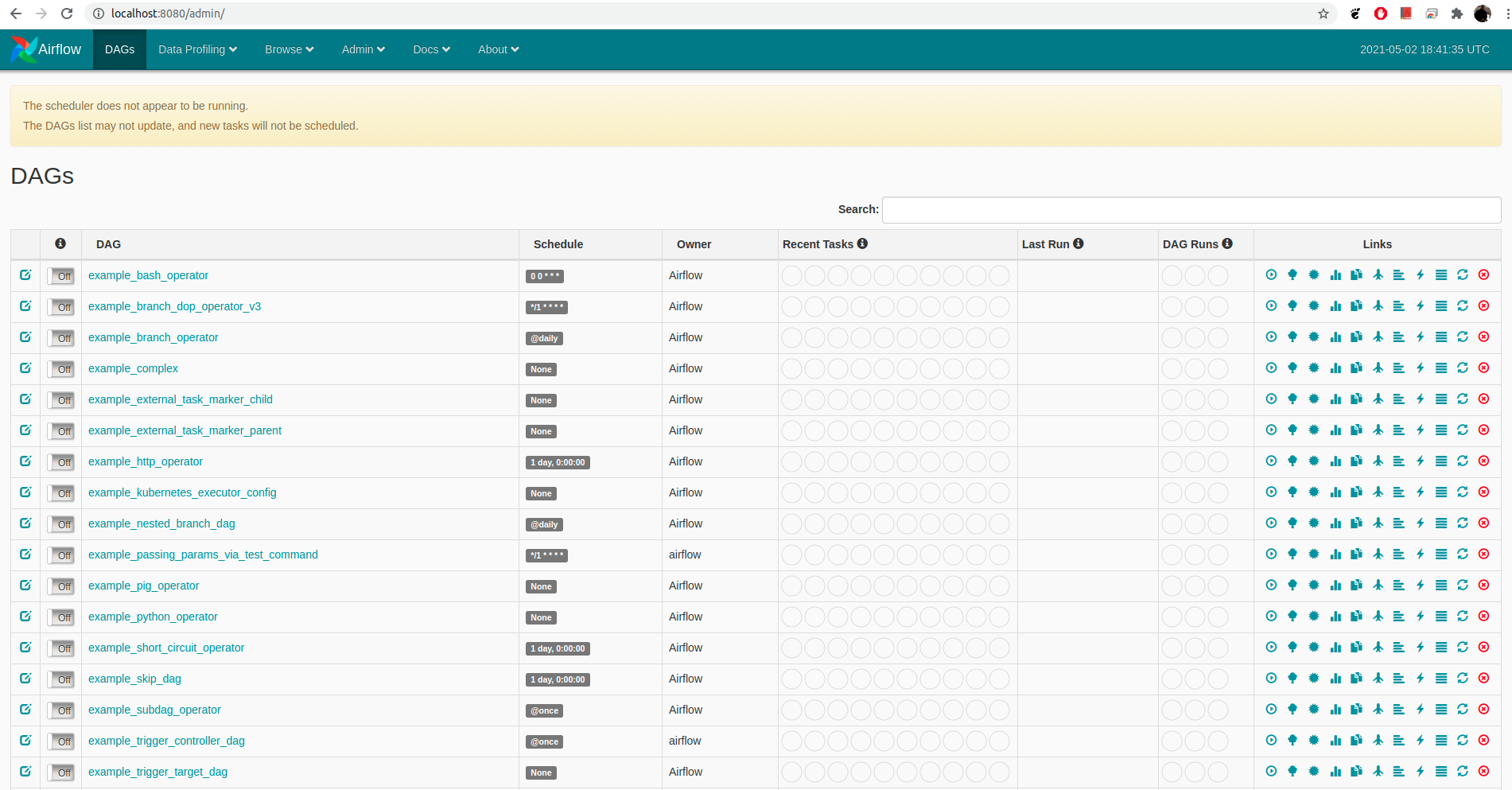
airflow webserverTo access the web application, open https://localhost:8080 .
A screenshot of the server is shown:
Future articles will present airflow tutorials.
Make a donation! If you liked the article you can make a donation with Bitcoin (BTC) using the digital wallet of your choice to the following address: 17MtNybhdkA9GV3UNS6BTwPcuhjXoPrSzV
Or by scanning the QR code from the wallet:
