Continuing the posts about the Nokia N810, I will now explain how to install the development kit on Debian.
I based this on a guide (broken link) that explains how to install the development environment for OS2008 on Ubuntu.
Installing scratchbox
- Download Maemo-scratchbox
wget http://repository.maemo.org/stable/4.0.1/maemo-scratchbox-install_4.0.1.sh- Make it executable
chmod +x maemo-scratchbox-install_4.0.1.sh- Run the script
./maemo-scratchbox-install_4.0.1.sh -dThis installs a version of scratchbox adapted for use with maemo.
A directory named scratchbox will be created in the root of the filesystem. It will hold the whole structure needed to work with the architecture used by the Nokia N810.
- Create the user that will work with scratchbox
/scratchbox/sbin/sbox_adduser USERNAME yesUSERNAME is the user who will work with the development kit, preferably a user that already has an account on the machine.
- Update the list of users related to the /etc/groups file
newgrp sbox- Log in to scratchbox
From the user that was given a scratchbox account, run:
/scratchbox/loginIf it gave no error messages, the installation went perfectly.
You leave with the exit command.
- Edit nsswitch.conf
Run as root
nano /scratchbox/etc/nsswitch.confThe following line has to appear
hosts: files dns- Add the name servers to scratchbox's resolv.conf
/scratchbox/login
nano /etc/resolv.conf
In my case:
nameserver 200.47.79.2
nameserver 200.47.79.3
With this, everything is ready to install maemo.
Installing maemo-sdk.
All of this is done from the user that has the scratchbox account.
- Download the maemo-sdk-install script
wget http://repository.maemo.org/stable/4.0.1/maemo-sdk-install_4.0.1.sh- Make the script executable
chmod +x maemo-sdk-install_4.0.1.sh- Run the script
./maemo-sdk-install_4.0.1.shAt this point the environment for the installation will be created. You accept the license of the Nokia binaries, and it is recommended to install maemo with the development environment without the debugging packages.
The package installation will take a while; when it finishes you will have a development environment.
-
Install xserver-xephyr on the machine.
-
Update maemo.
/scratchbox/login
apt-get update
apt-get dist-update- Start the Xephyr X server.
Xephyr :2 -host-cursor -screen 800x480x16 -dpi 96 -acThis command starts a Xephyr X server for maemo.
An X server with a resolution of 800x480 will appear, as in the screenshot.
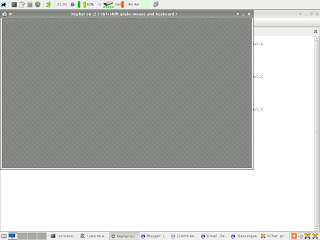
- View maemo in the Xephyr X server.
Run the following in the scratchbox session:
export DISPLAY=:2
af-sb-init.sh start
The following screenshot shows the maemo environment.
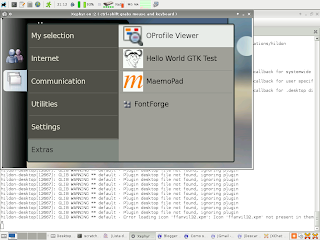
With this environment ready, in the next posts I will explain how to create a program for maemo using python.