Continuing with the posts about the Nokia N810, now I will explain the process of installing the development kit on Debian. I based it on a guide (broken link) that explains how to install the development environment for OS2008 on Ubuntu.
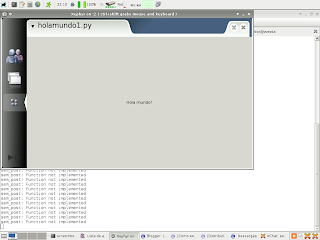
Now that the maemo development environment is installed I will try a basic hello world script with gtk.
You need to add a repository to the maemo environment:
/scratchbost/login
nano /etc/apt/sources.list
deb http://repository.maemo.org/extras chinook free non-free
Then run apt-get update and install all the python2.5 packages, especially python2.5-runtime.
With this you have everything you need for the first python program on maemo.
We will call the script holamundo1.py with the following content:
#!/usr/bin/env python2.5
import gtk

window = gtk.Window(gtk.WINDOW_TOPLEVEL)

label = gtk.Label("Hello World!")
window.add(label)

label.show()
window.show()

gtk.main()