Fabric is a library and command-line tool that generates a workflow of tasks for automating deployments and administrative tasks remotely.
This article is based on a youtube video with an introduction to Fabric.
There are 3 machines:
- 192.168.1.3: Machine with Debian Stretch where fabric is installed.
- 192.168.1.2: Machine with Debian Stretch.
- 192.168.1.6: Machine with Debian Jessie.
Only one machine with Fabric is needed. Debian Stretch is used because in this version of Debian Fabric is not so complicated to install; on Debian Jessie it has given me some problems: it installs but gives errors at runtime (from what I have researched, the problem is the paramiko library).
Installing Fabric:
With pip:
#pip install fabricNow create a fabfile.py file with the following content:
#!/usr/bin/env python

#de la api de fabric de importa run, sudo, task, get y put

from fabric.api import run,sudo,task,get, put


#Se define la tareta cmdrun que ejectua el argumento

@task

def cmdrun(arg):

    run(arg)


#Se define la tarea sudorun que ejecuta el argumento vía sudo

@task

def sudorun(arg):

    sudo(arg)


#Se define la tarea download que se le pasa un argumento que se descarga en /tmp/

@task

def download(arg):

    get(remote_path=arg,local_path="/tmp/",use_sudo=True)


#Se define la tarea upload que se le pasa dos argumentos

#local_path y remote_path.

@task

def upload(arg1,arg2):

    put(local_path=arg1,remote_path=arg2,use_sudo=True)


#Se define la tarea host_type que ejecuta uname.

@task

def host_type():

        run('uname -s')
To run the tasks, use the fab command (an environment variable called clave is defined, holding the user's password):
Running ps on two machines in parallel:
fab -H 192.168.1.2,192.168.1.6 -p $clave -P cmdrum:"ps -ef|wc -l"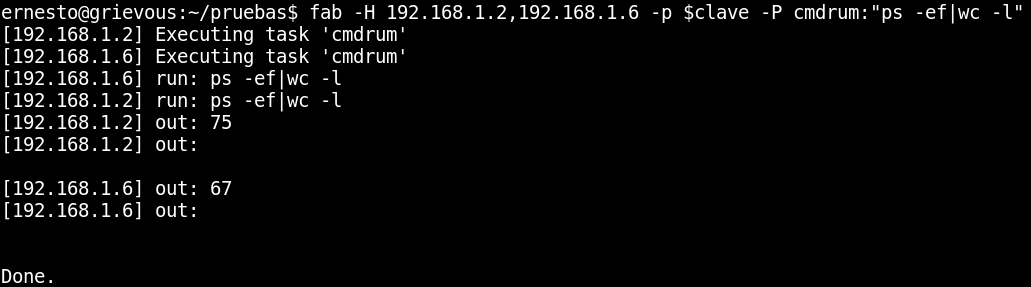
It returns the output of ps and the number of lines that result on each machine.
The host type of each remote machine is found with host_type:
fab -H 192.168.1.2,192.168.1.6 -p $clave host_type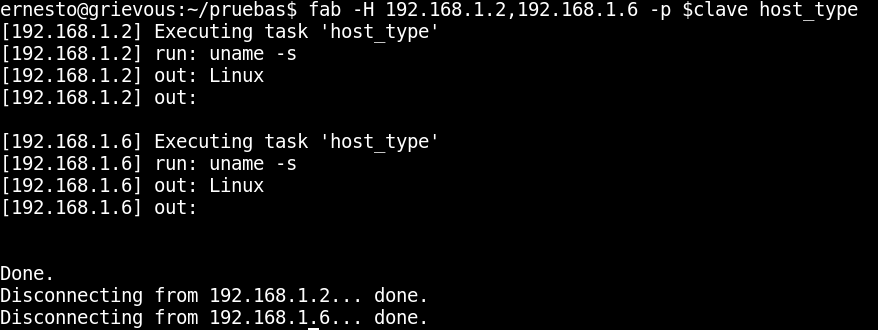
Here the commands are run sequentially on the machines; to run them in parallel, use the -P option.
fab -H 192.168.1.2,192.168.1.6 -p $clave -P host_type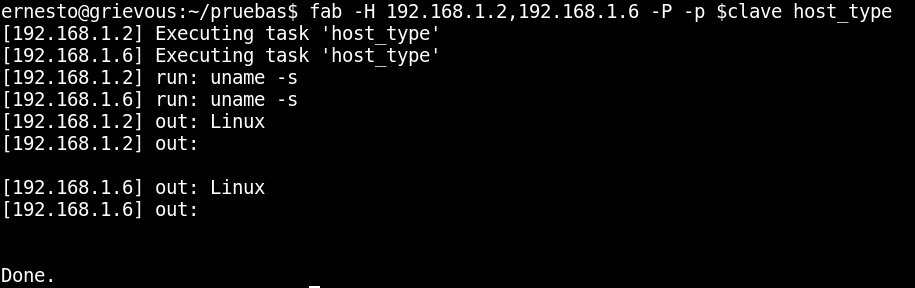
The execution is no longer done sequentially on each machine.
Run fdisk through sudo:
fab -H 192.168.1.2,192.168.1.6 -p $clave -P sudo:"fdisk -l| grep sda"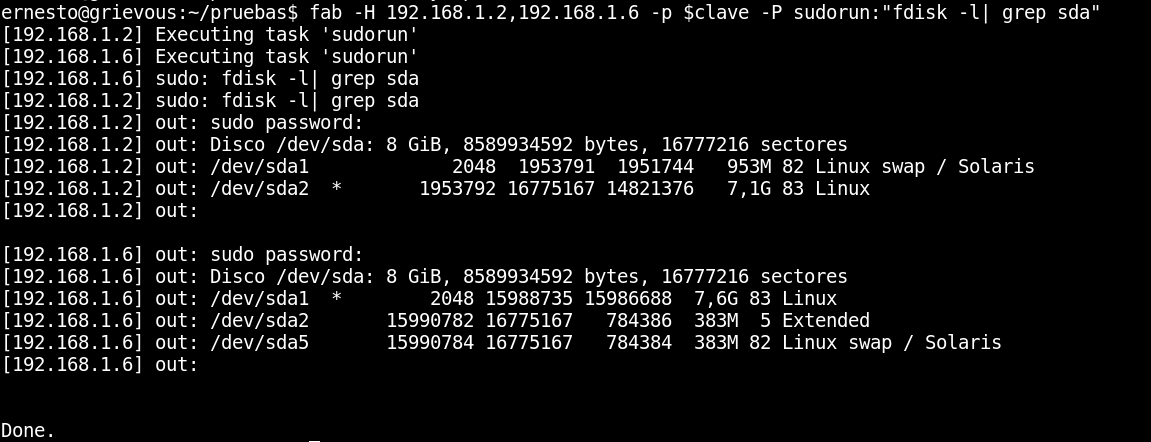
The command returns the sda partitions that each machine has.
Upload a sources.list file to machine 192.168.1.2 through upload, passing the local file and the remote path as arguments:
fab -h 192.168.1.2 -p $clave upload:"sources.list","/tmp/"
The figure shows that the file upload was done without problems; now check the /tmp/ directory:
The figure shows that the sources.list file is in /tmp/

Download the file prueba.txt from machine 192.168.1.2 through download, passing the remote path of the file; this file is downloaded by default to /tmp/:
fab -H 192.168.1.2 -p $clave upload:"sources.list","/tmp/"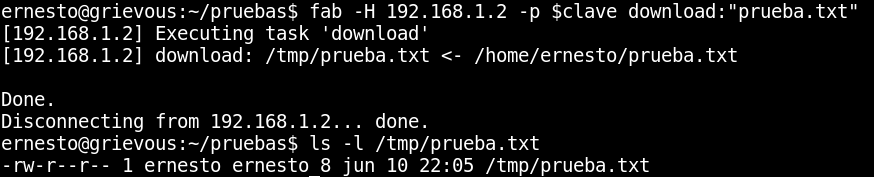
In this case the file /home/ernesto/prueba.txt was downloaded to /tmp/, and then the file was listed locally to verify that it is in that directory.
A more complete tutorial on Fabric can be found on its site.
Other videos about fabric:
Make a donation! If you liked the article you can make a donation with Bitcoin (BTC) using the digital wallet of your choice to the following address: 17MtNybhdkA9GV3UNS6BTwPcuhjXoPrSzV
Or by scanning the QR code from your wallet:
