Continuing with the articles on webscraping with Python, it is now the turn of Scraperwiki.
You can find the Scraperwiki documentation here (broken link).
Besides a library for Python, it has an interactive site where you can use ScraperWiki for Ruby, Php and Python; at the following link (broken link) you can see the ScraperWiki web interface for Python.
This article is based on the official ScraperWiki tutorial.
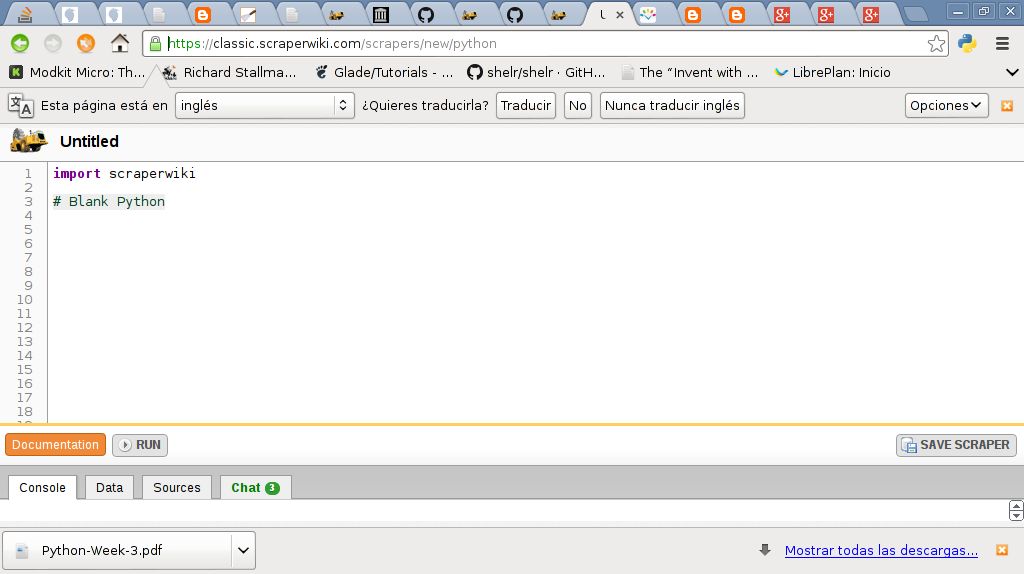
The following figure shows the ScraperWiki web page for Python:
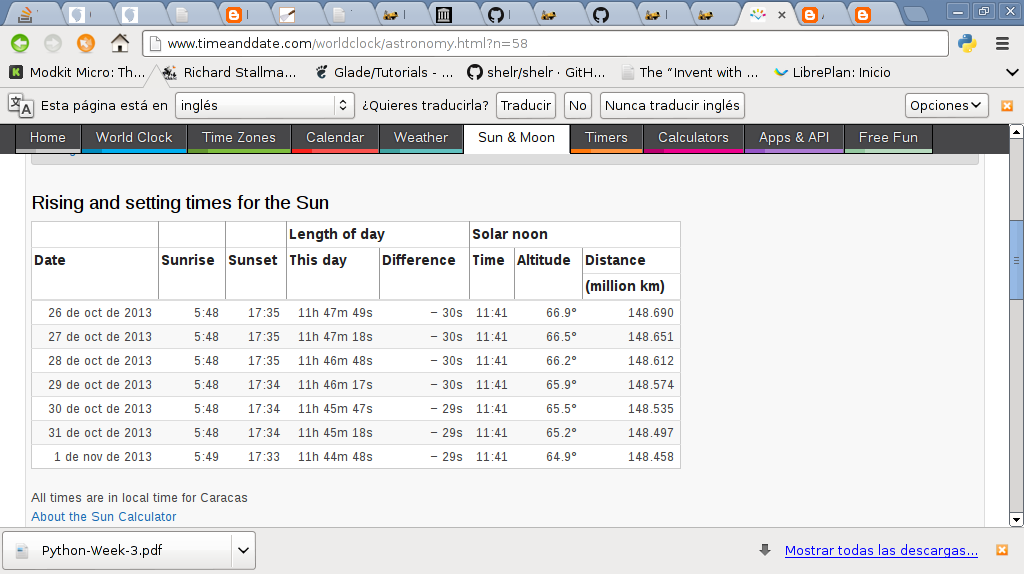
The following image shows the sunrise and sunset information for Venezuela from the timeanddate site:
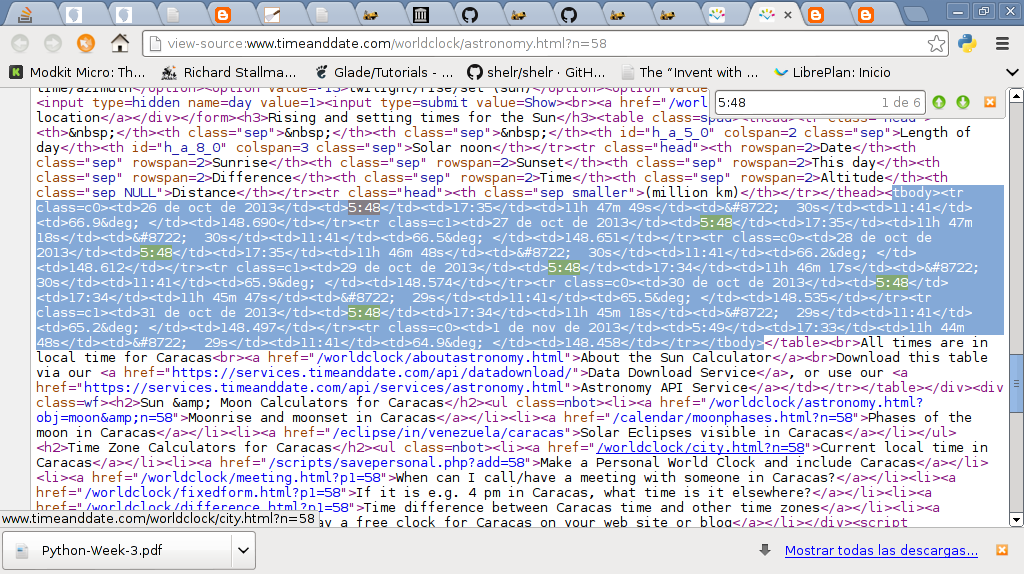
Below is an image of the html code of the page in the previous image, with the part of that code we are interested in highlighted:
To install ScraperWiki, run the pip command:
#pip install scraperwikiThe code to extract the information is shown below:
#!/usr/bin/env python


#importar scraperwiki


import scraperwiki


#importar lxml.html


import lxml.html


#Url de la pagina timeanddate de la


#info de Venezuela.


url = "http://www.timeanddate.com/worldclock/astronomy.html?n=58"


#se crea la instancia de la clase scrape pasando el


#url del sitio a extraer la informacion.


html = scraperwiki.scrape(url)


#Se busca en el codigo html de la pagina


root = lxml.html.fromstring(html)


#Se crea una lista que almacenara los diccionarios conteniendo


#la informacion que se necesita


lista = []


#Se busca el tag html tbody y tr.


#Esto genera una lista con el contenido del tbody.Esto


#se recorre dicha lista


for tr in root.cssselect("tbody tr "):


    #Se selecciona la informacion que aparece en


    #el tag html td


    tds = tr.cssselect("td")


    #Se guarda la informacion en un diccionario


    datos = {


        'fecha': tds[0].text_content(),


        'amanecer': tds[1].text_content(),


        'atardecer': tds[2].text_content()


    }


    #Se agrega los datos a la lista


    lista.append(datos)


#Se muestra la lista en pantalla


for i in lista:


    print i
The result of running the script is below:
{'fecha': '26 Oct 2013', 'atardecer': '17:35', 'amanecer': '05:48'}

{'fecha': '27 Oct 2013', 'atardecer': '17:35', 'amanecer': '05:48'}

{'fecha': '28 Oct 2013', 'atardecer': '17:35', 'amanecer': '05:48'}

{'fecha': '29 Oct 2013', 'atardecer': '17:34', 'amanecer': '05:48'}

{'fecha': '30 Oct 2013', 'atardecer': '17:34', 'amanecer': '05:48'}

{'fecha': '31 Oct 2013', 'atardecer': '17:34', 'amanecer': '05:48'}

{'fecha': '1 Nov 2013', 'atardecer': '17:33', 'amanecer': '05:49'}
You can find more ScraperWiki tutorials at the following link (broken link).
Make a donation! If you liked the article you can make a donation with Bitcoin (BTC) using the digital wallet of your choice at the following address: 17MtNybhdkA9GV3UNS6BTwPcuhjXoPrSzV
Or by scanning the QR code from your wallet:
