Continuing with the ASE API, there is a function that sends an email given the address, the subject and the body of the message.
The ASE API function that sends emails is called: sendEmail(correo,asunto,cuerpo_correo)
Below is the python program code to send the email:
#Se importa el módulo android
import android

#Se crea la instancia de la clase Android
droid = android.Android()

#Se define la dirección de correo, el asunto del correo y el contenido del mismo
asunto = "Prueba de envio de correo desde Android con un script de python"
para = "ecrespo@gmail.com"
cuerpo_correo = "Esta es una prueba de envio de correo\n El tiempo en el reloj es: %s\n ------\n Ernesto Crespo\n" %time.ctime()

#Se llama a la función sendEmail con los datos necesarios.
#Esto llama a la aplicación de envío de correo de forma gráfica con la
#información que se pasa en la función.
droid.sendEmail(para,asunto,cuerpo_correo)

#Se finaliza la instancia de la clase.
droid.exit()
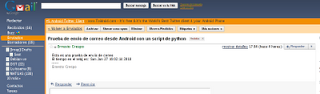
The result can be seen in the following images: The first image is of the outbox.
And the next image is of the inbox.
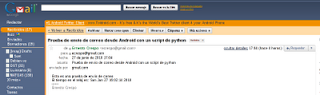
You will notice that the email shows the time the script was run but it was received at a different time; the problem was that the phone had no 3G connection and had to connect to a wifi network in order to send the emails.
===
Make a donation! If you liked the article you can make a donation with Bitcoin (BTC) using the digital wallet of your choice to the following address: 17MtNybhdkA9GV3UNS6BTwPcuhjXoPrSzV
Or by scanning the QR code from your wallet:
