Cloud9 is an online Integrated Development Environment, released as OpenSource since version 3.0.
Here are other links to articles about docker.
You can access the application at c9.io .
An image of the site is shown below:
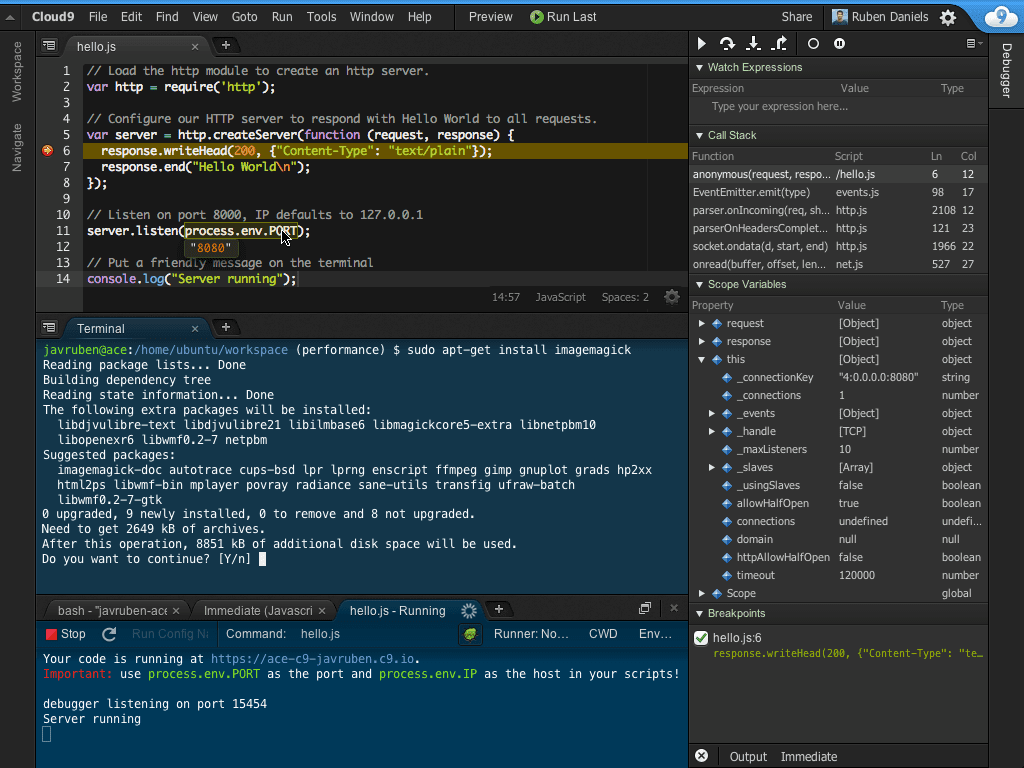
It is developed entirely in javascript, with node.js as the backend, and the workspaces are built using Docker.
It supports several programming languages, the main ones being:
- C/C++
- PHP
- Ruby
- Perl
- Python
- Javascript
- Go
Since cloud9 is OpenSource, besides using it from its website you can set up a server; its source code is on github. You can find the installation procedure at the following link.
In this case a Docker image will be used to set it up as a local server. You can review the image that will be used at the following link (broken link).
To run cloud9 as a container, run:
docker run -it -d -p 9080:80 -v /home/ernesto/worksplace/:/workspace/ kdelfour/cloud9-dockerIn this case the application runs on port 9080 and workspace will be used as the working directory.
Running docker ps gives the following:
CONTAINER ID        IMAGE                    COMMAND                  CREATED             STATUS              PORTS                            NAMES
f4d06af60205        kdelfour/cloud9-docker   "supervisord -c /etc/"   38 seconds ago      Up 33 seconds       3000/tcp, 0.0.0.0:9080->80/tcp   condescending_gates
Now open the browser on port 9080; the image is shown below:
Image while cloud9 loads:
Working environment and a Hello world! example:
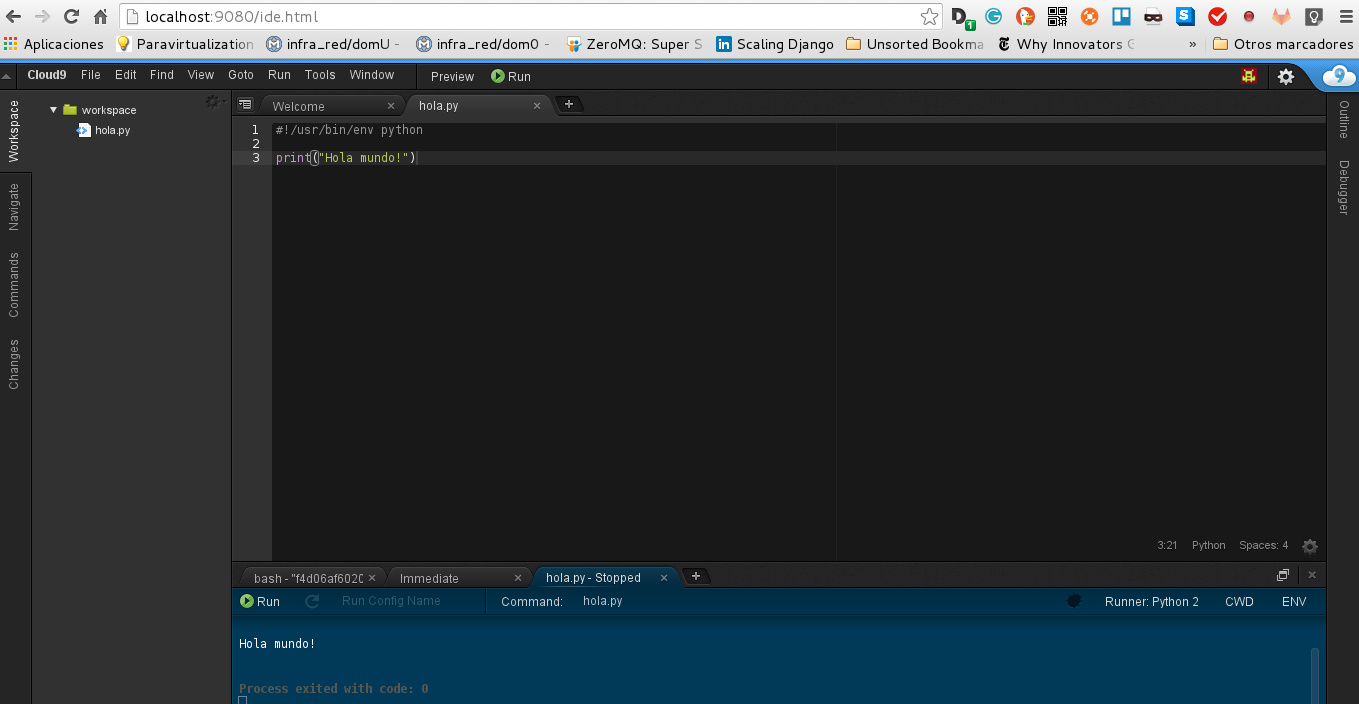
As you can see, it is no longer necessary to use the tool from the web; it can now be used from a local server using a Docker image.
Make a donation! If you liked the article you can make a donation with Bitcoin (BTC) using the digital wallet of your choice to the following address: 17MtNybhdkA9GV3UNS6BTwPcuhjXoPrSzV
Or by scanning the QR code from your wallet:
