Pudb is a full-screen debugging tool for the console. It supports cursor keys and vi editor commands. It can be integrated with ipython if needed.
To install it on Debian-based distributions, run the following command:
apt-get install python-pudbTo install it with easy_install or pip, run the following:
easy_install pudbpip install pudbThe same code from the previous article (broken link) will be debugged. The following will be added to the code for debugging: from pudb import set_trace; set_trace()
The complete code is shown below:
#!/usr/bin/env python
# -*- coding: utf-8 -*-

#Se importa numpy como np
import numpy as np

from pudb import set_trace; set_trace()


a = np.arange(10)
print a
print a[8]
print a[9]

for i in a:
    print i

print a[10]
To start debugging, run python making a call to the pudb.run module and then pass the script to debug:
python -m pudb.run arreglo.pyThe following figure shows the pudb interface.
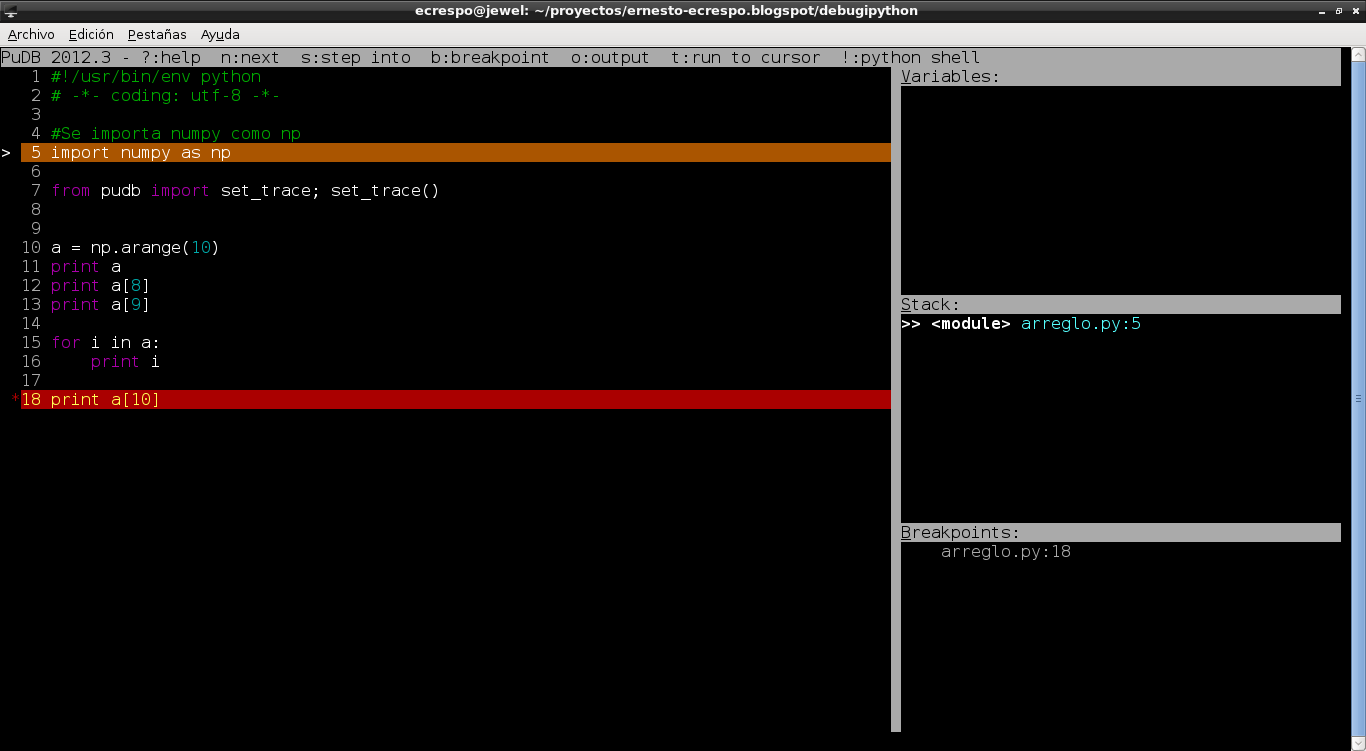
The main window shows the script code, the first side window at the top shows the variables, the next window below shows the stack and finally the breakpoints.
To see the available options of the interface, press the "?" key. The following figure shows the options.
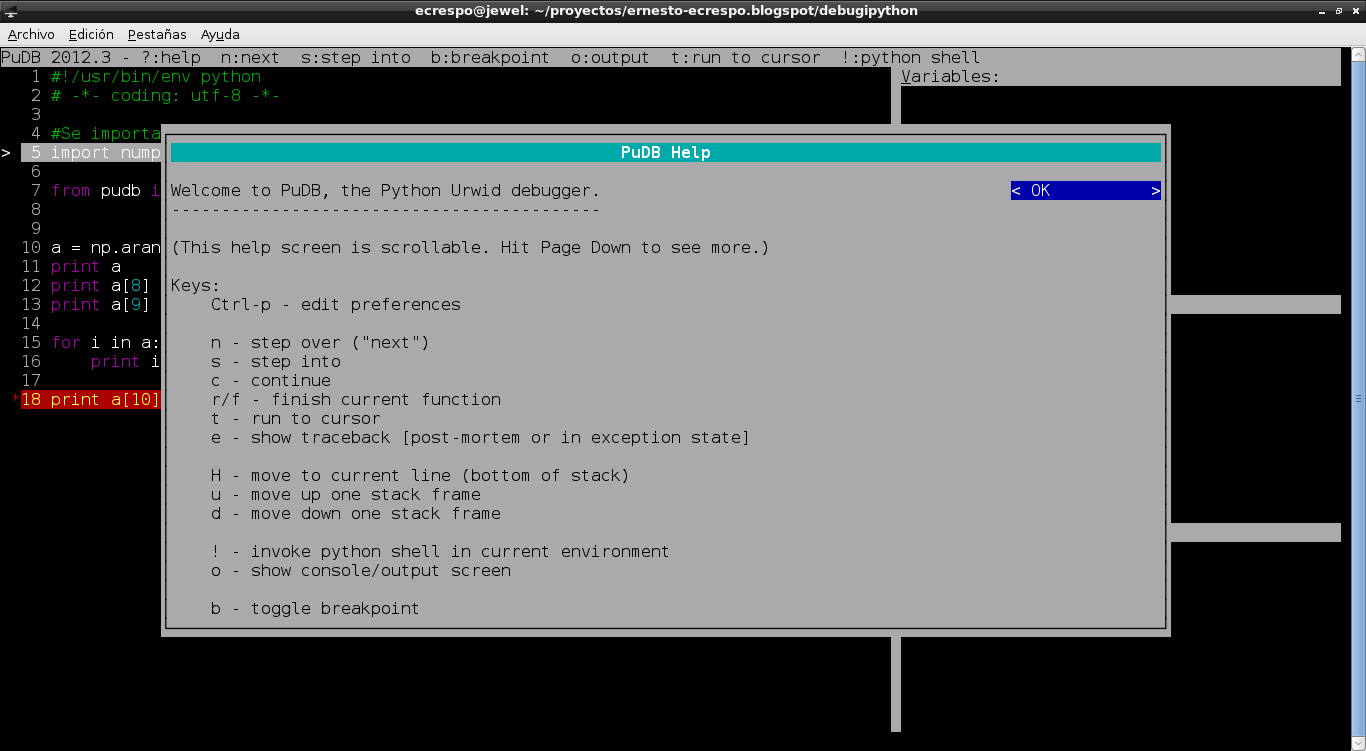
Options:
- Control+p: Lets you edit the interface preferences.
- n (next): Jumps to the next instruction of the code.
- c (continue): Continues to the next instruction.
- s (step into): Steps into the next instruction.
- r/f:: Finishes the current function.
- t: Runs to the cursor.
- e: Shows the traceback (postmortem or at the state of an exception).
- H: Moves to the current line (at the end of the stack).
- u: Moves up in the stack
- d: Moves down in the stack
- !: Invokes a python command interpreter in the current environment.
- o: Shows the console or the screen output.
- b: Toggles breakpoints.
- q: Quit/restart the script.
The following figure shows the preferences:
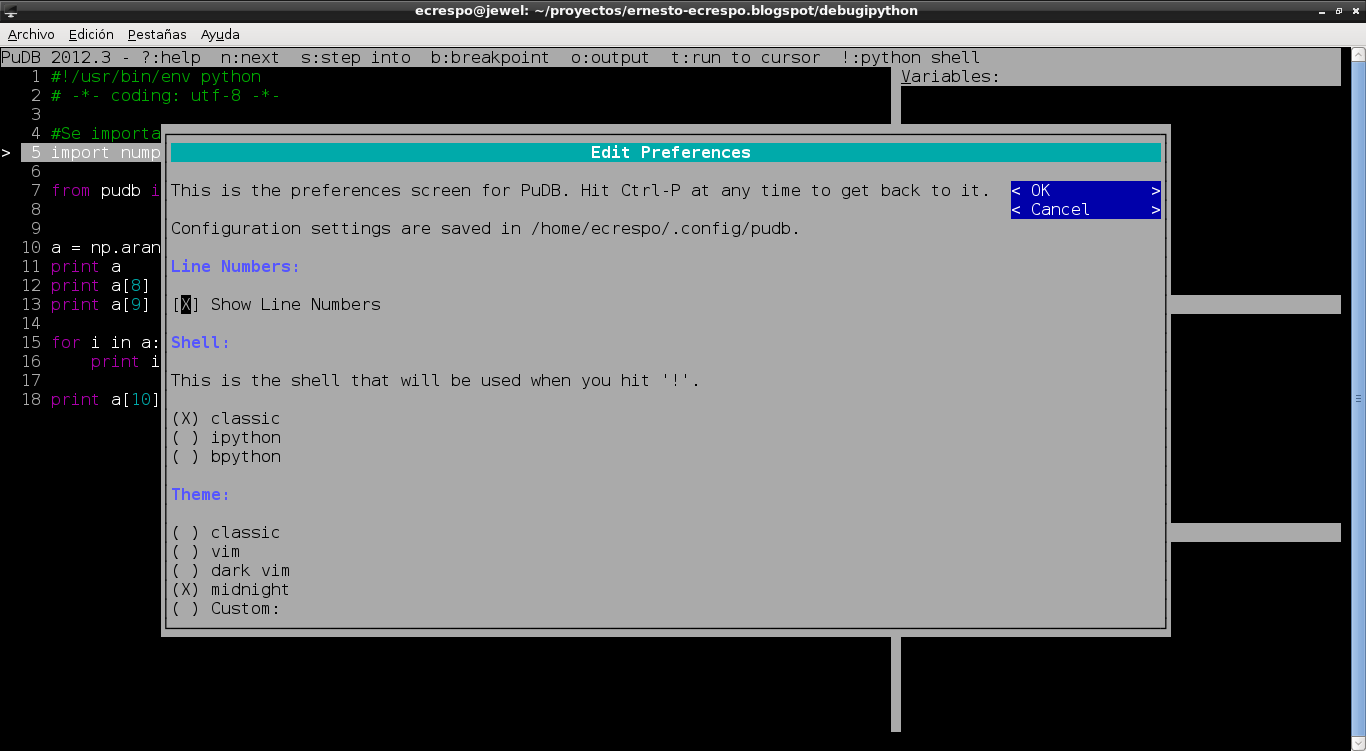
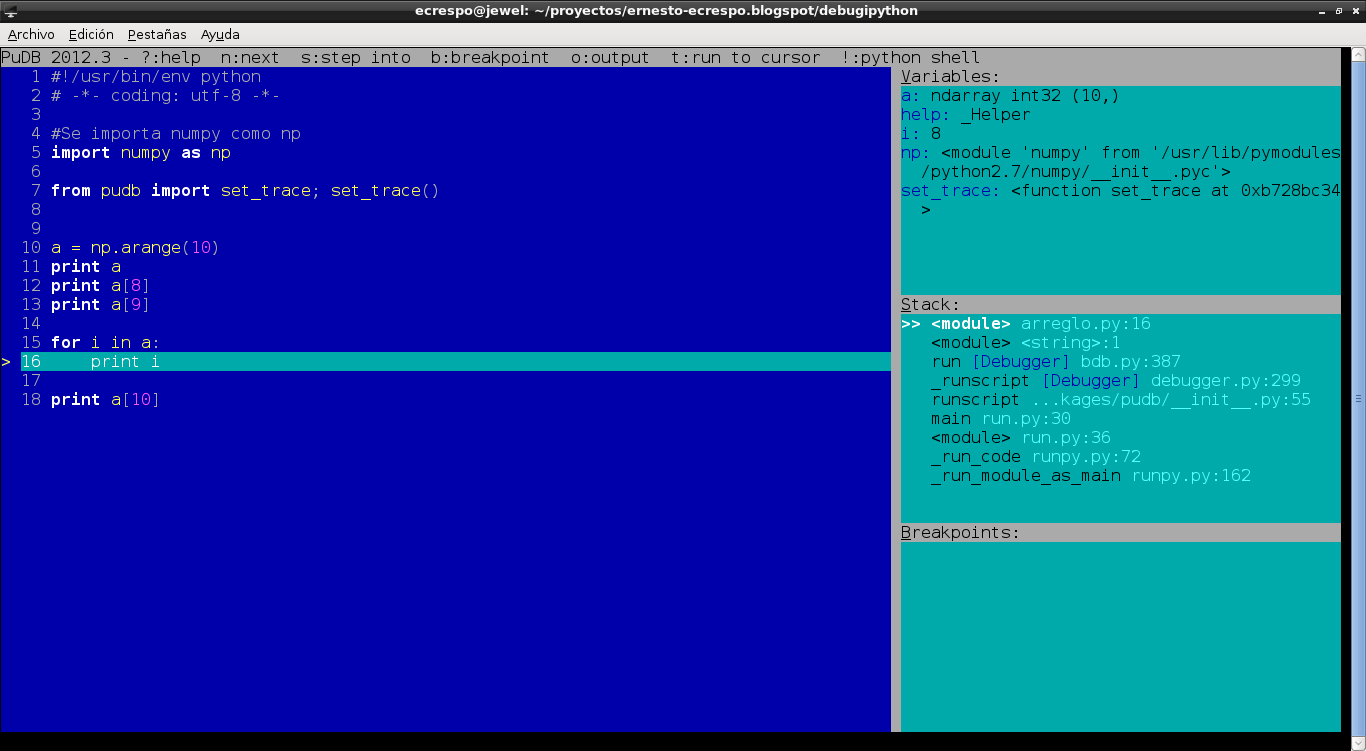
The following figure shows the debugger at work.
Make a donation! If you liked the article you can make a donation with Bitcoin (BTC) using the digital wallet of your choice to the following address: 17MtNybhdkA9GV3UNS6BTwPcuhjXoPrSzV
Or by scanning the QR code from your wallet:
