Continuing with the articles about Django.
This time the topic is using a style called Material Design (developed by Google for Android) in the admin and forms; the idea is for our backend to have that style. For this there is a Django application called Django-material.
You can see the django-material documentation at the following link.
Installation:
To install django-material, run the pip command:
pip install django-materialCreate the prueba project:
django-admin startproject pruebaYou get the following directories and files:
prueba
├── manage.py
└── prueba
    ├── __init__.py
    ├── settings.py
    ├── urls.py
    └── wsgi.py
In settings.py the applications are added:
-
material
-
material.admin
In the end the applications section looks like this:
# Application definition


INSTALLED_APPS = (


    'material',
    'material.admin',

    'django.contrib.admin',

    'django.contrib.auth',

    'django.contrib.contenttypes',

    'django.contrib.sessions',

    'django.contrib.messages',

    'django.contrib.staticfiles',

)
Note: material.admin must come before admin.
Se ejecuta manage.py migrate:
ecrespo@grievous:~/django/prueba$ ./manage.py migrate
Operations to perform:
  Synchronize unmigrated apps: staticfiles, material, messages, material_admin
  Apply all migrations: admin, contenttypes, auth, sessions
Synchronizing apps without migrations:
  Creating tables...
    Running deferred SQL...
  Installing custom SQL...
Running migrations:
  Rendering model states... DONE
  Applying contenttypes.0001_initial... OK
  Applying auth.0001_initial... OK
  Applying admin.0001_initial... OK
  Applying contenttypes.0002_remove_content_type_name... OK
  Applying auth.0002_alter_permission_name_max_length... OK
  Applying auth.0003_alter_user_email_max_length... OK
  Applying auth.0004_alter_user_username_opts... OK
  Applying auth.0005_alter_user_last_login_null... OK
  Applying auth.0006_require_contenttypes_0002... OK
  Applying sessions.0001_initial... OK
Create the project's administrator user:
./manage.py createsuperuser
Username (leave blank to use 'ecrespo'): ernesto
Email address: ecrespo@
Password:
Password (again):
Superuser created successfully.
Run the django web server:
ecrespo@grievous:~/django/prueba$ ./manage.py runserver
Performing system checks...

System check identified no issues (0 silenced).
April 26, 2015 - 16:22:53
Django version 1.8, using settings 'prueba.settings'
Starting development server at http://127.0.0.1:8000/
Quit the server with CONTROL-C.
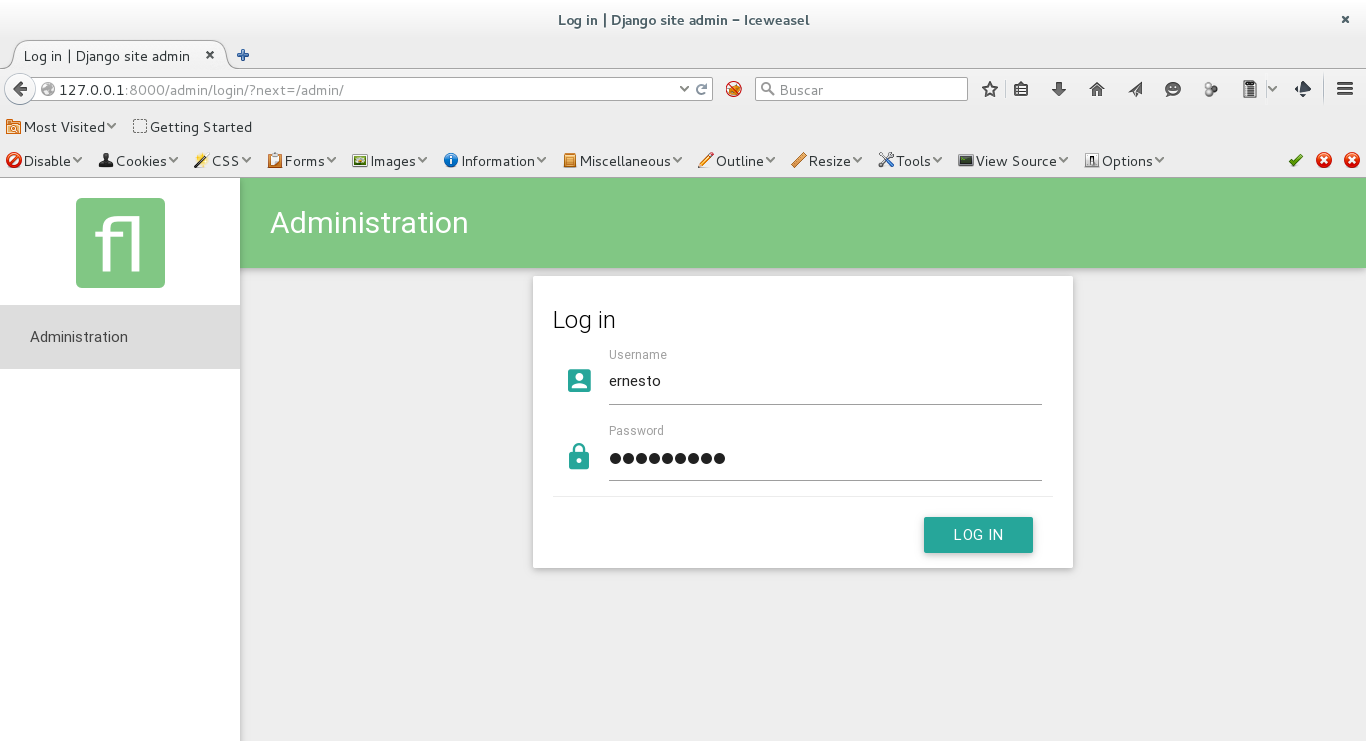
The image of the Django admin login is shown:
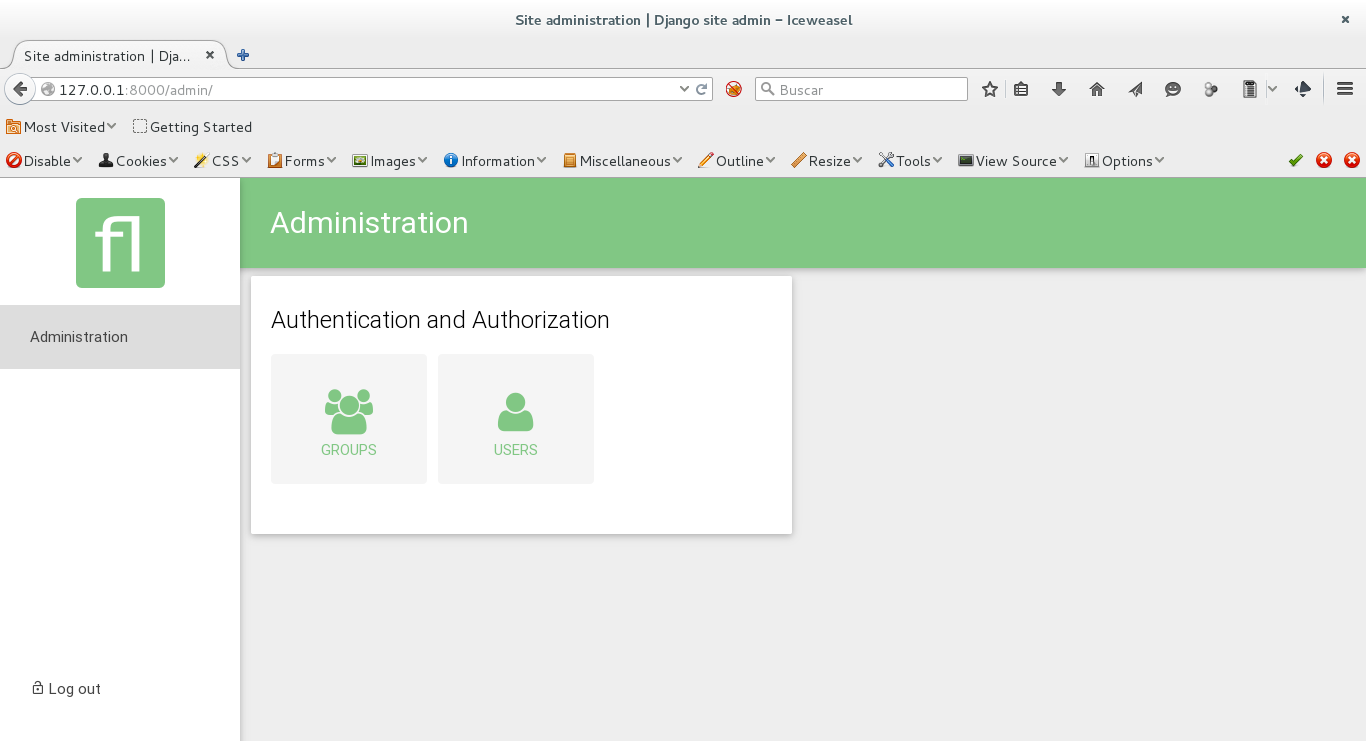
The image of the admin after logging in is shown:
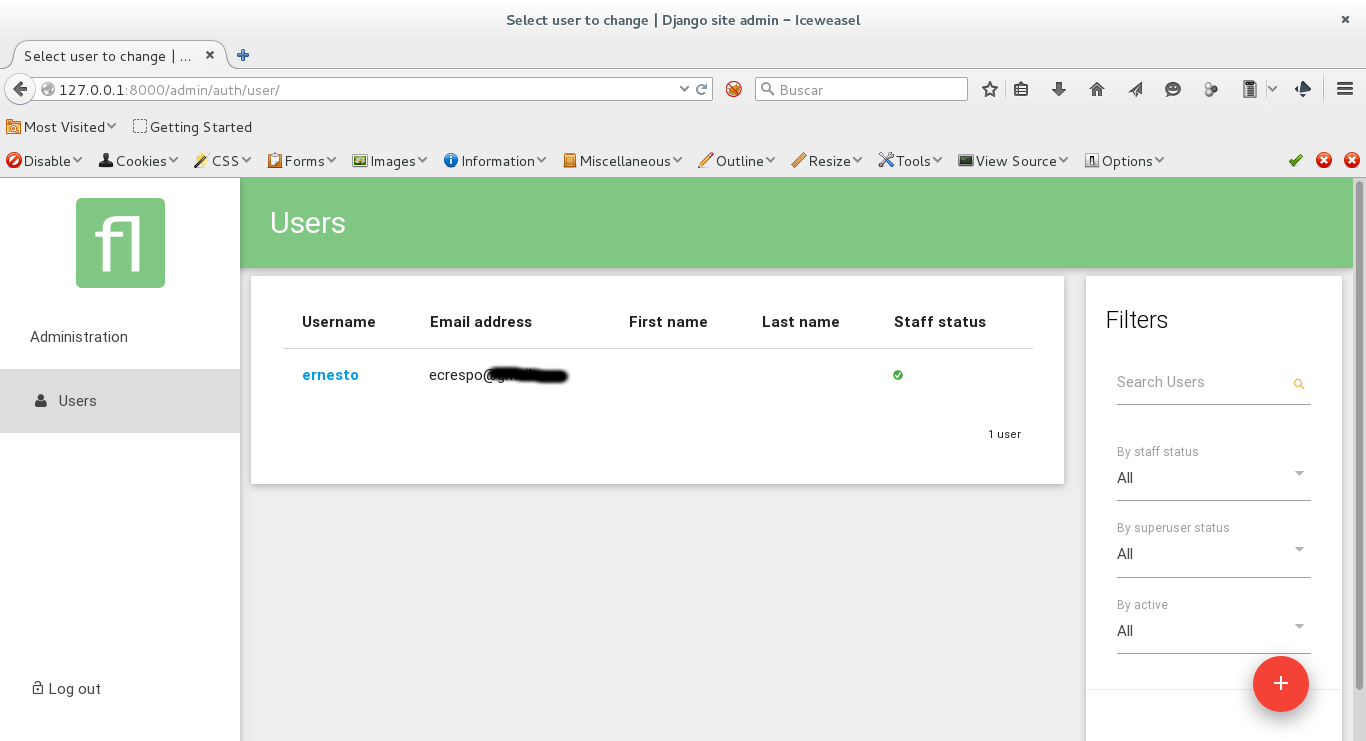
The following image shows the users section of the Django admin:
The next article will explain how to give the material design style to the forms of an application.
Make a donation! If you liked the article you can make a donation with Bitcoin (BTC) using the digital wallet of your choice at the following address: 17MtNybhdkA9GV3UNS6BTwPcuhjXoPrSzV
Or by scanning the QR code from your wallet:
