This article explains how to create an RSA public key to use on the github, gitorius and bitbucket sites so you can upload code with git and mercurial to those repositories.
The first thing to do is generate the ssh key. The command to do it is ssh-keygen:
ssh-keygen -t rsa -C "ecrespo@cenditel.gob.veGenerating public/private rsa key pair.
Enter file in which to save the key (/home/ernesto/.ssh/id_rsa): <Ruta donde se va a guardar la llave RSA>
Enter passphrase (empty for no passphrase): <colocar la frase a usar con la llave>
Enter same passphrase again: <colocar la frase a usar con la llave>
Your identification has been saved in /home/ernesto/.ssh/id_rsa.
Your public key has been saved in /home/ernesto/.ssh/id_rsa.pub.
The key fingerprint is:
f2:09:cf:fe:53:1d:d3:d9:25:96:c9:11:68:5e:3e:bc ecrespo@cenditel.gob.ve
The key's randomart image is:
+--[ RSA 2048]----+
| .o. |
| o..+ |
| o o +* .|
| C ..+o+|
| S + o+o|
| . .Do |
| . o . |
| + |
| . |
+-----------------+Add the key to github:
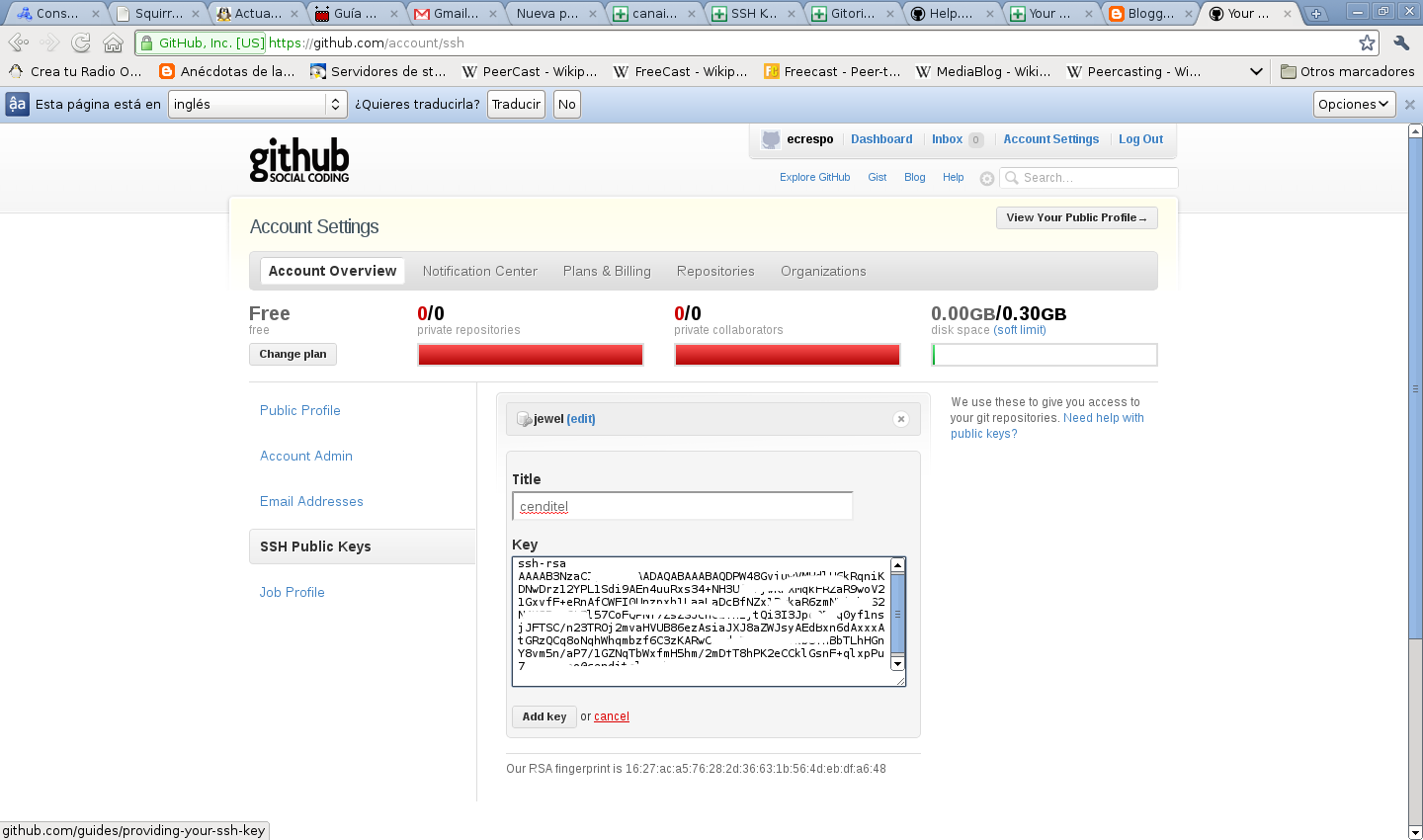
In github select Account settings, then select ssh public keys and then Add another public key.
Display the contents of the id_rsa.pub file:
cat less id_rsa.pub
ssh-rsa AAAAB3NzaC1yc2EAAAADAQABAAABAQDPW48GvjuwVMHdlU6kRqniKDNwDrz
12YPL1Sdi9AEn4uuRxs34+NH3UfarjweKFXMqkFRZaR9woV21GxvfF+eRnAfCWFI0Unzpxh1LaaLaDcBfNZ
x1PwkaR6zmaNKjwhAS2N4K3Rd+gCtPl57CoFQPNY7ZsZSJcn0iTn1jtQi3I3JpeQDTq0yf1nsjJFTSC/n23TROj2mvaHVsUB86ezAsia
JXJd8aZWJsyAEdBxn6dAxxxAtGRzQCq8oNqhWhqmbzf6C3zKARwCbbdo7UB
M/StTkb3aYnBbTLhHGnY8vm5n/aP7/1GZNqTbWxfmH5hm/2mDfT8hPK2eCCklGsnF+qlxpPu7 ecrespo@cenditel.gob.ve
The following image shows the information displayed in github:
Validate the communication with github. To validate the communication with the public key, run the following:
ssh -T git@github.comThe following information will appear:
The authenticity of host 'github.com (207.97.227.239)' can't be established.
RSA key fingerprint is 16:27:ac:a5:76:28:2d:36:63:1b:56:4d:eb:df:a6:48.
Are you sure you want to continue connecting (yes/no)? yes
Warning: Permanently added 'github.com,207.97.227.239' (RSA) to the list of known hosts.
Hi ecrespo! You've successfully authenticated, but GitHub does not provide shell access.
Configure the user and email information in git:
git config --global user.name "Ernesto Crespo"
git config --global user.email "ecrespo@cenditel.gob.ve"
Configure the github token.
Select Account settings, then Account Admin. What is shown in the following figure will appear there:

Add the github user and the token:
git config --global github.user ecrespo
git config --global github.token cf0fe21f4ff7fb51b686bb712347043e
Github is now configured with the RSA key of the machine associated with the email.
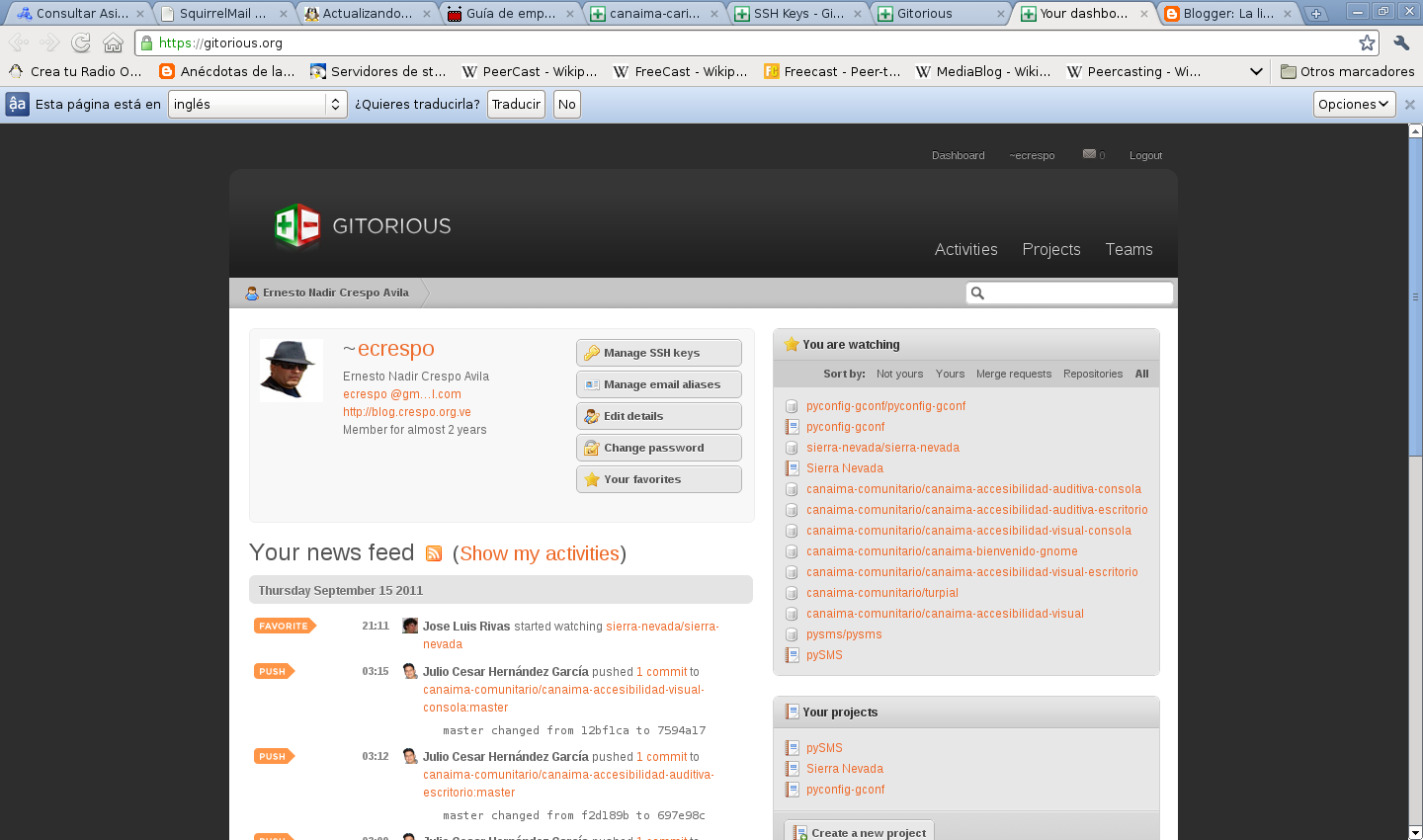
For gitorius, select the dashboard, then click Manage SSH keys:
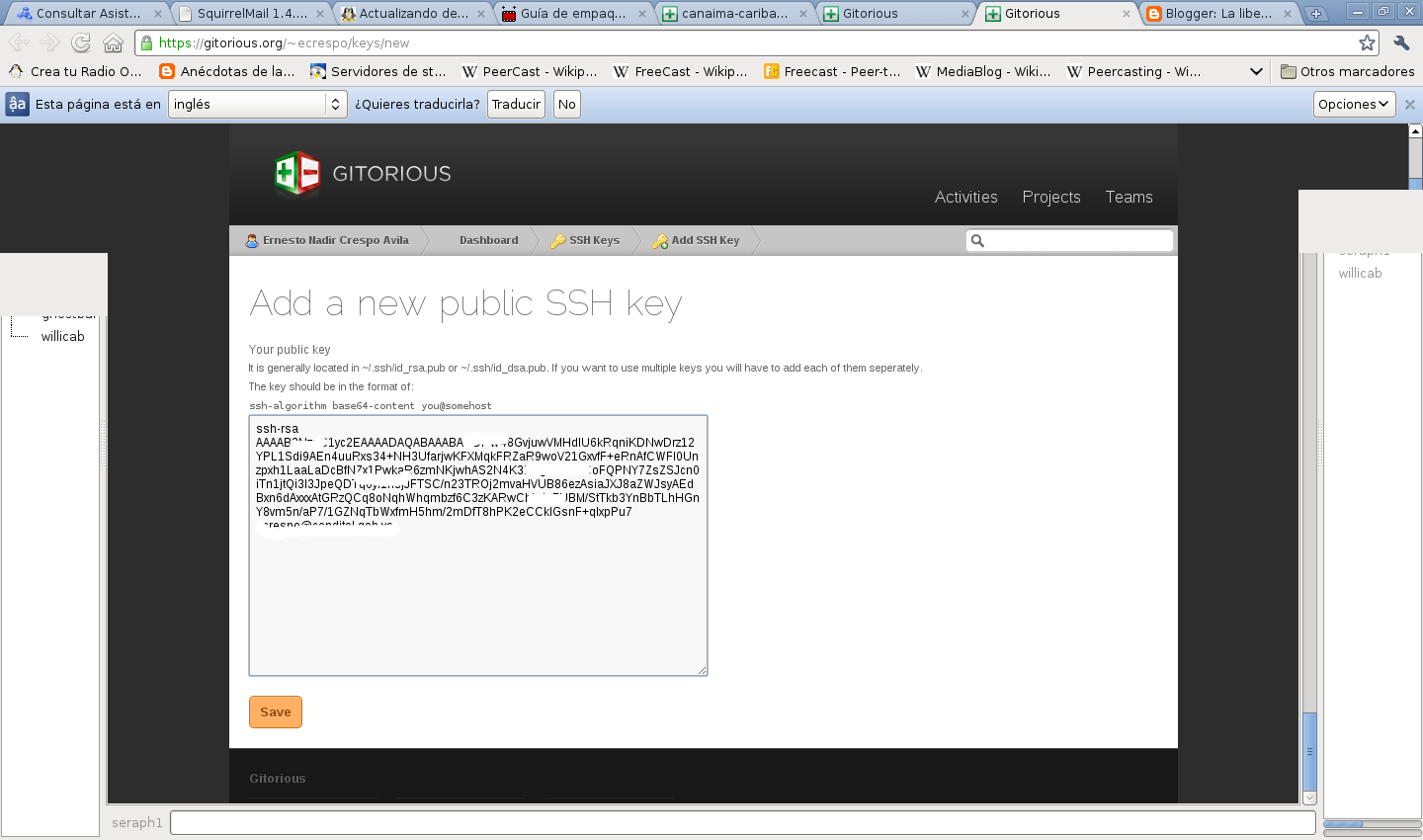
Click Add ssh keys:
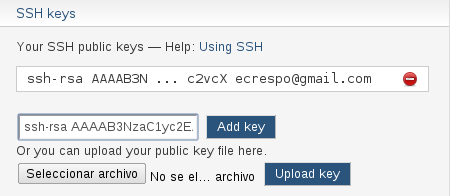
Add the key in bitbucket. Click Account after logging in to your account at bitbucket.org: Go to the ssh keys field and add the key as the figure shows:
The next article will explain how to use the commands to clone, commit and update the distributed version control systems of github, gitorius and bitbucket.
Make a donation! If you liked the article you can make a donation with Bitcoin (BTC) using the digital wallet of your choice to the following address: 17MtNybhdkA9GV3UNS6BTwPcuhjXoPrSzV
Or by scanning the QR code from the wallet:
