Continuing with the series of articles about the flask web development microframework, I will now show how to create a static site.
This article is based on an English article called Introduction to Flask, Part 1 - Setting up a static site.
The same file used in the previous articles (app.py) will be used; in this case the decorator and the function to be used will simply be added, which will serve to call a welcome page.
Besides the app.py file, two directories need to be created: one called templates, which will contain the html template, and the other called static, which will contain static files such as css and javascript files.
ernesto@heimdall:~/proyectos/tutorialflask$ ls -l
total 12
-rw-r--r-- 1 ernesto ernesto  792 jun  7 20:56 app.py
drwxr-xr-x 2 ernesto ernesto 4096 jun  7 21:09 static
drwxr-xr-x 2 ernesto ernesto 4096 jun  7 21:10 templates
The app.py file will have the following additional information:
#Se agrega el renderizado de la plantilla

from flask import Flask,request,redirect,render_template

#Se usa el decorador ruta para ver el url bienvenido.


@app.route('/bienvenido')


#Se crea la funcion welcome que renderiza una plantilla html.


def welcome():


    return render_template('bienvenido.html')  # renderiza la plantilla bienvenido.html.
Now, in the templates directory, create the file bienvenido.html with the following content:
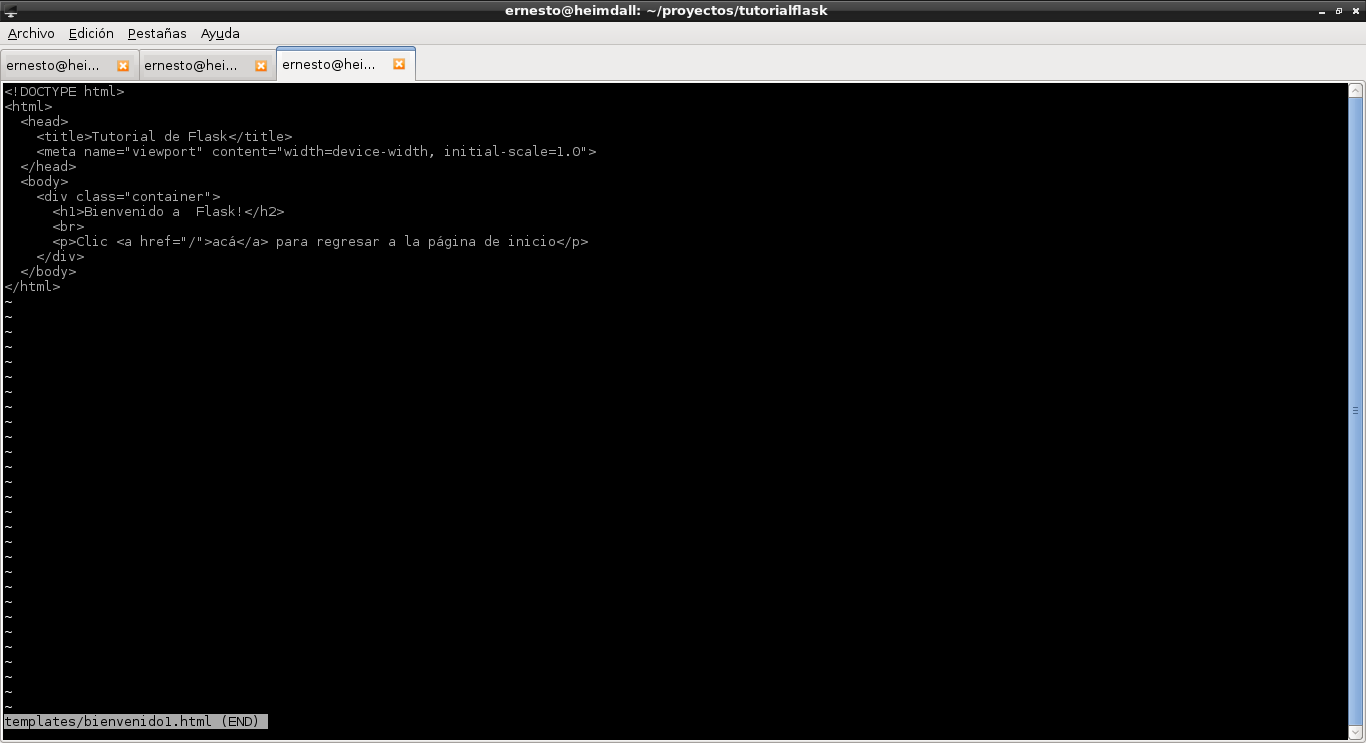
Run the application and visit the url http://127.0.0.1:5000/bienvenido
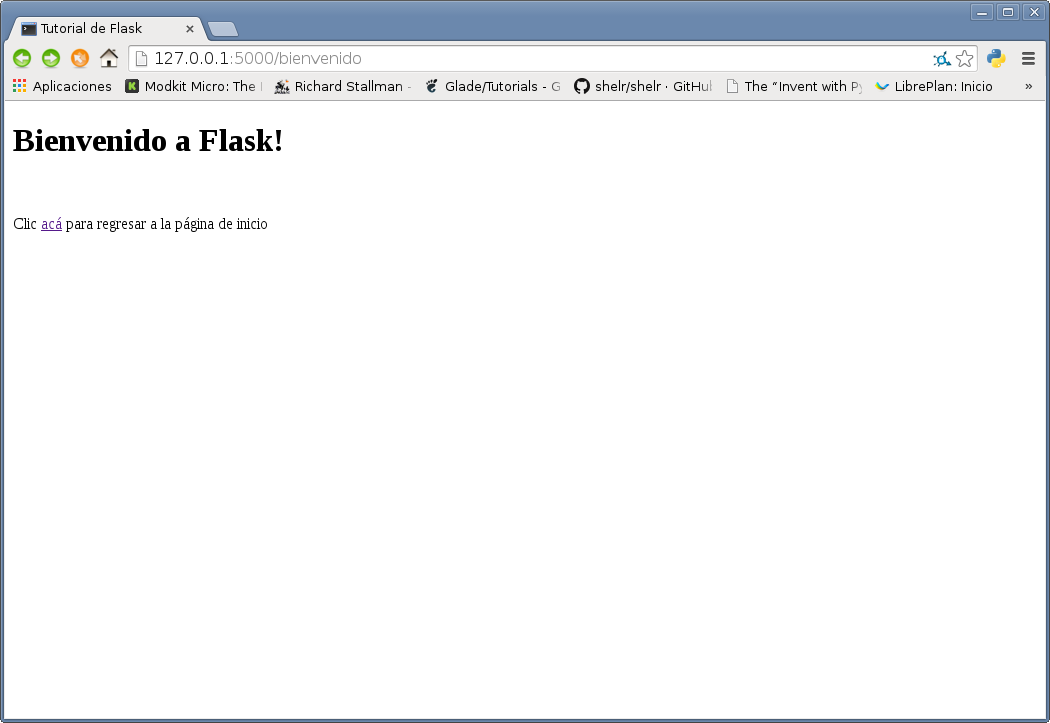
Now a style called bootstrap will be used; you can download it from the link. After downloading and unzipping it, copy the files bootstrap.min.css and bootstrap.min.js to the static directory, as shown below:
ernesto@heimdall:~/proyectos/tutorialflask$ ls -l static/
total 132
-rw-r--r-- 1 ernesto ernesto 99961 feb 13 12:54 bootstrap.min.css
-rw-r--r-- 1 ernesto ernesto 29110 feb 13 12:54 bootstrap.min.js
The new changes to the bienvenido.html template so that it uses the files mentioned above are shown below.
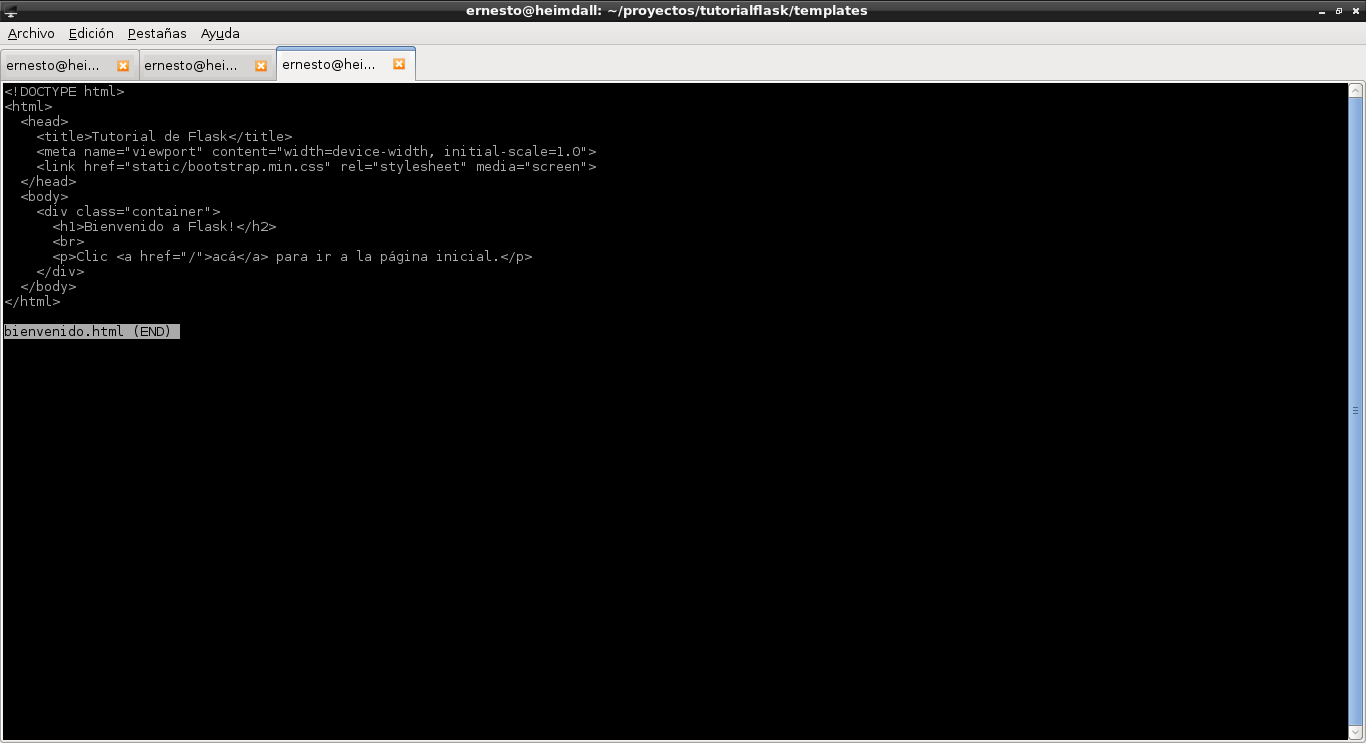
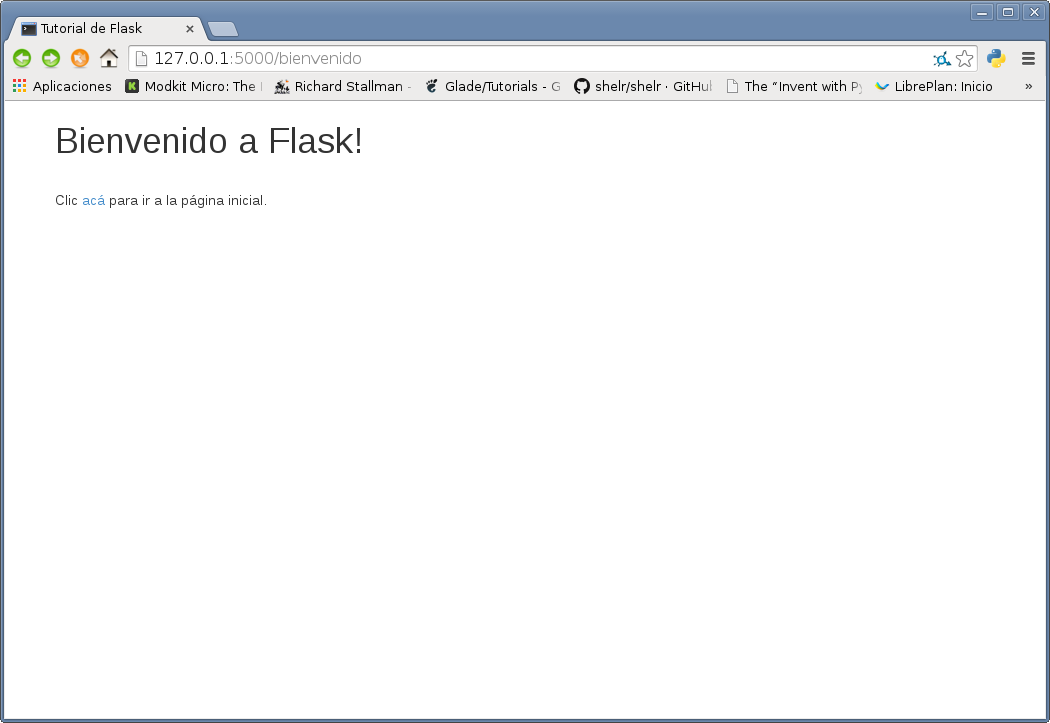
Now open the browser at the url http://127.0.0.1:5000/bienvenido and you get what the following figure shows:
Make a donation! If you liked the article you can make a donation with Bitcoin (BTC) using the digital wallet of your choice to the following address: 17MtNybhdkA9GV3UNS6BTwPcuhjXoPrSzV
Or by scanning the QR code from your wallet:
