DNSCrypt lets you encrypt DNS queries between the computer and the OpenDNS DNS servers, which protects the machine from Man-in-the-Middle attacks.
The article this tutorial is based on is at the following link.
To install dnscrypt on Debian, download the package from the Github (broken link) repository.
Run dpkg:
#dpkg -i dnscrypt-proxy_0.9_i386.debStart the dns proxy as a daemon:
#dnscrypt-proxy --daemonizeEdit the wireless connections; in this case the network the computer connects to is wireless:
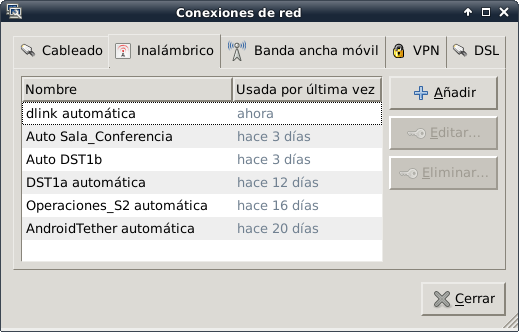
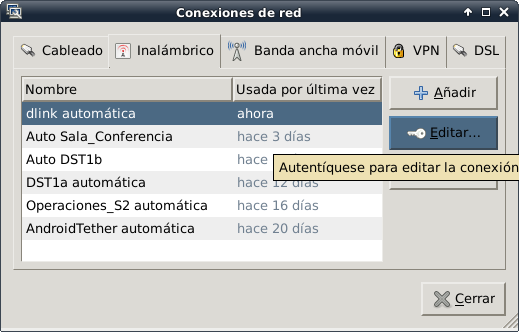
Select the wireless network and edit its settings:
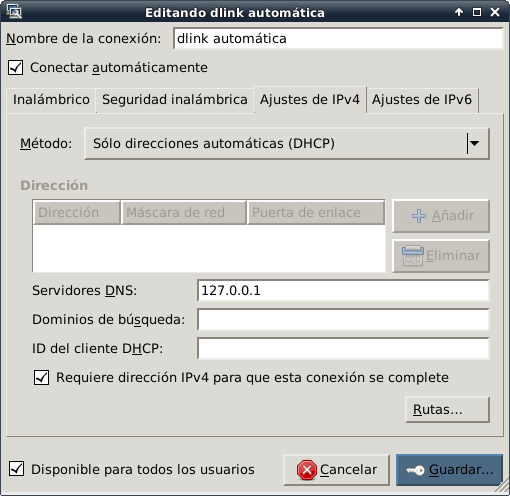
Select the IPv4 Settings tab, in the method select Automatic (DHCP) addresses only, and enter the IP 127.0.0.1 in DNS servers:
To verify that the OpenDNS DNS servers are being used, open the browser at the URL http://www.opendns.com/welcome :
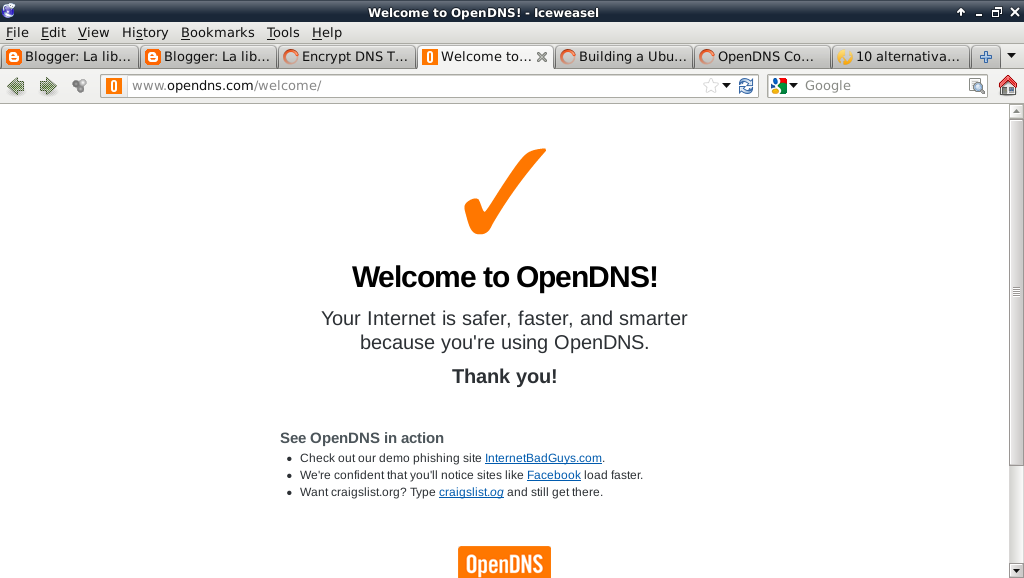
The communication with the OpenDNS servers is now encrypted.
Make a donation! If you liked the article you can make a donation with Bitcoin (BTC) using the digital wallet of your choice to the following address: 17MtNybhdkA9GV3UNS6BTwPcuhjXoPrSzV
Or by scanning the QR code from your wallet:
